
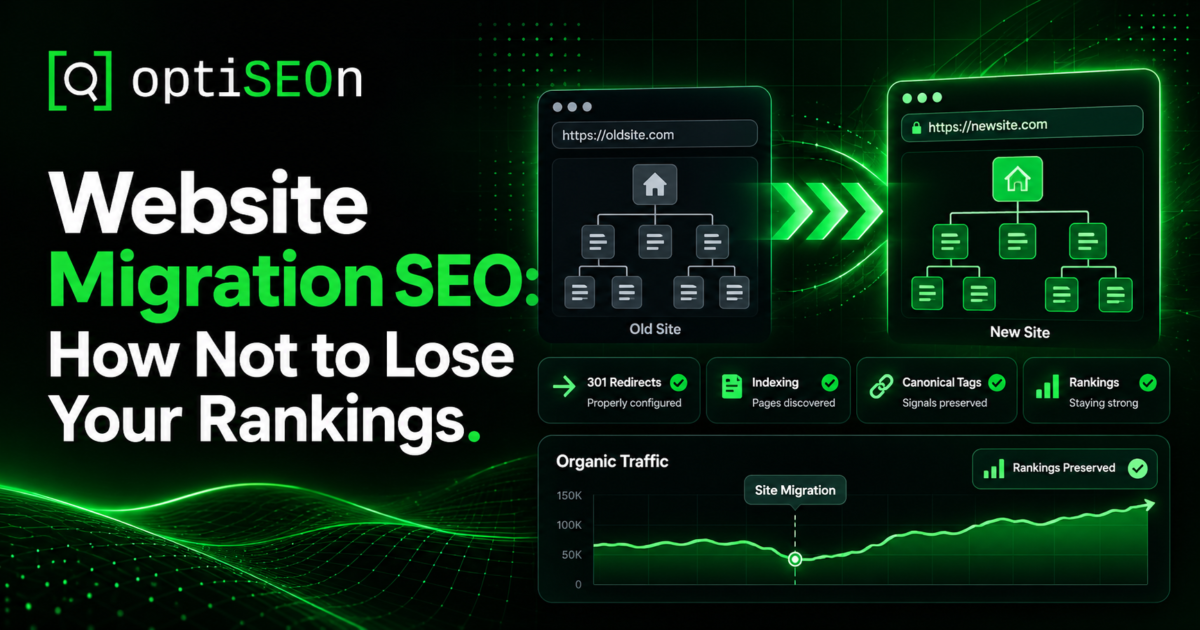
Site migrations are where years of SEO work go to die. This rarely happens because migrations are inherently destructive, but because SEO planning usually starts after the design is signed off, the URLs are decided, and the launch date is fixed, which is roughly three months too late.
We get called about migrations in two ways. Occasionally before, when there’s time to do it properly. More often after, when organic traffic dropped 60% the week of launch and nobody knows why.
The second call is avoidable. Here’s what proper migration SEO looks like, in the order it has to happen.
TL;DR
The overwhelming majority of migration traffic losses come from three things: missing or wrong 301 redirects, a staging site’s noindex shipping to production, and URL changes made without SEO input. Plan migration SEO before design is finalised, build a complete redirect map from a full crawl of the old site, test everything on staging, and monitor daily for the first month. Expect a temporary dip even when everything goes right.
→ Book a free pre-migration audit
What counts as a site migration?
Any change that alters your URLs, hosting, platform, domain, or site structure, including redesigns that keep the same domain. People tend to think “migration” means changing domains, but a redesign that reorganises your URL structure carries most of the same risk.
The types, roughly in ascending order of risk:
- Visual redesign, same URLs: lowest risk, but Core Web Vitals and internal linking can still regress
- Restructure: same domain, new URL structure
- Replatform: WordPress to Shopify, Wix to Webflow, custom to headless
- Protocol or subdomain change: HTTP to HTTPS, www to non-www, subdomain to subfolder
- Domain change or rebrand: highest risk
- Consolidation: merging multiple sites into one
Each needs the same discipline; the bigger ones just need more of it.
Why do sites lose traffic after migration?
Because the old URLs stop resolving and nothing tells search engines where the content moved; every page that 404s loses its rankings and every link pointing at it stops passing authority. Missing redirects are the single largest cause, followed by staging-environment settings shipping to production.
The recurring causes, in the order we find them:
- Missing or incomplete redirects. Somebody redirects the top 50 pages and forgets the other 2,000.
- Redirects pointing everywhere to the homepage. Google increasingly treats mass homepage redirects as soft 404s. Redirect each URL to its closest equivalent.
- A staging noindex shipped live. Catastrophic, common, and fixable in two minutes if you catch it.
- robots.txt from staging blocking the whole site.
- Content dropped or shortened during redesign, as you can’t rank on content that no longer exists.
- Internal links still pointing at old URLs, creating chains and wasted equity.
- Metadata lost — titles and descriptions regenerated by a new CMS’s defaults.
- Structured data not carried over, losing rich results.
- Performance regression from a heavier new build. See Core Web Vitals in 2026.
- Analytics and Search Console not reconfigured, which leaves you unable to track what happened.
What do I need to do before launch?
Crawl the existing site completely, benchmark current performance, build a one-to-one redirect map, and test the whole thing on staging before anything goes live. Pre-launch is where migrations are won; there is no equivalent amount of post-launch work that compensates for skipping it.
The pre-launch checklist:
- Full crawl of the current site (Screaming Frog or similar). Export every URL, title, meta description, H1, status code, and internal link. This is your source of truth.
- Export Search Console data, including top pages by clicks and impressions alongside top queries over at least 12 months.
- Export your backlink profile so you know which pages carry earned authority and must not break. Check yours with our free Backlink Profile Checker.
- Benchmark everything, such as rankings, organic traffic by page, conversions, and Core Web Vitals. You cannot assess post-launch damage without a baseline.
- Build the redirect map. Every old URL mapped to its closest new equivalent, one to one. Pages with no equivalent go to the most relevant category page, not the homepage.
- Preserve metadata and structured data by carrying titles, descriptions, and schema across rather than letting the new CMS regenerate defaults. Our schema markup generator can rebuild anything lost.
- Keep the content. Redesigns routinely cut copy for aesthetic reasons. Cut ranking content and you cut rankings.
- Test on staging with the redirect map applied, and make sure staging is password-protected or noindex’d.
- Plan a low-traffic launch window, avoiding Friday afternoons, upcoming holidays, or peak seasons.
How should I build a redirect map?
Map every old URL to the single most relevant new URL, one to one, using 301 (permanent) redirects while avoiding chains, loops, and defaulting everything to the homepage. Build it from your full crawl, not from memory or the sitemap alone.
Practical rules:
- 301, not 302. Temporary redirects don’t pass authority the same way.
- One hop. Old URL → new URL directly. Chains dilute and slow crawling.
- Closest equivalent. If a page is genuinely gone, redirect to its parent category, not the homepage.
- Include everything, such as old redirects from previous migrations, parameter URLs, paginated pages, and images if their paths change.
- Test before launch and re-test after, in bulk.
One subtlety worth knowing: if you’ve migrated before, your old redirects need re-mapping to the new destinations too. Otherwise you build chains three hops deep, and equity leaks at each step.
What do I do on launch day?
Verify the site is indexable, spot-check redirects live, submit the new sitemap, and confirm analytics is firing in that order within the first hour. Launch day is about catching catastrophic errors fast, not optimisation.
The immediate checklist:
- Check robots.txt — is it the production version?
- Check for noindex sitewide. In WordPress, Settings → Reading.
- Spot-check 20–30 redirects manually across different page types.
- Submit the new XML sitemap in Search Console.
- Verify analytics and tag manager are firing on the new templates.
- Check Search Console for a spike in crawl errors.
- Run a fresh crawl of the new site and compare the URL count against expectations.
If you find a sitewide noindex, fix it immediately and request indexing on key pages. Caught within hours it’s usually recoverable; caught in three weeks it isn’t, cleanly.
What should I monitor after launch?
Monitor daily for the first two weeks, then weekly for three months — watching indexation, crawl errors, rankings on your benchmark terms, organic traffic by page, and conversions. A temporary dip is normal; a sustained one is a problem to diagnose.
Watch specifically:
- Indexation count in Search Console — is the new site being indexed at the expected rate?
- Crawl errors and 404s, keeping in mind that every 404 from an old URL points to a missing redirect
- Rankings on your benchmark terms against the pre-launch baseline
- Organic traffic by landing page to identify which specific pages lost ground
- Conversions, not just traffic
- Core Web Vitals on the new build
If traffic drops and doesn’t recover, work the diagnostic sequence in Why Did My Organic Traffic Drop?. Migrations produce a distinctive pattern of sudden, page-level losses that maps directly to missing redirects.
How long does recovery take?
Expect a temporary dip of a few weeks even on a well-executed migration, with full recovery typically within one to three months as search engines recrawl and reprocess the new structure. Larger sites take longer because recrawling everything takes longer.
What’s normal: a dip in weeks one to three, gradual recovery through weeks four to eight, and stability by month three. What isn’t normal: a drop that deepens after week four, or one confined to specific page types (which usually means a redirect or template problem, not natural volatility).
The honest advice about timing
The most valuable thing we can tell you about migration SEO is that the deciding factor is when you involve SEO, not how good the SEO work is.
A migration where URLs, structure, and content are decided with SEO input usually loses little or nothing. Conversely, a migration where SEO is invited after those decisions are locked becomes a damage-limitation exercise. While a redirect map can preserve some equity, a URL structure designed without search consideration or a redesign that cut half the copy cannot be fixed with redirects alone.
If you’re planning a redesign, the SEO conversation belongs in the same meeting as the sitemap, before anyone opens a design tool.
Frequently Asked Questions
Will I lose rankings if I redesign my website?
Not necessarily. A visual redesign keeping the same URLs, content and technical foundation carries low risk. Losses happen when URLs change without redirects, content is cut, or technical settings regress. Plan SEO alongside design rather than after, and most risk disappears.
How long does it take to recover from a site migration?
A temporary dip of a few weeks is normal even when everything is done correctly, with recovery typically complete within one to three months. Larger sites take longer because recrawling takes longer. A drop that deepens after the first month suggests a real problem rather than normal volatility.
Should I use 301 or 302 redirects for a migration?
301, which signals a permanent move and passes ranking authority to the new URL. 302 indicates a temporary move and isn’t appropriate for migration. Use one-hop 301s from each old URL directly to its new equivalent, avoiding chains.
Can I redirect all my old URLs to the homepage?
No. Google increasingly treats mass homepage redirects as soft 404s, meaning you lose the rankings anyway and gain nothing. Redirect each URL to its closest equivalent; where none exists, use the most relevant category page.
What’s the most common site migration mistake?
Missing or incomplete redirects, typically mapping the top pages and overlooking the rest of the site. A close second is a staging environment’s noindex setting shipping to production, which deindexes the entire site and frequently goes unnoticed for days.
When should I involve an SEO in a website redesign?
Before URLs, site structure, or content are finalised, ideally at the sitemap stage. SEO involvement after those decisions are locked becomes damage limitation. The single biggest predictor of whether a migration preserves traffic is how early search considerations entered the process.
Planning a redesign, replatform or domain change? Book a free pre-migration audit. We’ll benchmark what you have, build the redirect map, and review the new structure before it’s built, which is considerably cheaper than diagnosing it afterwards.
Leave a Reply