
Most backlink tools answer one question: how many links do you have right now? That’s a snapshot, and a snapshot is a surprisingly weak thing to make decisions from.
The question that actually matters is whether your profile is getting stronger. Are new referring domains arriving? Is quality improving or is the growth all low-value noise? Is too much of your authority concentrated in a handful of domains that could disappear? A single number can’t tell you any of that.
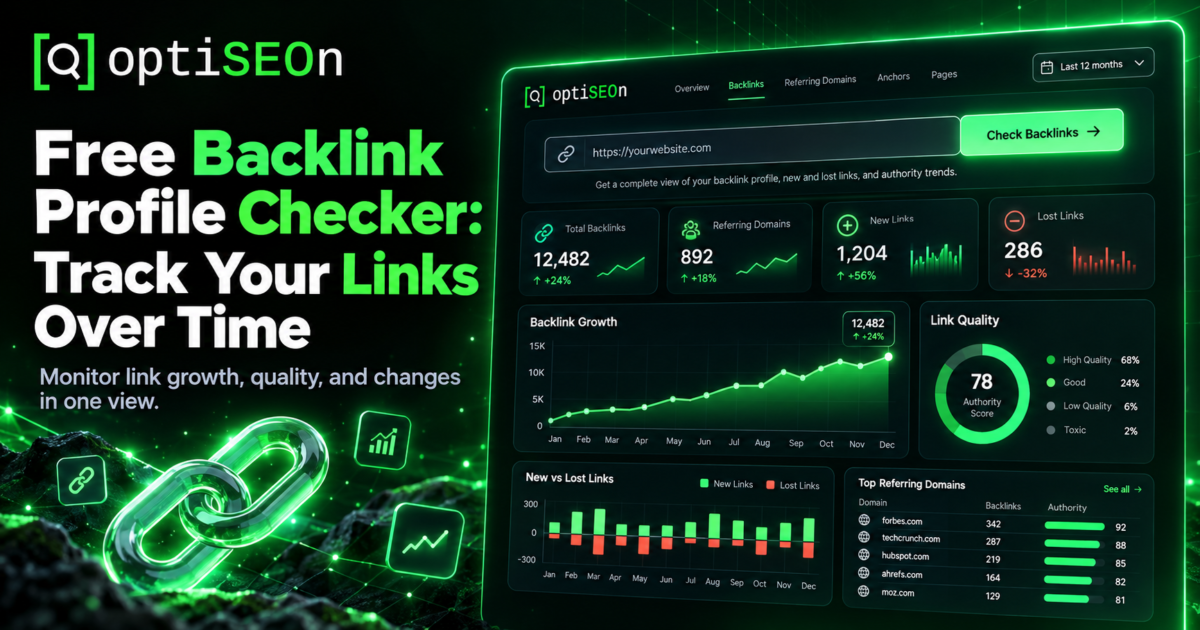
So our free Backlink Profile Checker is built around progress rather than snapshots. It scores your profile out of 100, breaks down the quality mix and concentration risk, and shows you exactly what changed between checks.
TL;DR
A backlink profile checker analyses the links pointing to your site: how many referring domains you have, their quality mix, your spam score, and how concentrated your authority is. The free OptiSEOn Backlink Profile Checker scores all of this out of 100 and tracks progress between checks, so you can see whether your link building is actually working. No signup.
→ Run the free Backlink Profile Checker
What is a backlink profile?
Your backlink profile is the complete picture of links pointing to your site. This includes how many distinct domains link to you, their authority, topical relevance, and how links are distributed across your pages. Quality and distribution matter far more than raw link counts.
The components that matter:
- Referring domains: The number of distinct sites linking to you. This is far more meaningful than total link count, as 50 links from 50 sites build a stronger profile than 500 links from just 5 sites.
- Quality mix: The spread of authority across your referring domains.
- Spam score: The proportion of links coming from low-quality or spammy sources.
- Concentration risk: How much of your overall authority relies on a small cluster of domains.
- Growth trend: Whether your link profile is growing, holding steady, or losing ground.
What does the OptiSEOn Backlink Profile Checker show?
It returns your referring domains, link quality mix, spam score and concentration risk, scored out of 100, plus progress tracking that shows exactly what changed since your last check. Enter a domain and it runs; no signup required.
Progress tracking is central to how this tool works. Effective link building takes time, as outlined in our link building guide. A single snapshot can’t show if a campaign is making steady progress or stalling out, but tracking changes over time clarifies your actual trajectory.
Note on the data: like most free checkers, this tool uses third-party index data via an API rather than crawling the entire web directly. Because no backlink index is exhaustive and providers measure differently, treat absolute figures as estimates. The real value lies in tracking relative changes for the same domain over time using consistent data.
Why do referring domains matter more than total backlinks?
Search engines place much higher weight on unique websites linking to you than on total individual links. A hundred links from one site count as a single endorsement. Broad source diversity signals genuine authority.
This is also why “we’ll build you 500 backlinks a month” offers are meaningless at best. Volume from a narrow set of low-quality sources doesn’t move the metric that matters, and in 2026 it carries real penalty risk. Google’s SpamBrain evaluates link patterns across your profile rather than links in isolation.
What is concentration risk?
Concentration risk measures how dependent your site is on a handful of referring domains. If a major share of authority comes from just three or four sites, losing any of them directly harms your profile. It evaluates profile vulnerability rather than raw quality.
High concentration typically comes from a single viral piece picked up by one publisher network, a long-standing directory or partner relationship carrying most of your links, or an over-reliance on one guest-posting outlet. None of those are bad in themselves; depending on them is.
The fix is straightforward and slow: diversify sources. Original research, digital PR, expert commentary, podcast appearances, and genuine community presence spread your profile across more domains.
What is a good backlink profile score?
There is no universal score to aim for. Look at your profile relative to competing sites ranking for your target terms, and focus on whether your score trends upward over time. Benchmarks vary widely by industry.
Run the checker on your top three competitors alongside your own domain. That comparison tells you more than any score in isolation: if they have four times your referring domains, you know the gap you’re closing. If you’re comparable and still outranked, links aren’t your problem and you should look at content, technical health, or entity signals instead.
Should I disavow links the checker flags as spammy?
In most cases, no. Google advises against disavowing links unless you face a manual penalty or clear manipulation. Search engines generally ignore low-quality links automatically. Disavowing valid links risks removing genuine authority.
Disavow when: you have a manual action for unnatural links, you previously bought links or used a PBN, or you’re facing a clear negative SEO attack. Otherwise, leave it alone and spend the effort earning better links instead.
How does this fit with the rest of your SEO?
Links are one input among several. A strong profile won’t rescue thin content, and a weak one won’t sink genuinely excellent content in a low-competition niche. Check your backlink profile alongside:
- Domain Rating: A relative authority metric rather than an official ranking factor.
- Entity signals: How clearly search engines and AI models identify your brand.
- Core Web Vitals: Page performance and technical site health.
- Content quality and structure: The foundational content that backlinks serve to amplify.
For businesses that need authority built rather than measured, our citation and authority building service handles consistent listings and entity signals across 260+ platforms.
Frequently Asked Questions
How do I check my backlinks for free?
You can use a free backlink checker like OptiSEOn’s. Enter your domain to review referring domains, quality distribution, spam score, and concentration risk without creating an account. Google Search Console also provides a sample of indexed backlinks in its Links report.
What’s the difference between backlinks and referring domains?
Backlinks are individual links, while referring domains are the distinct websites providing those links. Referring domains carry much more weight because multiple links from a single site act as one overall endorsement.
How many backlinks do I need to rank?
There is no single target number. Compare your referring domain count against competitors ranking for your target terms to set a practical baseline.
Why do different backlink tools show different numbers?
Each tool relies on its own web crawler and index. Crawl frequencies and filtering rules vary by provider, so treat raw counts as estimates and focus on performance trends over time.
Should I remove or disavow bad backlinks?
Usually no. Google recommends disavowing links only if you have a manual penalty or clear evidence of unnatural link building. Most low-quality links are ignored automatically.
How often should I check my backlink profile?
Checking monthly is sufficient for most sites since link profiles change gradually. Monitor more frequently during active outreach or PR campaigns when new link acquisition is expected.
See where your backlink profile stands and track its progress over time. Run the free Backlink Profile Checker, then compare your domain against top competitors. If you need help closing the gap, book a free audit with our team.
Leave a Reply