Category: TOOLS

  • Free Schema Markup Generator: Build Valid JSON-LD From Any Page

    Free Schema Markup Generator: Build Valid JSON-LD From Any Page

    Schema markup is one of those rare SEO levers that’s both high-value and genuinely underused. Done right, it makes your pages eligible for rich results in Google, and it tells AI engines like ChatGPT, Perplexity, and Gemini exactly what your content is and who you are. Done wrong — or not at all — you’re leaving one of the clearest machine-readable trust signals on the table.

    So why doesn’t every site have it? Because the traditional way of adding schema is tedious and easy to get wrong. You pick a type from a dropdown, hand-type every field into a form, hope you got the syntax right, paste it in, and cross your fingers. Most small teams try it once, find it fiddly, and move on.

    We built a free tool to remove that friction. The OptiSEOn Schema Markup Generator takes a different approach: you paste a page URL, it figures out what kind of page it is, and it generates valid JSON-LD built from what’s actually on the page — no dropdowns, no manual data entry, no invented values. This post explains what it does, how to add the output correctly, and the one step you should never skip before shipping.

    TL;DR

    Schema markup is structured data (in JSON-LD format) that tells Google and AI engines what a page means. The free OptiSEOn Schema Markup Generator fetches any page URL, auto-detects its type (homepage, blog post, product, FAQ, contact page, and more), and generates valid, copy-paste JSON-LD built only from data found on the page — it never fabricates authors, dates, prices, or ratings. No signup, nothing stored. Always validate the output with Google’s Rich Results Test before you ship it.

    → Generate schema for any page · No signup · Nothing stored.

    What is a schema markup generator?

    A schema markup generator is a tool that produces structured data code — usually JSON-LD — that you add to a web page so search engines and AI systems can understand its content in a machine-readable way. Instead of writing the code by hand, you use the generator to produce valid markup for your page type, whether that’s an article, a product, an FAQ, or a local business.

    The OptiSEOn generator differs from most in one important way: rather than making you choose a type and fill in a blank form, it reads your actual page, detects what kind of page it is, and populates the markup from real content.

    What does the OptiSEOn schema generator do?

    It fetches the page URL you paste, identifies the page type, and generates valid JSON-LD structured data built from what’s genuinely on the page — ready to paste into your <head>. It works for homepages, blog posts, products, FAQs, and contact pages, and produces types including Organization, WebPage, Article, Product, FAQPage, and LocalBusiness, among others.

    What that means in practice:

    • Auto-detection. You don’t pick a type from a dropdown. The tool works out whether it’s looking at an article, a product page, an FAQ, and so on, and generates the matching schema.
    • Built from your real page. Titles, descriptions, and other values come from the page’s actual content — not a blank form you fill in and not made-up data.
    • Valid, copy-paste JSON-LD. The output is formatted and ready to drop into your page’s <head>.
    • Private and free. No signup, and nothing you enter is stored.

    The result is a strong, accurate first draft in seconds. The two things you still own — reviewing it and validating it — are covered below, because skipping them is where schema goes wrong.

    What is schema markup and JSON-LD, briefly?

    Schema markup is a shared vocabulary from schema.org that labels the parts of your page — this is the author, this is the price, this is a review — and JSON-LD is the format Google recommends for adding it, a small script placed in your page’s <head>. Together they turn ambiguous text into explicit, machine-readable facts.

    Without markup, a search engine has to guess whether “$199” is a price, a discount, or just a number in your copy. With Product schema, it knows. That clarity is what makes pages eligible for rich results (star ratings, FAQ accordions, breadcrumbs) and what helps AI engines identify and cite your content accurately.

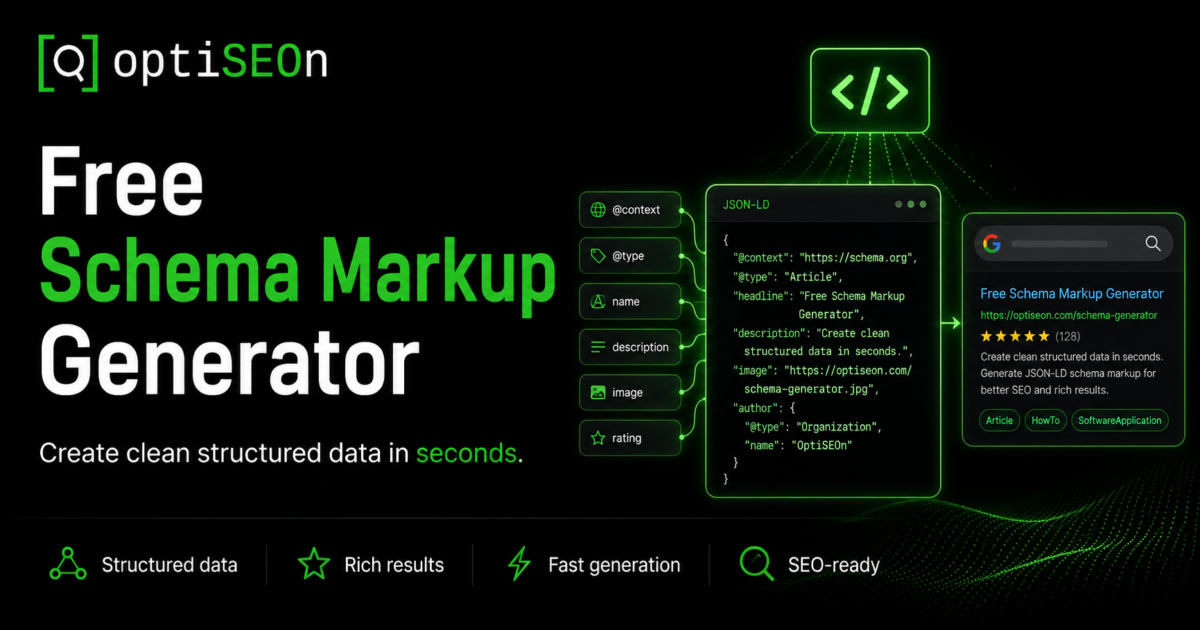
    A simple Article JSON-LD block looks like this:

    json

    {

      “@context”: “https://schema.org”,

      “@type”: “Article”,

      “headline”: “Your Post Title”,

      “author”: { “@type”: “Person”, “name”: “Author Name” },

      “datePublished”: “2026-08-01”,

      “publisher”: {

        “@type”: “Organization”,

        “name”: “Your Company”

      }

    }

    For a full breakdown of which types matter and where to use each one, see our guide to the 10 schema markup types every business needs in 2026. This post is about generating them quickly; that one is about choosing them wisely.

    How do I generate and add schema markup?

    Paste your page URL into the generator, let it detect the page type and build the JSON-LD, copy the output, paste it into your page’s <head>, then validate it with Google’s Rich Results Test before publishing. The generation takes seconds; the validation is the step that protects you from shipping something broken.

    Step by step:

    1. Go to the Schema Markup Generator and paste the URL of the page you want to mark up. No signup.
    2. Let it analyze. The tool fetches the page, detects its type, and generates matching JSON-LD from the page’s real content.
    3. Review the output. Confirm the detected type is right and the values match what’s visibly on the page.
    4. Copy the JSON-LD and paste it inside the <head> of that page (or via your CMS’s structured-data / custom-code field). In WordPress, most SEO plugins have a slot for custom JSON-LD; in Webflow or Wix, use a head-code embed.
    5. Validate before shipping. Run the page or the code through Google’s Rich Results Test and the Schema.org validator. Fix any errors or warnings.
    6. Repeat per page type. Generate one for each distinct template — homepage, article, product, contact — since each needs different schema.

    Which schema types does the generator produce?

    It generates the schema types that match common page templates — Organization and WebPage for homepages, Article for blog posts, Product for product pages, FAQPage for FAQs, and LocalBusiness for contact and location pages, among others. Because it detects the page type first, you get the right schema for each page instead of forcing one type everywhere.

    Here’s how the common types map to pages:

    Page typeSchema generatedWhat it does
    HomepageOrganization, WebPageIdentifies your business as an entity
    Blog post / articleArticleAuthor, date, headline — feeds rich results and E-E-A-T
    Product pageProductName, description, price, availability
    FAQ sectionFAQPageMakes Q&A machine-readable for parsing and AI extraction
    Contact / locationLocalBusinessAddress, hours, geo — critical for local SEO

    Organization schema is worth adding site-wide as your foundational entity signal, and Article plus Person schema on content pages feed the author-authority signals that both Google and AI engines weigh — which we cover in our E-E-A-T guide.

    Why does “nothing invented” matter?

    The generator only uses data found on your page — it never invents authors, dates, prices, or ratings, because fabricated values are exactly what gets schema flagged and penalized by Google. Structured data that doesn’t match your visible page content, or that fakes reviews and ratings, is a policy violation that can trigger manual actions — not a shortcut to rich results.

    This is a guardrail, not a limitation, and it’s the same warning we gave in our schema markup guide: Review and AggregateRating schema must reflect real, displayed reviews; inventing them is one of the fastest ways to earn a penalty. A lot of schema tools and plugins will happily let you type in a 5-star rating for a page with no reviews. That “help” is a liability.

    So if the generator leaves a field empty, that’s usually correct — it means the data isn’t genuinely on your page, and adding it manually would mean fabricating it. The fix is to put the real information on the page first, then regenerate.

    Do I still need to validate the output?

    Yes — always run generated schema through Google’s Rich Results Test before publishing, because broken structured data can do more harm than none at all. Google ignores invalid markup, and markup that conflicts with your visible content can hurt trust signals. Validation takes thirty seconds and catches the errors that would otherwise ship silently.

    A quick validation checklist:

    • Google Rich Results Test — confirms eligibility for specific rich result types and flags errors
    • Schema.org validator — a stricter, vocabulary-level check
    • Eyeball the values — make sure every field matches what a visitor actually sees on the page
    • Check for duplicates — if your CMS or theme already outputs some schema, avoid conflicting or doubled markup

    The generator gives you valid JSON-LD to start from, but your specific CMS, theme, or existing plugins can introduce conflicts only a validation pass will catch. Never skip it.

    Schema is one signal. We optimize all of them.

    Structured data tells Google and AI engines what your pages mean — but it works best alongside content, authority, and technical SEO that all agree with it. Schema on its own doesn’t rank a page or earn a citation; it amplifies the signals already there. Mark up a thin page and you’ve accurately described a thin page.

    Schema sits inside a larger system, and the rest of that system is what turns “understood” into “ranked” and “cited”:

    That end-to-end work — structured data, content, authority, and technical SEO tuned together for both search engines and AI answers — is what we do at OptiSEOn. The generator gets your markup right; the service makes it count.

    Frequently Asked Questions

    What is a schema markup generator used for? A schema markup generator produces structured data code (usually JSON-LD) that you add to a web page so search engines and AI systems can understand its content. It saves you from hand-writing the code and reduces syntax errors. The OptiSEOn generator goes further by auto-detecting your page type and building the markup from the page’s real content.

    How do I add schema markup to my website? Generate the JSON-LD for your page, then paste it inside the page’s <head> — directly in the HTML, or through your CMS’s custom-code or structured-data field (most WordPress SEO plugins have one; Webflow and Wix use head-code embeds). Then validate it with Google’s Rich Results Test before publishing.

    What format should schema markup be in? JSON-LD is the format Google recommends. It’s a self-contained script placed in the page’s <head>, separate from your visible HTML, which makes it easier to add and maintain than older formats like microdata or RDFa. The OptiSEOn generator outputs JSON-LD.

    Does schema markup improve my Google rankings? Not directly. Schema doesn’t boost rankings on its own, but it makes pages eligible for rich results (star ratings, FAQ accordions, breadcrumbs) that improve click-through rate, and it helps AI engines understand and cite your content. The benefit is real but indirect — schema amplifies your other signals rather than replacing them.

    Is it safe to use auto-generated schema? Yes, provided the values are accurate and you validate before shipping. The risk with schema isn’t automation — it’s fabricated data. A generator that pulls only from your real page content (and leaves fields empty rather than inventing values) is safe; one that lets you type in fake reviews or ratings is a liability. Always run the output through Google’s Rich Results Test.

    Why is some schema data missing from my generated file? Usually because that data isn’t genuinely on your page. The OptiSEOn generator won’t invent authors, dates, prices, or ratings, since fabricated values are what get schema penalized. If a field is empty, add the real information to your page first, then regenerate — don’t fill it in with made-up data.

    Is the OptiSEOn schema generator really free? Yes — no signup, and nothing you enter is stored. Paste a URL, get valid JSON-LD auto-built from your page. It’s one of several free tools we build, alongside our robots.txt AI Checker, llms.txt Generator, Entity Signal Checker, and AI Citation Tester.


    Generate valid schema for any page in seconds — then validate and ship it with confidence. Use the free Schema Markup Generator. And if you want your structured data working in concert with content, authority, and technical SEO — for Google rankings and AI citations alike — OptiSEOn is a Dallas-based SEO, AEO, GEO, and LLM optimization agency. Book a free schema & SEO review.

  • The Free llms.txt Generator (and the Honest Take on Whether You Need One)

    The Free llms.txt Generator (and the Honest Take on Whether You Need One)

    A few months ago we published a post with a deliberately unglamorous conclusion: llms.txt is overhyped. The data we pulled showed it appearing in well under 1% of AI-cited URLs, and no major AI vendor had officially committed to honoring the spec. Our recommendation was blunt — don’t treat llms.txt as a primary AI-visibility lever, because it isn’t one.

    So it would be a little strange to now hand you a free llms.txt generator without addressing the obvious question: if you told me not to bother, why build the tool?

    Here’s the honest answer, and it’s the same one that runs through everything we publish. llms.txt is low effort and near-zero downside. It won’t hurt you, it might help later if the major AI platforms formally adopt the standard, and it’s a genuinely useful forcing function for auditing which of your pages actually matter. What made it not worth prioritizing was the manual effort relative to the payoff. Take the manual effort down to twenty seconds, and the math changes — a zero-downside, maybe-helpful task you can finish before your coffee is worth doing.

    That’s what the OptiSEOn llms.txt generator is for. This post explains what it does, how to use it well, and — because we’d rather keep your trust than oversell you a file — where it fits and where it doesn’t.

    TL;DR

    llms.txt is an emerging, community-proposed standard: a Markdown file at your domain root that tells AI systems what your site is and which pages matter. The free OptiSEOn llms.txt generator crawls your real pages, groups them into sections, and produces a valid, downloadable llms.txt in about 20 seconds — with every title and description pulled from your own pages, nothing invented. It’s low-effort and low-risk, but it is not a shortcut to getting cited by AI. Being readable is step one; being citation-worthy is the actual job.

    → Generate your free llms.txt · No signup · ~20 seconds.

    What is an llms.txt file?

    An llms.txt file is a Markdown file placed at your domain root (yoursite.com/llms.txt) that gives AI systems a curated, plain-language map of your site — what it is and which pages matter most. It was proposed in September 2024 as a community standard, and the idea is to hand large language models a clean index instead of making them guess from your raw HTML.

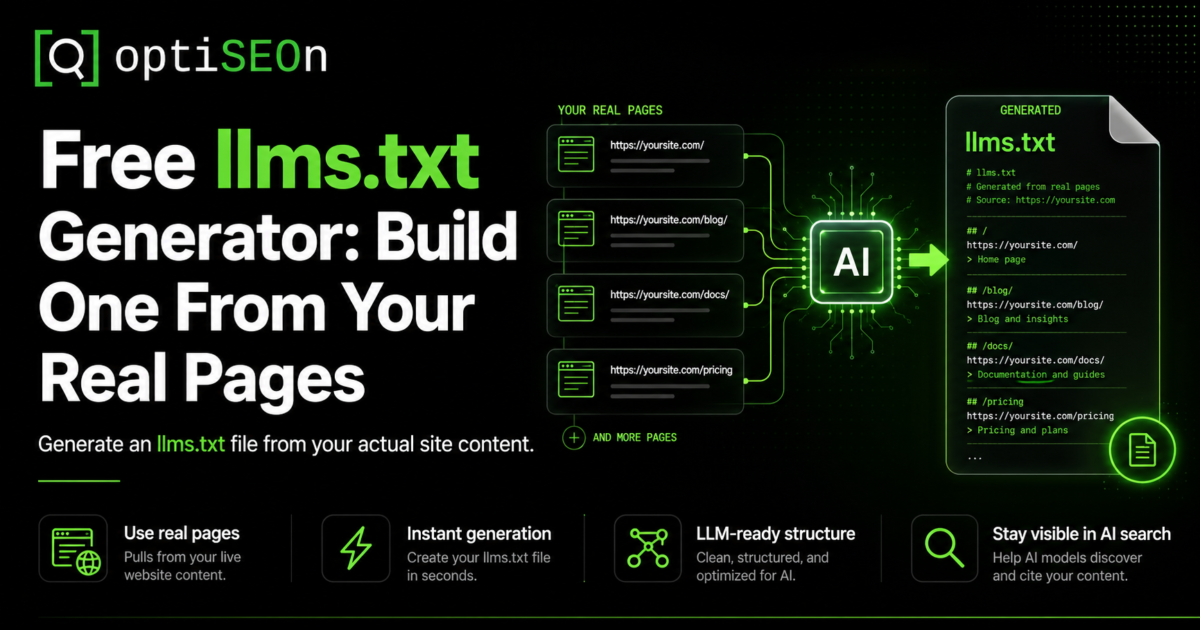
    A basic llms.txt looks like this:

    # Your Company

    > One-line summary of what your company does.

    ## Services

    – [SEO Services](https://yoursite.com/services): What you offer and for whom.

    – [Pricing](https://yoursite.com/pricing): Plans and what’s included.

    ## Guides

    – [How AI Search Works](https://yoursite.com/blog/ai-search): A plain-English overview.

    Clean, structured, human-readable, and machine-readable. The concept is sound. Whether the major AI platforms actually use it is the part worth being honest about — more on that below.

    What does the OptiSEOn llms.txt generator do?

    The OptiSEOn llms.txt generator reads your site’s sitemap and pages, groups them into logical sections, and builds a comprehensive, valid llms.txt file you can download and upload to your site root. Every title and description in the file comes directly from your own pages — the tool doesn’t invent copy or hallucinate descriptions.

    What that means in practice:

    • It uses your real content. Titles and descriptions are pulled from your actual pages, so the file reflects what’s genuinely on your site.
    • It structures automatically. Pages are grouped into sections (services, guides, products, and so on) rather than dumped into one flat list.
    • It outputs a valid file. The result follows the llms.txt format, ready to paste at yourdomain.com/llms.txt.
    • It’s free and needs no signup. Enter a domain, wait about twenty seconds, download.

    The tool gives you a strong first draft built from reality. What it deliberately does not do is pretend the file is finished the moment it’s generated — which brings us to how to use it well.

    How do I create an llms.txt file?

    Enter your domain into the generator, let it crawl your pages (~20 seconds), review and trim the generated file, then upload it to your site root at /llms.txt. The generation is automatic; the curation is the part that makes it actually good.

    Step by step:

    1. Go to the llms.txt generator and enter your domain. No signup.
    2. Let it crawl. It reads your sitemap and pages and groups them into sections.
    3. Review the draft. This is the important step most people skip. The tool gives you everything; you decide what belongs.
    4. Trim what doesn’t matter. Cut thin pages, tag/category archives, utility pages, and anything that doesn’t help an AI understand your site. A focused file of 15–30 meaningful pages beats a sprawling dump of 200.
    5. Upload to your root. Place the final file at yourdomain.com/llms.txt (UTF-8, named exactly llms.txt).
    6. Keep it updated. Revisit it when your site changes materially — new services, new cornerstone content, restructured navigation.

    What makes a good llms.txt file?

    A good llms.txt is curated, not exhaustive: it points AI systems at your genuinely important pages with accurate descriptions, and leaves everything else out. The value is in the editorial judgment — telling an AI which 20 pages define your site is more useful than listing all 200.

    The principles we’d apply:

    • Curate ruthlessly. Include cornerstone content, key service and product pages, and your best explanatory guides. Exclude thin pages, duplicates, archives, and utility URLs.
    • Keep descriptions accurate. Since the generator pulls from your real pages, the honesty is built in — but if you edit, keep descriptions truthful. Misleading descriptions help no one and erode trust signals.
    • Don’t link to gated or noindexed pages. If you don’t want it in Google, you don’t want it in llms.txt.
    • Update it as you go. A file that reflects your site as it was a year ago is worse than a slightly shorter one that’s current. Freshness matters across AI systems generally.

    The generator handles the tedious first pass. The curation is where a human — you — adds the value a crawler can’t.

    Does llms.txt actually work? The honest answer.

    As of 2026, no major AI vendor — OpenAI, Google, Anthropic, or Perplexity — has publicly committed to honoring llms.txt, and citation studies show it appearing in well under 1% of AI-cited URLs. So the honest answer is: implementing llms.txt is unlikely to measurably change your AI citations today. We laid out the full data in our honest guide to llms.txt, and nothing since has changed that conclusion.

    We’re telling you this on the same page where we’re offering you the tool, on purpose. Here’s the case for generating one anyway:

    • Near-zero downside. A well-formed llms.txt won’t hurt your SEO or your AI visibility.
    • Possible future upside. It’s a proposed standard with real momentum in developer circles (Anthropic, Stripe, Cursor, and Cloudflare publish them). If adoption formalizes, you’re already set up.
    • It’s now a 20-second task. The original objection was effort-versus-payoff. The tool removes the effort side of that equation almost entirely.
    • It’s a useful audit. Deciding which pages belong in your llms.txt forces you to identify your genuinely important pages — which is clarifying regardless of whether an AI ever reads the file.

    What we won’t do is tell you it’s a growth lever. It isn’t. It’s a cheap, sensible hygiene task with option value. Treat it as that and you’ll have the right expectations.

    Who should generate an llms.txt?

    Most businesses can generate one because the cost is trivial, but developer-focused and documentation-heavy sites get the clearest current benefit — their users frequently ask AI coding assistants questions that a curated doc index helps answer. For everyone else, it’s a reasonable low-priority hygiene task, not something to agonize over.

    A quick way to think about priority:

    If you are…llms.txt priority
    A developer tool or docs-heavy siteHigher — real current use case with AI coding assistants
    A SaaS or B2B site wanting AI visibilityLow-priority hygiene — generate it, then move on to what matters
    A local or small businessOptional — fine to do, not worth stress
    Short on time entirelySkip it and prioritize content, schema, and crawler access first

    Wherever you land, the sequencing is the same: do the things that actually move AI visibility first, and treat llms.txt as the easy box you tick once, not the project you build a quarter around.

    llms.txt is step one. Getting cited is the job.

    A good llms.txt helps AI systems read your site — but showing up in AI answers takes citation-worthy content, entity-consistent schema, and authority signals that agree with each other. Readability is necessary; it is not sufficient. An AI can parse your site perfectly and still never cite you, because parsing isn’t the same as being worth quoting.

    The work that actually earns citations is the work we’ve mapped across this blog:

    That end-to-end work is OptiSEOn’s LLM optimization service. The llms.txt file is the doormat; the service is the house.

    Frequently Asked Questions

    What is an llms.txt file used for? An llms.txt file gives AI systems a curated, plain-language map of your website — what it is and which pages matter most — as a Markdown file at your domain root. The intent is to help models understand your site without guessing from raw HTML. It’s an emerging community standard proposed in 2024, not an official requirement from any AI vendor.

    How do I create an llms.txt file for free? Use a generator like OptiSEOn’s free tool: enter your domain, let it crawl your pages and group them into sections (~20 seconds), review and trim the draft, then upload the file to your site root at /llms.txt. No signup is required, and every description is pulled from your real pages.

    Where do I put the llms.txt file? At the root of your domain, exactly at yourdomain.com/llms.txt, saved as UTF-8 and named precisely llms.txt. This mirrors how robots.txt lives at the root. Don’t nest it in a subfolder — AI systems that look for it expect it at the root path.

    Does llms.txt help with SEO or AI rankings? Not directly. No major AI vendor has committed to using llms.txt, and it appears in well under 1% of AI-cited URLs as of 2026. It won’t hurt you and may help if adoption grows, but it’s a low-downside hygiene task, not a ranking or citation lever. The things that actually earn citations are content structure, schema, and authority signals.

    What’s the difference between llms.txt and robots.txt? robots.txt controls access — which crawlers may read which pages. llms.txt provides curation — a hand-picked index of your important pages with descriptions. robots.txt is universally respected by crawlers; llms.txt is an emerging standard that isn’t yet formally honored by the major AI platforms. They solve different problems, and you can use both.

    How often should I update my llms.txt? Whenever your site changes materially — new services, new cornerstone content, or restructured navigation. There’s no fixed schedule, but a file that reflects a year-old version of your site is less useful than a current one. Regenerating and re-curating quarterly is a reasonable cadence for most sites.

    Is the OptiSEOn llms.txt generator really free? Yes — no signup, no email. It crawls your real pages, groups them into sections, and produces a valid, downloadable llms.txt in about 20 seconds. It’s one of several free tools we build, alongside our robots.txt AI Checker, Schema Generator, Entity Signal Checker, and AI Citation Tester.


    Generate your llms.txt in twenty seconds — then go do the work that actually matters. Use the free llms.txt generator, tick the box, and move on. If you want help with the part that genuinely moves AI visibility — content, schema, and authority — OptiSEOn is a Dallas-based SEO, AEO, GEO, and LLM optimization agency. Book a free AI visibility review and we’ll show you where the real gaps are.

  • Are You Accidentally Blocking ChatGPT? Check Your robots.txt in 30 Seconds

    Are You Accidentally Blocking ChatGPT? Check Your robots.txt in 30 Seconds

    Here’s a failure mode we run into constantly when we audit businesses at OptiSEOn: a company has spent months on content, schema, and AI visibility work — and a single line in a file most people never open is quietly hiding the entire site from ChatGPT, Perplexity, and Gemini.

    That file is robots.txt. It’s the first thing a crawler reads when it arrives at your domain, and it decides — before any of your content matters — whether that crawler is even allowed to look. If your robots.txt blocks AI crawlers, none of the downstream work can save you. You can’t be cited by an engine that was never allowed through the door.

    The frustrating part is that this usually happens by accident. Nobody decides “let’s block ChatGPT.” A developer copies a robots.txt template, a security plugin adds a blanket rule, a staging config ships to production — and the block is invisible until someone thinks to check.

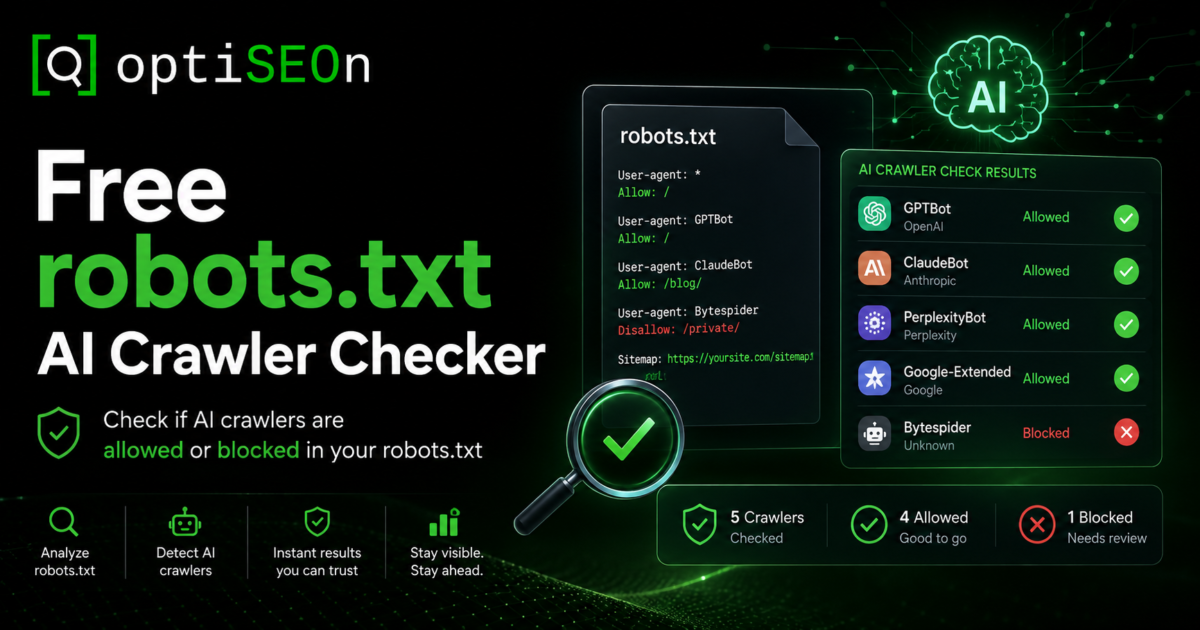
    So we built a free tool that checks it for you. The OptiSEOn robots.txt AI Crawler Checker reads your live file, works out rule by rule which AI crawlers can actually reach your pages, and hands you a corrected file you can paste straight in. No signup. This post explains what it checks, why the checking is trickier than it looks, and what to do with the result.

    TL;DR

    Your robots.txt file tells crawlers which parts of your site they may access — and a misconfigured one can block AI crawlers like GPTBot, ClaudeBot, and PerplexityBot without you knowing. The free OptiSEOn robots.txt AI Crawler Checker reads your live file, evaluates each major AI crawler the way search engines actually do (named bot groups override the wildcard group; the longest matching path rule wins), and generates a corrected file. Being crawlable is necessary but not sufficient — it makes you eligible to be cited, not guaranteed to be.

    → Run the free robots.txt AI Crawler Checker · Try it on stripe.com, github.com, or your own domain.

    What is a robots.txt AI crawler checker?

    A robots.txt AI crawler checker is a tool that reads your site’s robots.txt file and reports which AI crawlers — the bots behind ChatGPT, Claude, Perplexity, Gemini, and others — are allowed or blocked from accessing your pages. It exists because AI crawlers use different user-agent names than Googlebot, so a file that’s fine for traditional SEO can still block every AI engine.

    The OptiSEOn checker goes one step further than a pass/fail readout: when it finds a crawler you’re blocking (or one you probably want to allow), it generates a corrected robots.txt you can download and deploy.

    Why would my site block AI crawlers by accident?

    Most accidental AI-crawler blocks come from generic robots.txt templates, security or privacy plugins that add blanket disallow rules, or a blanket User-agent: * / Disallow: / left over from a staging environment. Nobody sets out to block ChatGPT — the rule arrives through a default, a plugin, or a copied config, and stays invisible until something checks for it.

    The common culprits we see in audits:

    • A staging Disallow: / that shipped to production and was never removed
    • A security plugin that added AI-bot blocks as a “feature,” often framed as protecting against scraping
    • A CDN or host default that blocks unknown user agents
    • A copied template from a tutorial written before AI crawlers existed, so it neither allows nor accounts for them
    • An intentional block from 2023 — when many publishers blocked GPTBot during the training-data backlash — that nobody has revisited even though the business now wants AI visibility

    That last one matters. A decision that made sense two years ago may be actively working against you now, and it’s sitting in a file you haven’t opened since.

    Which AI crawlers should you check for?

    The AI crawlers that matter most in 2026 are OpenAI’s GPTBot, ChatGPT-User, and OAI-SearchBot; Anthropic’s ClaudeBot and Claude-User; PerplexityBot and Perplexity-User; Google-Extended; plus CCBot (Common Crawl) and Bingbot, which feed multiple AI systems downstream. Each has a distinct job, and blocking the wrong one can cost you citations while blocking the right one protects your content from training use.

    Here’s how the major ones break down:

    Crawler (user agent)Who runs itWhat it does
    GPTBotOpenAICrawls content for model training
    ChatGPT-UserOpenAILive retrieval when ChatGPT fetches a page to answer a user right now
    OAI-SearchBotOpenAIIndexes pages for ChatGPT’s search feature
    ClaudeBotAnthropicCrawls content for model training
    Claude-UserAnthropicLive retrieval when Claude fetches a page for a user
    PerplexityBotPerplexityIndexes pages so they can be cited in answers
    Perplexity-UserPerplexityLive retrieval triggered by a user’s question
    Google-ExtendedGoogleControls whether your content trains/grounds Gemini
    CCBotCommon CrawlOpen dataset that feeds many AI training pipelines
    BingbotMicrosoftPowers Bing and, downstream, Copilot

    The key distinction — and one most site owners miss — is training crawlers versus live-retrieval agents. GPTBot and ClaudeBot gather content to train future models. ChatGPT-User, Claude-User, and Perplexity-User fetch your page in real time because a user asked a question your page might answer. Many businesses want to block training while allowing live retrieval — so they don’t feed the models for free, but they can still get cited (and get referral traffic) when a user’s question surfaces their page. We walked through that trade-off in detail in our honest guide to llms.txt and AI crawler control.

    Why do most robots.txt checkers get this wrong?

    Most simple checkers only read the User-agent: * wildcard group, so when a site names a specific bot to allow it — the single most common pattern — they wrongly report that site as blocking everything. Real crawlers don’t work that way: a bot obeys the most specific group that names it and ignores the wildcard entirely, and within that group the longest matching path rule wins.

    This is the nuance the OptiSEOn checker was built around, and it’s worth understanding because it changes the answer completely. Consider this file:

    User-agent: *

    Disallow: /

    User-agent: GPTBot

    Allow: /

    A naive checker reads the first group, sees Disallow: /, and reports “this site blocks all crawlers.” Wrong. GPTBot has its own named group, so it ignores the wildcard group entirely and follows its own rule — Allow: /. This site allows GPTBot and blocks everything else. Getting that backwards could send you “fixing” a file that was already correct, or reassure you about a file that’s actually blocking you.

    The two rules that decide the real outcome:

    1. Most-specific-group wins. A crawler follows the group that names it. Only if no group names it does it fall back to User-agent: *. So naming a bot to allow it is a real, common, correct pattern — and it defeats any checker that only reads the wildcard.
    2. Longest matching path wins. Within the applicable group, the most specific (longest) path rule takes precedence, and on a tie the least restrictive rule (Allow) wins — which is how Google’s own parser resolves conflicts.

    Our checker evaluates every crawler through both rules, the way the engines themselves do. That’s the difference between a readout you can trust and one that looks authoritative but is quietly wrong.

    How to use the OptiSEOn robots.txt AI Crawler Checker

    Enter your domain, and the tool fetches your live robots.txt, evaluates each major AI crawler against your real rules, and shows you a clear allowed/blocked verdict per bot — then generates a corrected file to download. It reads your actual live file, not a cached copy, so the result reflects what crawlers see right now.

    The flow, start to finish:

    1. Go to the robots.txt AI Crawler Checker.
    2. Enter your domain (or try one of the built-in examples — stripe.com, github.com, nytimes.com — to see how well-known sites handle it). No signup required.
    3. Read the per-crawler verdict. The tool shows, bot by bot, which AI crawlers can reach your pages and which are blocked, applying the precedence rules above so allow-listed bots are reported correctly.
    4. Review the corrected file. If the tool finds crawlers you’re blocking that you likely want to allow, it generates a corrected robots.txt.
    5. Download and deploy. Paste the corrected file at yourdomain.com/robots.txt, replacing the old one. Re-run the checker to confirm.

    The whole thing takes under a minute, and it’s the fastest way we know to rule out the single most catastrophic (and most overlooked) AI-visibility problem.

    An honest caveat: Google-Extended doesn’t control AI Overviews

    One thing we won’t oversell, because getting it wrong is a common mistake: Google-Extended controls whether your content is used to train and ground Gemini — it does not control whether you appear in Google’s AI Overviews. AI Overviews are served through the regular Googlebot crawl, the same one that powers Search. You cannot block AI Overviews via robots.txt without also blocking yourself from Google Search entirely, which almost no one wants.

    So if your goal is “show up in Google’s AI answers,” the lever isn’t Google-Extended — it’s ranking well in ordinary Google Search, plus the content structure that makes your page extractable. We covered that extraction structure in our guide to winning featured snippets and AI Overviews. The checker tells you the truth about Google-Extended; it won’t pretend that toggling it changes your AI Overview presence, because it doesn’t.

    Getting crawled is step one. Getting cited is the goal.

    Allowing AI crawlers only makes you eligible to be cited — it doesn’t make it happen. Actually getting quoted in an AI answer takes content structured to answer real questions, schema that clearly states who you are, and authority signals across the web that corroborate it. The robots.txt check clears the doorway; it doesn’t walk you through it.

    Think of it as a gate, not a growth lever. An open gate is necessary — a blocked crawler can never cite you — but on its own it just puts you in the running. The work that turns eligibility into citations is the same work we’ve written about across this blog:

    The strategic frame for all of it is in how LLMs are replacing traditional search. The robots.txt check is just the first box you have to tick before any of that can pay off.

    Should you allow or block AI crawlers?

    Most businesses that want AI visibility should allow live-retrieval agents (ChatGPT-User, Claude-User, Perplexity-User) and search indexers (OAI-SearchBot, PerplexityBot), and can choose separately whether to allow training crawlers (GPTBot, ClaudeBot, CCBot) based on how they feel about their content training future models. There’s no universally correct answer — it depends on your goals.

    A reasonable default for a business that wants to be found in AI answers:

    • Allow live-retrieval and search-indexing bots — this is how you earn citations and referral traffic
    • Decide deliberately on training crawlers — blocking them protects your content from training use but has no measurable effect on whether you get cited today; allowing them may help long-term model familiarity
    • Never block Googlebot or Bingbot unless you intend to leave Search entirely

    Publishers with premium or licensable content often block training crawlers while allowing retrieval. Most SMBs and B2B companies competing for AI visibility allow both. The checker generates a corrected file for whichever posture you choose — it doesn’t force a policy on you.

    Frequently Asked Questions

    How do I know if my robots.txt is blocking ChatGPT? Run your domain through a robots.txt AI crawler checker like OptiSEOn’s free tool. It reads your live file and reports, bot by bot, whether OpenAI’s crawlers (GPTBot, ChatGPT-User, OAI-SearchBot) and other AI crawlers can reach your pages. Reading the file manually works too, but it’s easy to misjudge how precedence rules resolve.

    What’s the difference between GPTBot and ChatGPT-User? GPTBot is OpenAI’s crawler for gathering content to train future models. ChatGPT-User is OpenAI’s live-retrieval agent that fetches a specific page in real time because a user asked a question it might answer. Many businesses block GPTBot (to avoid training use) while allowing ChatGPT-User (to stay citable). They’re separate user agents with separate rules.

    Will blocking GPTBot stop me from appearing in ChatGPT? Not necessarily. GPTBot is the training crawler; ChatGPT’s live answers to user questions are fetched by ChatGPT-User, and its search feature uses OAI-SearchBot. If you block GPTBot but allow those two, you can still be retrieved and cited in real-time answers. Blocking all three, however, does remove you from ChatGPT’s reach.

    Can I block AI Overviews with robots.txt? No. Google AI Overviews are served through the standard Googlebot crawl, the same one that powers Google Search. The Google-Extended token controls Gemini training and grounding, not AI Overviews. You can’t opt out of AI Overviews via robots.txt without blocking Googlebot and disappearing from Search entirely.

    Is it safe to let AI crawlers access my whole site? For most businesses seeking AI visibility, yes — allowing AI crawlers is what makes you eligible to be cited and to earn referral traffic. The main reason to restrict them is if you have premium or licensable content you don’t want used for model training, in which case you can block training crawlers while still allowing live-retrieval agents.

    Does allowing AI crawlers guarantee I’ll get cited? No. Allowing crawlers only makes you eligible. Actual citations require content structured to answer questions, schema that identifies who you are, and authority signals that corroborate it. The robots.txt check removes a blocker; it doesn’t create visibility on its own.

    Is the OptiSEOn robots.txt checker really free? Yes — no signup, no email required. It reads your live robots.txt, evaluates each major AI crawler against your real rules, and generates a corrected file you can download. It’s one of several free tools we build for the SEO and AI-visibility community, alongside our Schema Generator, llms.txt Generator, Entity Signal Checker, and AI Citation Tester.


    Check your site now — it takes 30 seconds. Run the free robots.txt AI Crawler Checker and see exactly which AI crawlers can reach your pages. If it turns up a block (or you want help turning eligibility into actual citations), OptiSEOn is a Dallas-based SEO, AEO, GEO, and LLM optimization agency — book a free AI visibility review and we’ll walk through your results together.

  • Free DR Checker: Check Your Domain Rating and Understand What It Means

    Free DR Checker: Check Your Domain Rating and Understand What It Means

    Want to know how strong your website’s backlink profile is?

    QUICK ANSWER: OptiSEOn’s Free DR Checker lets you check the Domain Rating of any website in seconds. Enter a domain or URL, click “Check DR,” and the tool returns its Ahrefs Domain Rating on a 0–100 scale. No OptiSEOn account or paid Ahrefs subscription is required to run the check.

    The tool uses Ahrefs’ official free Domain Rating API endpoint to retrieve the metric. OptiSEOn normalizes the domain input and caches results for 24 hours per domain, helping keep repeated checks fast and efficient.

    But the number itself is only useful if you understand what it measures. This guide explains how Domain Rating works, how to check yours for free, what a “good” DR looks like, and how to use it for smarter SEO and link-building decisions.

    Free DR Checker: Quick Facts

    FeatureDetail
    ToolOptiSEOn Free Domain Rating Checker
    MetricAhrefs Domain Rating (DR)
    Scale0–100, logarithmic
    Data sourceAhrefs free Domain Rating API
    CostFree
    Signup requiredNo
    InputDomain or full URL
    Result caching24 hours per domain
    Best used forCompetitor benchmarking, backlink analysis and link prospecting

    What Is Domain Rating?

    DEFINITION: Domain Rating (DR) is an Ahrefs metric that estimates the relative strength of a website’s backlink profile on a logarithmic scale from 0 to 100. It is a domain-level, third-party SEO metric — not a Google ranking factor.

    A higher DR generally indicates a stronger backlink profile. Ahrefs calculates DR using the linking relationships between websites, including the number and strength of unique referring domains and how broadly those referring domains link out.

    The important word is relative. A DR of 45 does not automatically mean a website has “good SEO,” just as a DR of 20 does not automatically mean a website has poor SEO. DR becomes much more useful when you compare it against relevant competitors and search-result peers.

    Domain Rating Uses a Logarithmic Scale

    DR is not a linear score. Moving from DR 20 to DR 30 is considerably easier than moving from DR 70 to DR 80. As a site becomes stronger, earning each additional point becomes progressively harder.

    That is why a five-point increase for an established high-authority website can represent substantial backlink growth, while the same five-point change at the lower end of the scale may require much less.

    How Does OptiSEOn’s Free DR Checker Work?

    OptiSEOn built the DR Checker to make a useful authority metric accessible without forcing users through a signup flow.

    1. You enter a domain such as example.com, or paste a complete URL.

    2. The checker normalizes the input by removing the protocol and unnecessary URL parts where required.

    3. The normalized domain is submitted to Ahrefs’ official free Domain Rating endpoint.

    4. Ahrefs returns the current DR value for that target.

    5. OptiSEOn displays the score in an easy-to-read format and caches the result for 24 hours per domain.

    You do not need an OptiSEOn account or your own paid Ahrefs plan to use the checker.

    Use DR as a decision-making benchmark, not a vanity score.

    How to Check Your Domain Rating for Free

    1. Open the OptiSEOn Free DR Checker.

    2. Enter your website domain or paste the full URL.

    3. Click “Check DR.”

    4. View the Domain Rating score out of 100.

    5. Repeat the check for three to five direct competitors.

    6. Compare the results rather than judging your DR in isolation.

    BEST PRACTICE: The last step matters most. A DR score becomes useful when it helps answer a business or SEO question — for example, whether a competitor has a meaningfully stronger backlink profile or whether a link prospect is worth investigating further.

    OptiSEOn / FREE DR CHECKER GUIDE

    What Is a Good Domain Rating?

    There is no universal “good” Domain Rating. The most useful benchmark is the websites you actually compete against — in your market and in the search results that matter to your business.

    Domain RatingGeneral orientation
    70–100Very strong authority profile
    50–69Strong
    30–49Moderate
    10–29Low
    0–9Very low / early-stage

    Treat these bands as orientation only, not fixed SEO grades. If your website has a DR of 32 and your five closest competitors are between DR 15 and 28, your backlink profile may already be relatively strong within that market. If those same competitors are all DR 60+, the result tells a very different story.

    Five Practical Ways to Use Domain Rating

    1. Compare Your Website Against Competitors

    Start by checking your own domain, then run the same check for three to five direct competitors. If most competitors have substantially higher DR scores, they likely have stronger backlink profiles than you.

    That gives you an authority gap to investigate. Instead of saying, “We need more backlinks,” ask: Which credible websites are linking to our competitors but not to us? That question leads directly into backlink-gap analysis and smarter prospecting.

    2. Evaluate Backlink Opportunities

    Suppose two websites offer an opportunity to earn a link. One has DR 8 and the other DR 65. DR gives you one useful signal for evaluating the potential authority of those opportunities — but it should never be the only signal.

    A highly relevant industry website with a modest DR may be more valuable than an unrelated high-DR site. Review topical relevance, real audience, editorial quality, traffic, reputation and the context of the link alongside DR.

    3. Build a More Realistic SEO Competitor Set

    Your biggest business competitor is not always your biggest organic-search competitor. Check the domains that consistently appear for the keywords you want to rank for.

    If your site is DR 15 and nearly every first-page result comes from DR 70–90 websites, competing head-on may require significantly more authority. If several DR 10–25 sites already rank, you may have found a much more attainable opportunity.

    SIMPLE INTERPRETATION: Think of DR as a way to estimate how steep the authority hill might be — not whether climbing it is possible.

    4. Track Backlink Authority Over Time

    Run periodic DR checks to see whether the overall strength of your backlink profile is moving in the right direction. Do not overreact to every one-point movement. Because DR is relative and based on Ahrefs’ backlink graph, your score can move even when you have not made a major change yourself.

    Look at the trend over several months alongside referring domains, keyword visibility, organic traffic, conversions and revenue. DR is most useful as part of a measurement framework, not as a standalone KPI.

    5. Vet Websites for Digital PR and Outreach

    DR can help prioritize a large list of publishers, blogs, associations, directories and media outlets. If you have 100 outreach targets, checking DR gives you another data point for deciding where to focus your effort.

    Relevance still comes first. The ideal link is not simply from a high-DR domain. It comes from a credible, relevant source that real people — and search systems — have a reason to trust.

    Does a Higher Domain Rating Improve Google Rankings?

    SHORT ANSWER: Not directly. Domain Rating is an Ahrefs metric, not a Google ranking factor.

    Strong backlink profiles and organic visibility can correlate, but you should not build an SEO strategy around increasing DR for the sake of the number. Google evaluates many signals and does not use Ahrefs’ proprietary DR score as a ranking input.

    The better question is not “How do we increase our DR?” It is “How do we build genuine authority that earns relevant links, stronger visibility, qualified traffic and more customers?” When you do that well, a stronger backlink profile — and often a higher DR — can follow naturally.

    Can DR Be Manipulated?

    Like most third-party SEO metrics, DR should never be treated as proof that a website is trustworthy or high quality. It is fundamentally a link-based metric and does not directly measure every aspect of content quality, real-world expertise, brand reputation, conversions or customer value.

    That is why you should not buy backlinks simply because someone advertises links from “DR 70+ websites.” Investigate the actual site: its relevance, content quality, traffic patterns, editorial standards, outgoing links, and reputation. Google’s spam policies prohibit link schemes designed primarily to manipulate rankings.

    How Do You Increase Domain Rating?

    Because DR primarily reflects backlink strength, improving it usually means earning links from more unique, credible websites. The sustainable approach is to create assets and expertise that deserve references.

    Original research and proprietary data

    Industry reports and benchmark studies

    Expert commentary and digital PR

    Definitive guides and reference resources

    Partnerships, associations and credible citations

    A free tool like OptiSEOn’s DR Checker is itself an example of a linkable asset. Instead of publishing another generic sales page, a useful tool gives journalists, marketers, business owners and other sites something worth referencing.

    What Does Domain Rating Have to Do With AEO and GEO?

    Domain Rating is not an AEO score, a Generative Engine Optimization score, or an AI visibility score. A high DR does not guarantee that ChatGPT, Gemini, Perplexity, or Google AI experiences will mention your brand.

    However, authority across the open web still matters. Relevant links, citations, expert mentions, independent references, strong content and clear entity information all contribute to the broader digital footprint that search and AI systems can discover, interpret and corroborate.

    Modern search optimization therefore works best as an integrated system: technical SEO makes content accessible; useful content satisfies intent; links and citations support authority; entity signals reduce ambiguity; AEO improves answer extraction; and GEO improves the likelihood that your brand and information are understood and surfaced in generative search experiences.

    KEY DISTINCTION: DR tells you one part of the story: the relative strength of your backlink profile. It does not tell you whether your content answers questions well, whether AI systems understand your brand, or whether organic visibility converts into pipeline and revenue.

    Domain Rating vs. Domain Authority: Are They the Same?

    No. Domain Rating (DR) is an Ahrefs metric focused on backlink profile strength. Domain Authority (DA) is a separate third-party metric developed by Moz. People often use the terms loosely when discussing “website authority,” but the two scores use different data and methodologies.

    Neither score is a metric used directly by Google. If someone specifically asks for a website’s “DR,” they are referring to Ahrefs Domain Rating.

    Frequently Asked Questions

    What is a DR checker?

    A DR checker retrieves the Domain Rating of a website. Domain Rating is Ahrefs’ 0–100 metric for measuring the relative strength of a domain’s backlink profile.

    Is OptiSEOn’s DR Checker free?

    Yes. OptiSEOn’s Domain Rating Checker is free to use and does not require an OptiSEOn account or paid Ahrefs subscription. It retrieves the DR value through Ahrefs’ official free Domain Rating endpoint.

    Can I check a competitor’s Domain Rating?

    Yes. Enter the competitor’s public domain into the OptiSEOn DR Checker. This makes the tool useful for competitive SEO research, backlink benchmarking and outreach prioritization.

    Is Domain Rating a Google ranking factor?

    No. Domain Rating is a proprietary Ahrefs metric, not a Google ranking factor. Use it as a comparative indicator of backlink strength, not as a proxy for Google’s ranking systems.

    Is DR the same as DA?

    No. DR is Ahrefs’ Domain Rating metric. DA, or Domain Authority, is a separate metric created by Moz.

    Is a DR of 30 good?

    It depends on your market. A DR of 30 may be strong if your close competitors have lower DR scores, but weak in a market where competitors regularly exceed DR 60. Benchmark against relevant competitors.

    Can a low-DR website rank on Google?

    Yes. DR is not a ranking requirement. Lower-DR sites can outrank stronger domains when a page better matches search intent, provides stronger information, earns relevant page-level links, or benefits from other ranking signals.

    How often should I check Domain Rating?

    For most businesses, monthly checks are enough to identify meaningful trends. More frequent checks can be useful during an active digital PR or link-building campaign, but daily fluctuations rarely justify strategic changes.

    Check Your Domain Rating for Free

    Domain Rating will not tell you everything about your SEO. It will tell you something useful: how the strength of your backlink profile compares with the websites around you.

    Use the OptiSEOn Free DR Checker to check your website, then run the same test on your biggest competitors. Do not stop at the number. Find the gap — then build the authority needed to close it.