
Here’s a failure mode we run into constantly when we audit businesses at OptiSEOn: a company has spent months on content, schema, and AI visibility work — and a single line in a file most people never open is quietly hiding the entire site from ChatGPT, Perplexity, and Gemini.
That file is robots.txt. It’s the first thing a crawler reads when it arrives at your domain, and it decides — before any of your content matters — whether that crawler is even allowed to look. If your robots.txt blocks AI crawlers, none of the downstream work can save you. You can’t be cited by an engine that was never allowed through the door.
The frustrating part is that this usually happens by accident. Nobody decides “let’s block ChatGPT.” A developer copies a robots.txt template, a security plugin adds a blanket rule, a staging config ships to production — and the block is invisible until someone thinks to check.
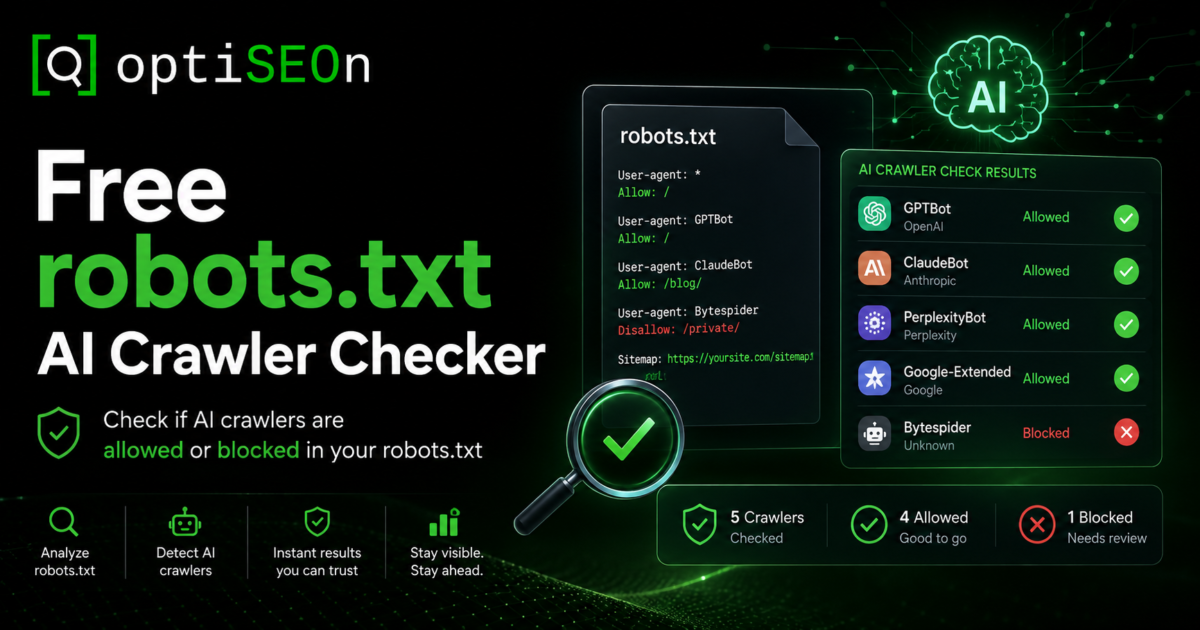
So we built a free tool that checks it for you. The OptiSEOn robots.txt AI Crawler Checker reads your live file, works out rule by rule which AI crawlers can actually reach your pages, and hands you a corrected file you can paste straight in. No signup. This post explains what it checks, why the checking is trickier than it looks, and what to do with the result.
TL;DR
Your robots.txt file tells crawlers which parts of your site they may access — and a misconfigured one can block AI crawlers like GPTBot, ClaudeBot, and PerplexityBot without you knowing. The free OptiSEOn robots.txt AI Crawler Checker reads your live file, evaluates each major AI crawler the way search engines actually do (named bot groups override the wildcard group; the longest matching path rule wins), and generates a corrected file. Being crawlable is necessary but not sufficient — it makes you eligible to be cited, not guaranteed to be.
→ Run the free robots.txt AI Crawler Checker · Try it on stripe.com, github.com, or your own domain.
What is a robots.txt AI crawler checker?
A robots.txt AI crawler checker is a tool that reads your site’s robots.txt file and reports which AI crawlers — the bots behind ChatGPT, Claude, Perplexity, Gemini, and others — are allowed or blocked from accessing your pages. It exists because AI crawlers use different user-agent names than Googlebot, so a file that’s fine for traditional SEO can still block every AI engine.
The OptiSEOn checker goes one step further than a pass/fail readout: when it finds a crawler you’re blocking (or one you probably want to allow), it generates a corrected robots.txt you can download and deploy.
Why would my site block AI crawlers by accident?
Most accidental AI-crawler blocks come from generic robots.txt templates, security or privacy plugins that add blanket disallow rules, or a blanket User-agent: * / Disallow: / left over from a staging environment. Nobody sets out to block ChatGPT — the rule arrives through a default, a plugin, or a copied config, and stays invisible until something checks for it.
The common culprits we see in audits:
- A staging Disallow: / that shipped to production and was never removed
- A security plugin that added AI-bot blocks as a “feature,” often framed as protecting against scraping
- A CDN or host default that blocks unknown user agents
- A copied template from a tutorial written before AI crawlers existed, so it neither allows nor accounts for them
- An intentional block from 2023 — when many publishers blocked GPTBot during the training-data backlash — that nobody has revisited even though the business now wants AI visibility
That last one matters. A decision that made sense two years ago may be actively working against you now, and it’s sitting in a file you haven’t opened since.
Which AI crawlers should you check for?
The AI crawlers that matter most in 2026 are OpenAI’s GPTBot, ChatGPT-User, and OAI-SearchBot; Anthropic’s ClaudeBot and Claude-User; PerplexityBot and Perplexity-User; Google-Extended; plus CCBot (Common Crawl) and Bingbot, which feed multiple AI systems downstream. Each has a distinct job, and blocking the wrong one can cost you citations while blocking the right one protects your content from training use.
Here’s how the major ones break down:
| Crawler (user agent) | Who runs it | What it does |
| GPTBot | OpenAI | Crawls content for model training |
| ChatGPT-User | OpenAI | Live retrieval when ChatGPT fetches a page to answer a user right now |
| OAI-SearchBot | OpenAI | Indexes pages for ChatGPT’s search feature |
| ClaudeBot | Anthropic | Crawls content for model training |
| Claude-User | Anthropic | Live retrieval when Claude fetches a page for a user |
| PerplexityBot | Perplexity | Indexes pages so they can be cited in answers |
| Perplexity-User | Perplexity | Live retrieval triggered by a user’s question |
| Google-Extended | Controls whether your content trains/grounds Gemini | |
| CCBot | Common Crawl | Open dataset that feeds many AI training pipelines |
| Bingbot | Microsoft | Powers Bing and, downstream, Copilot |
The key distinction — and one most site owners miss — is training crawlers versus live-retrieval agents. GPTBot and ClaudeBot gather content to train future models. ChatGPT-User, Claude-User, and Perplexity-User fetch your page in real time because a user asked a question your page might answer. Many businesses want to block training while allowing live retrieval — so they don’t feed the models for free, but they can still get cited (and get referral traffic) when a user’s question surfaces their page. We walked through that trade-off in detail in our honest guide to llms.txt and AI crawler control.
Why do most robots.txt checkers get this wrong?
Most simple checkers only read the User-agent: * wildcard group, so when a site names a specific bot to allow it — the single most common pattern — they wrongly report that site as blocking everything. Real crawlers don’t work that way: a bot obeys the most specific group that names it and ignores the wildcard entirely, and within that group the longest matching path rule wins.
This is the nuance the OptiSEOn checker was built around, and it’s worth understanding because it changes the answer completely. Consider this file:
User-agent: *
Disallow: /
User-agent: GPTBot
Allow: /
A naive checker reads the first group, sees Disallow: /, and reports “this site blocks all crawlers.” Wrong. GPTBot has its own named group, so it ignores the wildcard group entirely and follows its own rule — Allow: /. This site allows GPTBot and blocks everything else. Getting that backwards could send you “fixing” a file that was already correct, or reassure you about a file that’s actually blocking you.
The two rules that decide the real outcome:
- Most-specific-group wins. A crawler follows the group that names it. Only if no group names it does it fall back to User-agent: *. So naming a bot to allow it is a real, common, correct pattern — and it defeats any checker that only reads the wildcard.
- Longest matching path wins. Within the applicable group, the most specific (longest) path rule takes precedence, and on a tie the least restrictive rule (Allow) wins — which is how Google’s own parser resolves conflicts.
Our checker evaluates every crawler through both rules, the way the engines themselves do. That’s the difference between a readout you can trust and one that looks authoritative but is quietly wrong.
How to use the OptiSEOn robots.txt AI Crawler Checker
Enter your domain, and the tool fetches your live robots.txt, evaluates each major AI crawler against your real rules, and shows you a clear allowed/blocked verdict per bot — then generates a corrected file to download. It reads your actual live file, not a cached copy, so the result reflects what crawlers see right now.
The flow, start to finish:
- Go to the robots.txt AI Crawler Checker.
- Enter your domain (or try one of the built-in examples — stripe.com, github.com, nytimes.com — to see how well-known sites handle it). No signup required.
- Read the per-crawler verdict. The tool shows, bot by bot, which AI crawlers can reach your pages and which are blocked, applying the precedence rules above so allow-listed bots are reported correctly.
- Review the corrected file. If the tool finds crawlers you’re blocking that you likely want to allow, it generates a corrected robots.txt.
- Download and deploy. Paste the corrected file at yourdomain.com/robots.txt, replacing the old one. Re-run the checker to confirm.
The whole thing takes under a minute, and it’s the fastest way we know to rule out the single most catastrophic (and most overlooked) AI-visibility problem.
An honest caveat: Google-Extended doesn’t control AI Overviews
One thing we won’t oversell, because getting it wrong is a common mistake: Google-Extended controls whether your content is used to train and ground Gemini — it does not control whether you appear in Google’s AI Overviews. AI Overviews are served through the regular Googlebot crawl, the same one that powers Search. You cannot block AI Overviews via robots.txt without also blocking yourself from Google Search entirely, which almost no one wants.
So if your goal is “show up in Google’s AI answers,” the lever isn’t Google-Extended — it’s ranking well in ordinary Google Search, plus the content structure that makes your page extractable. We covered that extraction structure in our guide to winning featured snippets and AI Overviews. The checker tells you the truth about Google-Extended; it won’t pretend that toggling it changes your AI Overview presence, because it doesn’t.
Getting crawled is step one. Getting cited is the goal.
Allowing AI crawlers only makes you eligible to be cited — it doesn’t make it happen. Actually getting quoted in an AI answer takes content structured to answer real questions, schema that clearly states who you are, and authority signals across the web that corroborate it. The robots.txt check clears the doorway; it doesn’t walk you through it.
Think of it as a gate, not a growth lever. An open gate is necessary — a blocked crawler can never cite you — but on its own it just puts you in the running. The work that turns eligibility into citations is the same work we’ve written about across this blog:
- Structure your content for extraction — question-format headings, direct answers, comparison tables. See how to get cited by ChatGPT, Perplexity & Gemini.
- State who you are in machine-readable terms — Organization, Article, and Person schema. See our schema markup guide.
- Build corroborating authority — third-party mentions, reviews, and entity signals. Our free Entity Signal Checker and AI Citation Tester help you see where you stand.
- Measure whether any of it is working — see how to measure AI search traffic from ChatGPT, Perplexity & Gemini.
The strategic frame for all of it is in how LLMs are replacing traditional search. The robots.txt check is just the first box you have to tick before any of that can pay off.
Should you allow or block AI crawlers?
Most businesses that want AI visibility should allow live-retrieval agents (ChatGPT-User, Claude-User, Perplexity-User) and search indexers (OAI-SearchBot, PerplexityBot), and can choose separately whether to allow training crawlers (GPTBot, ClaudeBot, CCBot) based on how they feel about their content training future models. There’s no universally correct answer — it depends on your goals.
A reasonable default for a business that wants to be found in AI answers:
- Allow live-retrieval and search-indexing bots — this is how you earn citations and referral traffic
- Decide deliberately on training crawlers — blocking them protects your content from training use but has no measurable effect on whether you get cited today; allowing them may help long-term model familiarity
- Never block Googlebot or Bingbot unless you intend to leave Search entirely
Publishers with premium or licensable content often block training crawlers while allowing retrieval. Most SMBs and B2B companies competing for AI visibility allow both. The checker generates a corrected file for whichever posture you choose — it doesn’t force a policy on you.
Frequently Asked Questions
How do I know if my robots.txt is blocking ChatGPT? Run your domain through a robots.txt AI crawler checker like OptiSEOn’s free tool. It reads your live file and reports, bot by bot, whether OpenAI’s crawlers (GPTBot, ChatGPT-User, OAI-SearchBot) and other AI crawlers can reach your pages. Reading the file manually works too, but it’s easy to misjudge how precedence rules resolve.
What’s the difference between GPTBot and ChatGPT-User? GPTBot is OpenAI’s crawler for gathering content to train future models. ChatGPT-User is OpenAI’s live-retrieval agent that fetches a specific page in real time because a user asked a question it might answer. Many businesses block GPTBot (to avoid training use) while allowing ChatGPT-User (to stay citable). They’re separate user agents with separate rules.
Will blocking GPTBot stop me from appearing in ChatGPT? Not necessarily. GPTBot is the training crawler; ChatGPT’s live answers to user questions are fetched by ChatGPT-User, and its search feature uses OAI-SearchBot. If you block GPTBot but allow those two, you can still be retrieved and cited in real-time answers. Blocking all three, however, does remove you from ChatGPT’s reach.
Can I block AI Overviews with robots.txt? No. Google AI Overviews are served through the standard Googlebot crawl, the same one that powers Google Search. The Google-Extended token controls Gemini training and grounding, not AI Overviews. You can’t opt out of AI Overviews via robots.txt without blocking Googlebot and disappearing from Search entirely.
Is it safe to let AI crawlers access my whole site? For most businesses seeking AI visibility, yes — allowing AI crawlers is what makes you eligible to be cited and to earn referral traffic. The main reason to restrict them is if you have premium or licensable content you don’t want used for model training, in which case you can block training crawlers while still allowing live-retrieval agents.
Does allowing AI crawlers guarantee I’ll get cited? No. Allowing crawlers only makes you eligible. Actual citations require content structured to answer questions, schema that identifies who you are, and authority signals that corroborate it. The robots.txt check removes a blocker; it doesn’t create visibility on its own.
Is the OptiSEOn robots.txt checker really free? Yes — no signup, no email required. It reads your live robots.txt, evaluates each major AI crawler against your real rules, and generates a corrected file you can download. It’s one of several free tools we build for the SEO and AI-visibility community, alongside our Schema Generator, llms.txt Generator, Entity Signal Checker, and AI Citation Tester.
Check your site now — it takes 30 seconds. Run the free robots.txt AI Crawler Checker and see exactly which AI crawlers can reach your pages. If it turns up a block (or you want help turning eligibility into actual citations), OptiSEOn is a Dallas-based SEO, AEO, GEO, and LLM optimization agency — book a free AI visibility review and we’ll walk through your results together.
Leave a Reply