Category: New

  • Internal Linking & Site Architecture: The 2026 Guide

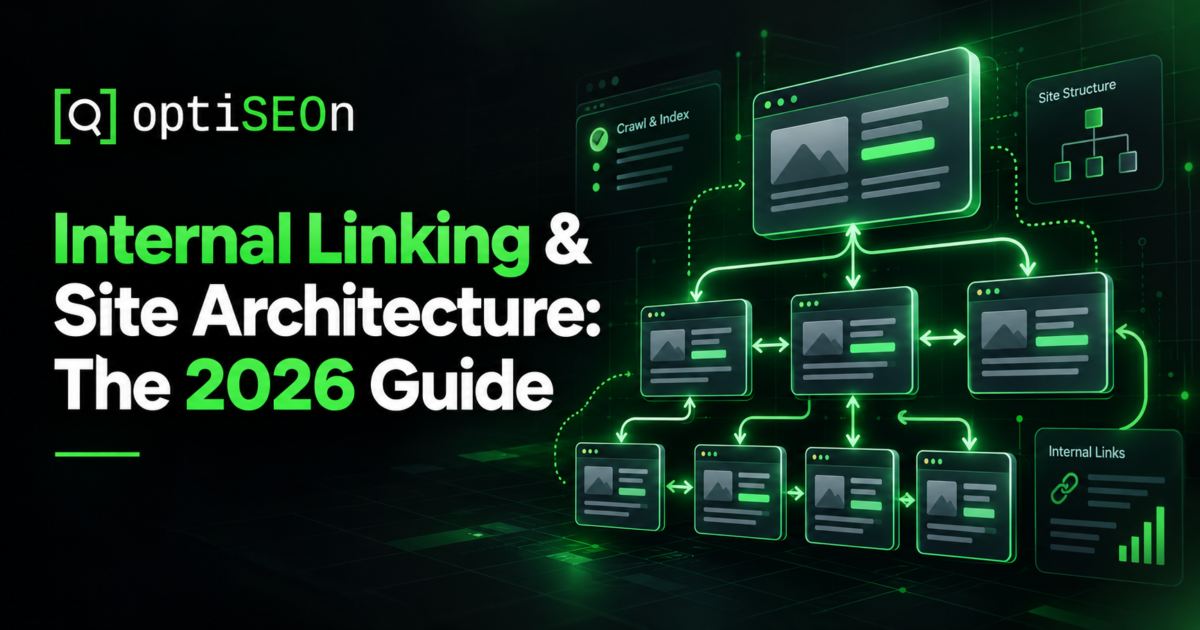
    Internal Linking & Site Architecture: The 2026 Guide

    Internal linking is the highest-leverage SEO work that most sites can do right now. You don’t need outreach, extra budget, or approval from anyone else. It’s simply a decision about how your own pages connect to each other.

    It’s also the work people skip most often because it feels routine and works behind the scenes. Nobody puts “restructured our internal links” in a case study headline. But when we audit sites, this is usually where the biggest wins are hiding: orphaned pages nobody can reach, homepage authority going nowhere, and multiple pages competing for the same keywords.

    Here’s how to do it properly.

    TL;DR

    Internal linking distributes authority between your pages and tells search engines which are most important and how they relate. Good site architecture keeps every important page within about three clicks of the homepage, groups related content into topic clusters, and uses descriptive anchor text. Common problems include orphaned pages, over-linked navigation that dilutes authority, and keyword cannibalization from multiple pages targeting one query.

    → Book a free site architecture audit

    What is internal linking and why does it matter?

    Internal linking is the practice of linking between pages on your own site, and it matters because those links help search engines discover pages, understand relationships between them, and distribute ranking authority across your site. External links bring authority in; internal links decide where it goes.

    Three distinct jobs:

    • Discovery. Crawlers follow links. A page with no internal links pointing at it may never be found.
    • Context. Anchor text and surrounding content tell search engines what the linked page is about.
    • Authority distribution. Link equity flows through internal links. Your best-linked page can pass authority to pages that have none.

    That third job is the one most sites waste. A homepage with strong external links that only connects to top-level navigation holds authority it could route to the pages that actually need to rank.

    What does good site architecture look like?

    A good architecture is shallow and logical: every important page reachable within about three clicks of the homepage, content grouped into thematic clusters, and a clear hierarchy from broad hub pages down to specific ones. Deep site structures hurt performance. Pages buried five or six clicks down get crawled less often and struggle to rank.

    The standard structure that works:

    Homepage
    
    ├── Service/Category hub
    
    │   ├── Specific service page
    
    │   └── Specific service page
    
    ├── Location hub (for local/multi-location)
    
    │   └── Individual location pages
    
    └── Blog
    
        ├── Topic cluster hub ("pillar")
    
        │   ├── Supporting post
    
        │   └── Supporting post
    
        └── Topic cluster hub

    For multi-location businesses, this maps directly onto the locations-hub pattern described in Multi-Location & Franchise SEO.

    What is a topic cluster?

    A topic cluster is a group of related pages organized around one comprehensive “pillar” page, with every supporting page linking up to the pillar and the pillar linking back down to each of them. It signals topical authority and concentrates relevance on the page you most want to rank.

    In practice: a pillar page covering a broad topic comprehensively, five to fifteen supporting posts each covering one sub-topic in depth, bidirectional links between pillar and supporting pages, and lateral links between closely related supporting pages.

    This blog is built that way. AEO vs SEO vs GEO vs LLM Optimization functions as a definitional pillar that dozens of more specific posts link back to.

    What is keyword cannibalization and how do I fix it?

    Keyword cannibalization happens when multiple pages on your site target the same search intent, splitting ranking signals so none performs as well as a single consolidated page would. The fix is consolidation: merge the overlapping pages into the strongest one and 301-redirect the rest.

    How to find it:

    • Search site:yourdomain.com “target keyword” and see how many of your pages surface.
    • In Search Console, filter by query and check whether different pages rank for it on different days. That constant back-and-forth is a clear sign of cannibalization.
    • Look for near-duplicate titles across your content.

    We’ll be direct about this: auditing this blog turned up three cannibalization clusters of our own — several posts covering “how AI changed search,” two covering ranking factors, and two covering terminology. Publishing a guide to a problem while having the problem is a good reason to fix it, which we’re doing. The framework is in Content Refresh & Pruning.

    How should I write anchor text?

    Use descriptive, natural anchor text that tells readers and search engines what to expect on the target page. Avoid generic terms like “click here,” skip raw URLs, and don’t repeat exact-match anchors across every link. Natural writing varies; repetitive linking looks unnatural.

    Practical guidance:

    • Descriptive beats generic. “Our Core Web Vitals guide” beats “click here.”
    • Vary phrasing across links to the same page.
    • Keep it natural. Anchor text that feels forced usually signals over-optimization.
    • Link from relevant context, mid-content, not just from a footer block.
    • Front-load important links. Links early in the body carry more weight than ones buried at the bottom.

    What are orphaned pages?

    An orphaned page is one with no internal links pointing to it, meaning crawlers can only find it via the sitemap and it receives no authority from the rest of your site. They’re extremely common on older sites and easy to fix.

    Find them by crawling your site (Screaming Frog or similar), exporting all URLs, comparing against your XML sitemap and analytics, and flagging any page with zero inlinks. Then link to each from a relevant hub or related content page.

    While running your crawl, check for internal 404s and redirect chains where links point to missing or moved URLs. These waste crawl budget and accumulate quietly whenever page slugs are updated. If you’ve ever renamed a URL without setting up a redirect, you likely have a few.

    How many internal links should a page have?

    There’s no hard limit, but every link on a page divides the authority it passes, so a page with 200 links passes far less through each one than a page with 20. Prioritize relevance over volume.

    A good rule of thumb is three to ten contextual links in a standard blog post. Hub pages can naturally include more, but keep your primary navigation clean. Including 150 links in a mega-menu across every page dilutes authority significantly.

    Sensible defaults: three to ten contextual links in a typical blog post, more on hub pages where linking out is the point, and navigation kept lean — a mega-menu linking to 150 pages from every page on the site dilutes considerably.

    How internal linking affects AI visibility

    Internal links help AI systems the same way they help crawlers: they establish which pages matter, how topics relate, and what your site is authoritative about. A well-structured cluster makes it substantially easier for a model to identify your site as a coherent source on a topic rather than a scattering of unrelated pages.

    Pair this with clear structured data — our free schema markup generator produces the JSON-LD, and 10 Schema Markup Types covers which to use where. Architecture and schema together are how a site becomes machine-legible.

    A practical internal linking audit

    1. Crawl the site and export your internal links, inlink counts, and click depth.
    2. Find orphans with zero inlinks and connect them from relevant pages.
    3. Find deep pages that sit more than three or four clicks from home and bring them closer.
    4. Export internal 404s and redirect chains, and fix every one.
    5. Identify cannibalization and consolidate.
    6. Map your clusters to make sure every supporting post links to its main pillar and back.
    7. Check your money pages’ inlink counts. Your highest-value commercial pages should be among your most internally linked. Usually they aren’t.
    8. Review anchor text for generic or over-repeated patterns.

    Point 7 catches the most value in our experience. Most sites link heavily to their blog and barely at all to the pages that generate revenue.

    Frequently Asked Questions

    How many internal links should a page have? 

    There’s no fixed limit, but each link divides the authority a page passes, so relevance matters more than volume. Three to ten contextual links in a typical blog post is reasonable; hub pages legitimately carry more. Avoid bloated navigation that links to every page from every page.

    Do internal links help SEO? 

    Yes. They help search engines discover pages, understand topical relationships through anchor text and context, and distribute ranking authority around your site. Internal linking is one of the few meaningful ranking levers entirely within your own control.

    What is keyword cannibalization? 

    Keyword cannibalization happens when multiple pages on your site compete for the same search intent, splitting ranking signals so none performs at its best. Find it by searching site:yourdomain.com “keyword” or watching for different pages ranking for the same query on different days, then consolidate into one page and redirect the others.

    How deep should my site structure be? 

    Keep important pages within about three clicks of the homepage. Pages buried deeper get crawled less frequently and receive less internal authority. If a valuable page sits five clicks deep, add links from relevant hub pages to shorten the path.

    What’s the difference between a pillar page and a cluster? 

    A pillar page covers a broad topic comprehensively and acts as the hub. The cluster is the pillar plus its supporting pages, each covering one sub-topic in depth, all linking to the pillar and linked from it. The structure concentrates topical relevance on the pillar.

    Should I use nofollow on internal links? 

    Generally no. Nofollow on internal links was once used to sculpt PageRank, but that approach hasn’t worked as intended for years and mostly just wastes the link. Use it only for genuinely untrusted internal destinations, such as user-generated content areas.


    Think your site structure might be holding you back? Book a free architecture audit. We’ll crawl your site to locate orphaned pages, broken links, and keyword cannibalization so you can put your site authority to work.
  • Why Did My Organic Traffic Drop? A Diagnostic Guide for 2026

    Why Did My Organic Traffic Drop? A Diagnostic Guide for 2026

    Few things cause panic quite like opening Analytics to find organic traffic down 40% with no obvious explanation. The instinct is to start changing things immediately, such as rewriting pages, building links, or publishing more content.

    That instinct is usually wrong, and it can turn a recoverable dip into a six-month issue. You cannot fix a drop you haven’t diagnosed, and the most common causes look very different. A tracking bug, a noindex pushed by a developer, an algorithm update, a competitor’s new content, and normal seasonality all show up as the same downward line on a chart.

    Run your diagnosis in order, starting with the simplest and most reversible checks. Here is the exact sequence we use at OptiSEOn when a client’s traffic drops.

    TL;DR

    Diagnose an organic traffic drop in this order: confirm the data is real, rule out technical issues, check for manual actions, check algorithm update timing, then review competitive and seasonal factors. Most drops stem from measurement errors, technical breakage, penalties, algorithm updates, or increased competition. Figure out which category you are dealing with before touching anything, because the fixes are completely different and applying the wrong one will cost you months.

    → Book a free traffic-drop diagnostic

    Step 1: Is the traffic drop even real?

    Before investigating anything else, confirm the decline is real and not a reporting glitch. Broken tracking, tag manager edits, consent banner changes, or filter and date-range errors cause a large portion of apparent drops. Taking ten minutes to double-check your data can save you weeks of wasted effort.

    Check, in order:

    • Is the tracking code still firing? A site update or plugin conflict can strip it. Check real-time reports.
    • Did anything change in your tag manager or consent banner? Stricter consent defaults reduce measured traffic without reducing actual traffic.
    • Are you comparing like with like? Month-over-month comparisons across months with different day counts, or a period containing a holiday, distort badly.
    • Does Google Search Console agree with Analytics? GSC measures clicks independently. If GSC shows stable clicks while Analytics shows a collapse, your problem is measurement, not search.
    • Was there a bot-filtering or data-retention change? These shift historical baselines.

    If GSC clicks are stable, stop here. You have an analytics problem, not an SEO problem.

    Step 2: Did something break technically?

    If the drop was sudden and steep, particularly overnight, a technical issue is far more likely than an algorithm shift. Core updates roll out over days and rarely hit a site so abruptly. Technical bugs are also usually the fastest problems to fix.

    The checklist, in rough order of frequency:

    • Accidental noindex. A staging environment setting gets pushed to production. In WordPress, check Settings → Reading for “Discourage search engines.”
    • robots.txt blocking. A Disallow: / left behind after a launch. Check yours and see if AI crawlers are blocked too with our free robots.txt AI Crawler Checker.
    • Broken or mis-set canonicals pointing pages at the wrong URL.
    • A migration or redesign that changed URLs without 301s. If the drop coincides with a site change, this is almost certainly it.
    • Server errors or downtime during a crawl window — check GSC’s Crawl Stats.
    • Core Web Vitals regression from a new script, plugin, or theme. See Core Web Vitals in 2026.
    • HTTPS or certificate problems, which can deindex pages quickly.
    • Hacked content or injected spam. Check GSC Security Issues.

    The single most useful signal here: timing. Overnight cliff = technical or penalty. Gradual slide over weeks = algorithmic or competitive.

    Step 3: Do you have a manual action?

    Check Google Search Console → Security & Manual Actions. A manual action means a human reviewer penalized your site for a guideline violation, and it will be explicitly listed there. If nothing appears, you do not have a manual action.

    Common triggers: unnatural links (bought links or PBNs), thin or scaled content, cloaking, structured data that doesn’t match visible content, or user-generated spam.

    If you have one, the path is: fix the underlying violation genuinely, document what you did, then file a reconsideration request. Expect weeks, not days. If the cause was link-related, our link building guide covers what legitimate practice looks like.

    Step 4: Did an algorithm update hit?

    Compare the start date of your decline against confirmed Google update dates. If your drop began within a day or two of a core or spam update rollout, that is your most likely cause. Google confirms major updates publicly, and the SEO industry tracks them closely.

    2026 has been an unusually active year. The March 2026 core update named scaled content abuse as a primary enforcement target, and the August 18–21 spam update expanded that enforcement further, with reports of publishers running large volumes of AI-generated or programmatic pages losing rankings across tens of thousands of queries. Notably, some sites with only a small volume of thin automated content alongside otherwise solid editorial work reported collateral losses once the site crossed a scaled-abuse threshold.

    If an update is your cause:

    • Don’t panic-rewrite everything. Updates take days or weeks to fully roll out, and rankings often move again before it settles.
    • Identify which pages lost, not just that traffic fell. Use GSC’s page-level comparison over the update window.
    • Look for a pattern in the losers — thin pages, older content, a particular template, pages without author attribution.
    • Fix the pattern, not individual pages.

    Recovery from a core update typically arrives at the next update, not immediately, which is why the work has to be substantive.

    Step 5: Did you lose ground competitively?

    If technical setups are sound and no update matches your timeline, competitors likely improved by publishing stronger content, earning links, or taking SERP features you used to hold. This pattern shows up as a gradual decline on specific search terms rather than a site-wide crash.

    How to check:

    • Pull GSC query data for the affected period and compare position changes on your top commercial terms.
    • Search those queries manually. Who’s above you now who wasn’t before? What did they publish?
    • Check whether you lost a featured snippet or AI Overview citation. Losing position zero can cut clicks sharply while your blue-link ranking stays identical — a drop with no ranking change at all. See Featured Snippets & AI Overviews.
    • Check for SERP layout changes. Additional ads, a new local pack, or an expanded AI Overview will all lower organic clicks even if your ranking position stays unchanged.

    That last point matters more every year. Your position can hold perfectly while your clicks fall, purely because the page above you changed shape.

    Step 6: Is it just seasonality?

    Compare performance against the same period last year rather than last month. Many businesses have predictable annual cycles that look alarming month-over-month but normal year-over-year. Always verify seasonality before assuming something broke.

    Year-over-year comparison in GSC or Analytics resolves most of these in minutes. Genuine seasonality shows the same shape in prior years.

    A diagnostic table

    SymptomMost likely causeFirst check
    Overnight cliff, all pagesTechnical (noindex, robots.txt)GSC Coverage + robots.txt
    Overnight cliff, GSC stableTracking / measurementAnalytics tag, consent banner
    Sharp drop matching a known update dateAlgorithm updateUpdate timeline + page-level losers
    Explicit notice in GSCManual actionGSC Manual Actions
    Gradual slide on specific queriesCompetitiveQuery-level position data
    Clicks fell, positions heldSERP layout / lost snippetManual SERP inspection
    Repeats annuallySeasonalityYear-over-year comparison

    What not to do while diagnosing

    • Don’t make many changes at once. You’ll never learn what worked.
    • Don’t disavow links reflexively. Without a manual action or clear evidence of spam, disavowing can backfire and lower rankings further.
    • Don’t delete content in a panic. Content pruning requires a strategic review, not a hasty deletion. Read our guide on Content Refresh & Pruning.
    • Don’t assume it’s a penalty. Genuine manual actions are rare; most drops are technical, competitive, or measurement.
    • Don’t expect same-week recovery. Technical fixes can recover fast once recrawled; algorithmic recovery usually takes until the next update.

    Frequently Asked Questions

    Why did my website traffic suddenly drop overnight? 

    Overnight drops usually point to technical issues or tracking problems rather than search algorithm changes, as updates roll out over several days. Check for an accidental noindex, a robots.txt block, broken canonical links, a migration missing redirects, server downtime, or a broken analytics tag in that order.

    How do I know if a Google update caused my traffic drop? 

    Compare the exact start date of your decline against confirmed Google update dates. If your drop begins within a day or two of a core or spam update rollout, that’s likely the cause. Then examine which specific pages lost traffic and look for a shared pattern among them.

    How long does it take to recover from a Google algorithm update? 

    Recovery usually occurs during a subsequent update rather than right away, so plan for weeks to several months depending on how thoroughly you address the underlying issues. Surface-level tweaks rarely fix anything; you need to solve the core content or quality problem.

    My rankings are the same but traffic dropped. Why? 

    Usually a SERP layout change: an AI Overview, expanded ads, a local pack, or a competitor taking a featured snippet you held. Your blue-link position can be unchanged while the clicks available at that position fall substantially. Inspect the live SERP for your key queries.

    Should I disavow backlinks if my traffic dropped? 

    Not reflexively. Google recommends against disavowing unless you have a manual action or genuine reason to suspect link manipulation. Disavowing good links removes real authority and can worsen a drop that had nothing to do with links.

    Is a traffic drop always bad? 

    Not always. If you pruned low-value pages, lost rankings on non-converting queries, or improved bot filtering in analytics, total traffic may drop while leads remain steady or grow. Always measure conversions alongside traffic. Learn more in our guide on how to measure SEO ROI.


    Traffic down and not sure why? Book a free diagnostic. OptiSEOn is a Dallas-based SEO, AEO, GEO, and LLM optimization agency. We will run through this checklist with your site and identify what happened, even if the answer is simply normal seasonality.

  • How to Choose an SEO Agency in 2026 (and the Red Flags That Should End the Conversation)

    How to Choose an SEO Agency in 2026 (and the Red Flags That Should End the Conversation)

    Let’s start with the obvious conflict of interest: we are an SEO agency, and this is an article about choosing one. You should weigh everything below accordingly.

    We’re writing it anyway because the buying experience in this industry is genuinely bad. Most agency websites say the exact same things: “data-driven,” “proven results,” and “custom strategy.” They offer no real way to distinguish a competent operator from someone who’ll take your money for a year and show you a meaningless chart of impressions. Businesses get burned regularly, usually because they lack the background to evaluate technical sales pitches.

    So here’s the honest version: what to ask, what should end the conversation immediately, and how to read a proposal. Some of it makes agencies, including us, look less appealing. That’s the point.

    TL;DR

    Choose an SEO agency by evaluating four things: whether they diagnose before prescribing, whether their deliverables are specific and verifiable, whether their claims are honest about timelines and uncertainty, and whether their contract lets you leave. The immediate red flags: guaranteed rankings, secret proprietary methods, refusal to explain tactics, pressure for long contracts, and suspiciously cheap pricing. The best single filter is asking what they won’t do and what could go wrong.

    → Book a free, no-pitch audit

    What should I look for in an SEO agency?

    Look for an agency that diagnoses your specific situation before proposing a solution, describes its deliverables specifically enough that you could verify them, sets honest timelines, and offers contract terms that don’t trap you. Those four things filter out most of the bad actors without requiring you to evaluate technical claims you’re not equipped to judge.

    The four in more detail:

    1. They diagnose first. A competent agency asks about your business, market, competitors, and current state before quoting. An agency that sends a standard package in response to a first email is selling a product, not solving your problem.
    2. Deliverables are specific. “Content optimization” means nothing. “8–12 pages optimized per month, with title tags, meta descriptions, heading structure, and internal links” is something you can check.
    3. Claims are honest. Realistic timelines, acknowledged uncertainty, no guarantees about things nobody controls.
    4. The contract lets you leave. Month-to-month, or a short initial term with a clear exit. Long lock-ins mostly protect agencies from the consequences of underperforming.

    What are the biggest SEO agency red flags?

    Guaranteed rankings, secret methods they won’t explain, pressure to sign long contracts, prices far below market, and reporting built on vanity metrics. Any one of these is reason enough to walk away.

    The red flags, and why each one matters:

    Red flagWhy it’s disqualifying
    “We guarantee #1 rankings”Nobody controls Google’s algorithm. Google itself says no one can guarantee rankings. This claim is either ignorance or dishonesty.
    “Our proprietary method is confidential”You’re entitled to know what’s being done to your website. Secrecy usually conceals either nothing or something risky.
    Long mandatory contracts12-month lock-ins with no exit protect the agency, not you. Short terms force agencies to earn renewal.
    Suspiciously cheap$199/month can’t fund real work. It funds automated reports and low-quality links that may actively harm you.
    Reporting only on impressions/trafficIf they never show conversions or leads, there’s a reason.
    Vague deliverables“Ongoing optimization” is not a deliverable.
    No questions about your businessIf they don’t understand what you sell and who buys it, they can’t target the right terms.
    They won’t name what they don’t doEvery honest operator has scope limits.
    Buying links / PBNsDirect violation of Google’s guidelines with real penalty risk. Ask explicitly how they build links.

    On that last point: link building is where the most damage gets done. Ask directly whether they buy links or use private blog networks. An agency doing this will usually euphemize it (“we have publisher relationships”). Press until you get a clear answer. Our link building guide covers what legitimate practice looks like in 2026.

    What questions should I ask an SEO agency?

    Ask what they won’t do, what could go wrong, how they’d measure success, what specifically they’d do in the first 90 days, and who actually does the work. These questions are hard to answer well without genuine competence, which makes them good filters.

    The questions worth asking, roughly in order of diagnostic value:

    • “What won’t you do?” Every competent agency has scope limits and tactics they refuse. An agency that claims to do everything is either lying or spread too thin.
    • “What could go wrong with this engagement?” Honest answers exist: your market may be too competitive, your site may need development work you’re not budgeted for, results may take longer than you want. An agency that says nothing could go wrong isn’t thinking.
    • “How will we measure success, and what’s the first metric that will move?” Look for conversions and leads, not impressions. See our guide to measuring SEO ROI.
    • “What exactly happens in the first 90 days?” Specific deliverables with a sequence, not “we’ll start optimizing.”
    • “Who does the work, and where?” Whether it’s in-house, freelance, or offshore isn’t automatically good or bad, but evasiveness about it is.
    • “How do you build links?” Listen for outreach, digital PR, and earned placements. Walk away at anything resembling purchased links.
    • “Can I talk to a current client in a similar situation?” References from current clients matter more than testimonials.
    • “What happens if I want to leave?” Who owns the content, the accounts, the data? You should own all of it.

    How much should SEO cost?

    Legitimate SEO retainers for small and mid-sized businesses generally run from several hundred to several thousand dollars monthly, scaling with scope, market competitiveness, and content volume. Anything under roughly $300/month is unlikely to fund meaningful work. Price alone doesn’t indicate quality, but implausibly cheap pricing reliably indicates the absence of it.

    What actually drives cost: how much content is produced, how competitive your market is, how much technical work your site needs, whether local/multi-location work is involved, and how much link building and citation building is included.

    The useful question isn’t “is this expensive?” but “what specifically am I getting for this, and is that plausible at this price?” If someone offers 20 blog posts, full technical SEO, and 30 backlinks for $400/month, the arithmetic doesn’t work. Something in that list isn’t real.

    For transparency on our own model, our pricing is published rather than quote-on-request.

    Should I hire a specialist or a generalist agency?

    Hire a specialist when your situation has genuine domain constraints: YMYL verticals like healthcare and legal, multi-location systems, or AI search visibility. Choose a generalist when your needs are broad and conventional. Specialization matters most where getting it wrong carries specific risk.

    Where specialization genuinely matters:

    • Healthcare (YMYL scrutiny plus HIPAA constraints). A generalist can create compliance problems. See our healthcare playbook.
    • Legal (YMYL plus state bar advertising rules). See our law firm playbook.
    • Multi-location / franchise (duplicate content risk at scale). See the multi-location playbook.
    • AI search visibility, a genuinely new discipline most agencies haven’t built capability in yet.

    Where a competent generalist is fine: standard local businesses, straightforward B2B, most eCommerce.

    How do I evaluate an SEO proposal?

    Check that the proposal reflects your specific situation, lists countable deliverables, states realistic timelines, explains measurement, and doesn’t promise outcomes nobody can control. A proposal that could have been sent to any business tells you it was.

    A practical checklist:

    • Does it reference your site, competitors, and market specifically?
    • Are deliverables countable (pages, posts, links, citations) rather than adjectival?
    • Are timelines realistic — months, not weeks, for meaningful results?
    • Does it explain how success will be measured, in business terms?
    • Does it acknowledge any risk or uncertainty at all?
    • Are contract terms and exit conditions clear?
    • Does it avoid guarantees about rankings or traffic?

    The honest caveats about this article

    Since we’re an agency writing about choosing agencies, a few things worth stating plainly:

    • We are not the right fit for everyone. We don’t do paid ads, social media, web development, email, or video. If you need an integrated marketing partner, you need someone else.
    • Some businesses shouldn’t hire any agency yet. If you need revenue in 30 days, SEO isn’t your answer. If your budget can’t sustain six months, starting and stopping wastes it entirely.
    • In-house is sometimes better. If you have someone with capacity and aptitude, a lot of foundational SEO is learnable. Our free tools and this blog exist partly for that reason.
    • The advice above applies to us. Ask us what we won’t do. Ask what could go wrong. Ask to leave. Our plans are month-to-month specifically so that question has an easy answer.

    Frequently Asked Questions

    Can an SEO agency guarantee first-page rankings? 

    No. Nobody controls Google’s algorithm, and Google explicitly states that no one can guarantee rankings. Any agency offering a ranking guarantee is either uninformed or being dishonest — and it’s one of the clearest signals to end the conversation.

    How much does an SEO agency cost per month? 

    Legitimate retainers for small and mid-sized businesses generally range from several hundred to several thousand dollars monthly, depending on content volume, market competitiveness, technical scope, and link building. Pricing under roughly $300/month rarely funds meaningful work because the arithmetic of what’s promised doesn’t hold up.

    What questions should I ask before hiring an SEO agency? 

    Ask what they won’t do, what could go wrong in the engagement, how success will be measured, exactly what happens in the first 90 days, who does the work, how they build links, and what happens if you want to leave. These are difficult to answer well without genuine competence, which makes them effective filters.

    How long should an SEO contract be? 

    Prefer month-to-month or a short initial term with clear exit conditions. Long mandatory contracts primarily protect agencies from underperformance. That said, expect to commit 6–12 months of investment for results. The point is that continuing should be your choice, not contractually forced.

    How do I know if my SEO agency is doing anything? 

    Ask for specific monthly deliverables you can verify — which pages were optimized, what content was published, which links were earned, what technical fixes were made. Check the work yourself. If reporting only shows impressions and traffic without conversions or a list of completed work, that’s a warning sign.

    Should I hire a local SEO agency or does location not matter? 

    For most work, location doesn’t matter because SEO is done remotely. It matters more when you need genuine local market knowledge (such as a Dallas agency understanding DFW’s geographic spread and seasonal patterns) or when you strongly prefer in-person meetings. Judge on competence first, proximity second.


    If you’re evaluating agencies, evaluate us the same way. Book a free audit with no pitch and no pressure. We’ll tell you what we’d do, what we wouldn’t, what could go wrong, and whether we’re honestly the right fit. Sometimes the answer is no, and we’d rather say so.

  • How to Measure SEO ROI in 2026: The KPIs That Actually Matter

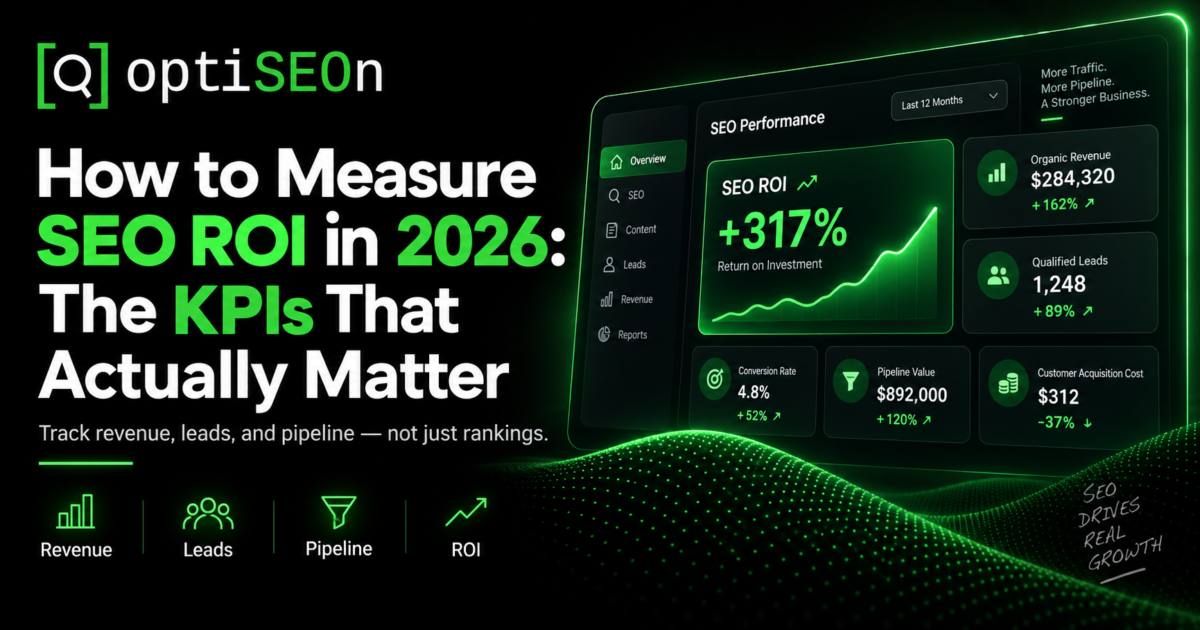
    How to Measure SEO ROI in 2026: The KPIs That Actually Matter

    Every SEO engagement eventually arrives at the same conversation: is this working?

    It’s a fair question and a surprisingly hard one to answer well, because SEO’s returns are delayed, partially attributable, and easy to dress up with metrics that look impressive and mean nothing. An agency can show you a chart of rising keyword rankings while your phone doesn’t ring any more than it did last year. Both facts can be true simultaneously.

    So here is how to measure SEO returns honestly. We’ll look at what to track, what to ignore, how to handle attribution without pretending it’s simple, and what a good report should actually cover.

    We have an obvious stake in this: we’re an agency, and we produce these reports for clients. Read accordingly. But the framework below is the one we’d want applied to our own work, including the parts that make agencies look worse.

    TL;DR

    SEO ROI is measured by tracking organic-attributed revenue or qualified leads against total SEO investment over a long enough timeframe for compounding to show (typically 6 to 12 months minimum). The KPIs that matter include organic conversions, qualified leads, revenue by landing page, and cost per acquisition compared to other channels. Meanwhile, metrics to deprioritize include raw keyword rankings, total traffic, impressions, and domain authority scores. Attribution is rarely perfect, and good reporting acknowledges that rather than hiding it.

    → Book a free SEO audit

    What is SEO ROI and how do you calculate it?

    SEO ROI is the return generated by organic search relative to what you spent on it, calculated as (organic-attributed revenue − SEO investment) ÷ SEO investment, expressed as a percentage. The inputs are simple; the difficulty is in measuring the revenue side honestly.

    The basic formula:

    SEO ROI = (Organic Revenue − SEO Cost) ÷ SEO Cost × 100

    For a lead-generation business where revenue attribution is less direct, the practical version:

    Organic Leads × Lead-to-Customer Rate × Average Customer Value = Organic Revenue

    The variables you need: organic conversions, your close rate on those leads, your average customer value (ideally lifetime, not first sale), and your full SEO spend including agency fees, tools, and internal time.

    Which SEO KPIs actually matter?

    The KPIs that reflect business outcomes: organic conversions, qualified leads from organic, revenue by landing page, organic cost per acquisition, and share of revenue from organic. Everything else is diagnostic — useful for understanding why the business metrics moved, but not a substitute for them.

    The hierarchy we’d use:

    Tier 1 — business outcomes (report these first):

    • Organic conversions (form fills, calls, bookings, purchases)
    • Qualified leads from organic — not raw leads, qualified ones
    • Revenue attributed to organic
    • Cost per acquisition from organic vs. other channels
    • Organic share of total pipeline or revenue

    Tier 2 — leading indicators (they predict Tier 1):

    • Rankings for commercial-intent keywords specifically
    • Click-through rate from search
    • Conversions by landing page
    • Branded vs. non-branded search volume
    • Map Pack visibility and calls for local businesses

    Tier 3 — diagnostics (useful, not reportable as success):

    • Total organic sessions
    • Impressions
    • Pages indexed, crawl stats
    • Core Web Vitals
    • Backlink counts and domain authority

    The failure mode in agency reporting is presenting Tier 3 as if it were Tier 1. A chart of rising impressions is not evidence of ROI.

    Which metrics are vanity metrics?

    Total traffic, raw keyword counts, impressions, and third-party authority scores are the most commonly over-reported vanity metrics — they can all improve substantially while revenue stays flat. They’re worth tracking as diagnostics, not presenting as results.

    Why each one misleads:

    • Total organic traffic: Traffic from non-buying informational queries inflates numbers without touching revenue. A post that attracts 10,000 students researching a definition is not a business result.
    • Keyword count (“we now rank for 4,000 keywords”): Most of those are irrelevant long-tail variations picking up incidental impressions.
    • Impressions: You can gain impressions by ranking on page 4 for more terms, but that is hardly real progress.
    • Domain Rating / Domain Authority: These are third-party proprietary metrics, not Google ranking factors. They are useful for comparing link profiles, but meaningless as a core success measure. We make this point onour own DR checker as well, because a free tool that overstates its own metric isn’t doing anyone a favor.
    • Average position: This is an aggregate number that often moves for reasons completely disconnected from your commercially important terms.

    None of these are useless. They’re just not ROI.

    How long before SEO shows measurable ROI?

    Most businesses see leading indicators within 60 to 90 days and genuine ROI between months 6 and 12, because SEO compounds rather than switching on overnight. Measuring ROI at month two and concluding that it failed is the most common way businesses waste their SEO investment, as they quit right before the curve turns.

    A realistic progression:

    • Month 1–2: Technical fixes, indexing improvements, baseline established. No meaningful traffic change expected.
    • Month 3–4: Early ranking movement on lower-competition terms; leading indicators begin moving.
    • Month 5–8: Conversions become measurable; the trend direction becomes clear.
    • Month 9–12: Compounding is visible; ROI calculation becomes meaningful.
    • Beyond 12 months: At this stage, the compounding advantage kicks in. This is where SEO’s cost per acquisition typically drops well below paid channels.

    This is also why the comparison “SEO vs paid ads” is usually framed wrong. Paid delivers immediately and stops when you stop paying. SEO delivers slowly and keeps delivering. They’re different instruments, and most businesses want both.

    How do you handle the attribution problem?

    Honestly, start by acknowledging that organic search is under-credited by last-click attribution, and use a combination of analytics, call tracking, and direct customer questions rather than trusting any single source. Anyone claiming perfect SEO attribution is overstating what is actually measurable.

    The specific difficulties:

    • Long consideration cycles. Someone finds you organically in March and converts in July via a direct visit. Last-click credits “direct.”
    • Multi-touch journeys. Organic, then an ad, then an email, then a direct visit. Which gets the credit?
    • Offline conversions. Phone calls, walk-ins, and referrals that started with a search.
    • Zero-click discovery. Someone sees you in an AI Overview or AI assistant answer, learns your name, and searches for you directly later. Organic did the work; branded search gets the credit.
    • Dark social. Your content shared in a Slack or WhatsApp group appears as direct traffic.

    What actually helps:

    • Call tracking with dynamic number insertion for organic sessions is essential for local and home services businesses.
    • “How did you hear about us?” on every form and intake call. Imperfect, but it catches what analytics can’t.
    • Branded search volume as a proxy: Rising branded searches usually mean your other marketing work is effectively building awareness.
    • Assisted conversions in GA4, not just last-click
    • Cohort comparison: Compare performance across distinct periods rather than trying to attribute every individual conversion perfectly.

    When measuring AI search specifically (such as tracking referrals from ChatGPT, Perplexity, and Gemini, or monitoring brand mentions), check out our guide to measuring AI search traffic.

    What should a good SEO report contain?

    Focus on business outcomes first, leading indicators second, and diagnostics third, along with a plain-language explanation of what moved, what didn’t, and what changes as a result. A report that only highlights success is a sales pitch, not an honest review.

    What we’d expect in any competent monthly report:

    • Conversions and leads from organic, compared to prior period and prior year
    • Revenue or pipeline attributed to organic where measurable
    • Commercial keyword movement: Focus on the terms that actually matter to your bottom line, not just all terms.
    • What was actually done that month, specifically
    • What didn’t work and what’s changing because of it
    • Next month’s priorities and why

    That fifth point is the one that separates useful reporting from theater. Every month contains things that underperformed. A report that never mentions them isn’t being honest with you.

    Is SEO worth it for my business?

    SEO is worth it when your customers actively search for what you offer, your average customer value justifies a 6–12 month payback horizon, and you can sustain the investment long enough to reach compounding. It’s a poor fit for businesses needing leads next week, or in categories where nobody searches.

    Honest cases where SEO isn’t the right first investment:

    • You need revenue within 30 days. In this case, run paid ads first and build organic search in parallel.
    • Your category genuinely has no search volume, which sometimes happens with brand-new product types.
    • Your average order value is low and your margins cannot absorb the initial setup period.
    • You cannot sustain 6 or more months of investment. Starting and stopping early wastes your budget entirely.

    We’d rather say this up front than take on an engagement that cannot succeed. It is also why our plans are month-to-month with no long-term contracts. If it isn’t working, you shouldn’t be locked in.

    How OptiSEOn reports

    Every client receives a monthly written report alongside a live Looker Studio dashboard covering rankings, traffic, conversions, and AI citation data. The written commentary explains what moved, what didn’t, and what we are changing (including during months where something underperformed). That is the standard we expect of ourselves.

    Frequently Asked Questions

    How do you calculate SEO ROI? 

    Use (Organic Revenue − SEO Cost) ÷ SEO Cost × 100. For lead-generation businesses, derive organic revenue as organic leads × lead-to-customer rate × average customer value. Include all SEO costs (such as agency fees, tools, and internal time) rather than just the primary invoice.

    What is a good ROI for SEO? 

    It varies widely by industry, margin, and customer lifetime value, so any universal benchmark should be treated skeptically. The more useful comparison is your organic cost per acquisition against your other channels: if organic CPA is meaningfully below paid CPA and trending down as content compounds, SEO is working.

    How long does it take to see ROI from SEO? 

    Leading indicators typically appear within 60 to 90 days, with genuine, measurable ROI developing between months 6 and 12. Because SEO compounds over time rather than acting like an instant switch, measuring at month two and concluding failure is premature. It is the most common reason businesses waste their SEO investment.

    Are keyword rankings a good measure of SEO success? 

    Only for commercial-intent keywords, and only as a leading indicator. Total keyword counts and average position function as vanity metrics, as you can rank for thousands of irrelevant terms without generating a single qualified lead. Track rankings for the specific terms your buyers use, then measure whether those rankings convert.

    Why doesn’t my analytics show SEO driving conversions? 

    Usually attribution, not performance. Last-click models under-credit organic when customers discover you via search and convert later through direct visits or other channels. Long consideration cycles, offline conversions, and zero-click AI discovery all hide organic’s contribution. Use call tracking, “how did you hear about us” questions, assisted conversions, and branded search volume to fill the gap.

    Should I invest in SEO or paid ads? 

    They solve different problems. Paid ads deliver leads immediately and stop when spending stops, while SEO takes 6 to 12 months to build momentum and then compounds (typically at a much lower cost per acquisition). Most businesses benefit from running both: paid for immediate revenue, and organic for long-term economics.


    Want an honest assessment of whether SEO will pay off for your business, including if the answer is no? Book a free audit. OptiSEOn is a Dallas-based SEO, AEO, GEO, and LLM optimization agency, and we’d rather tell you up front than take on an engagement that can’t work.

  • Home Services & Trades SEO in 2026: The Local Lead Playbook

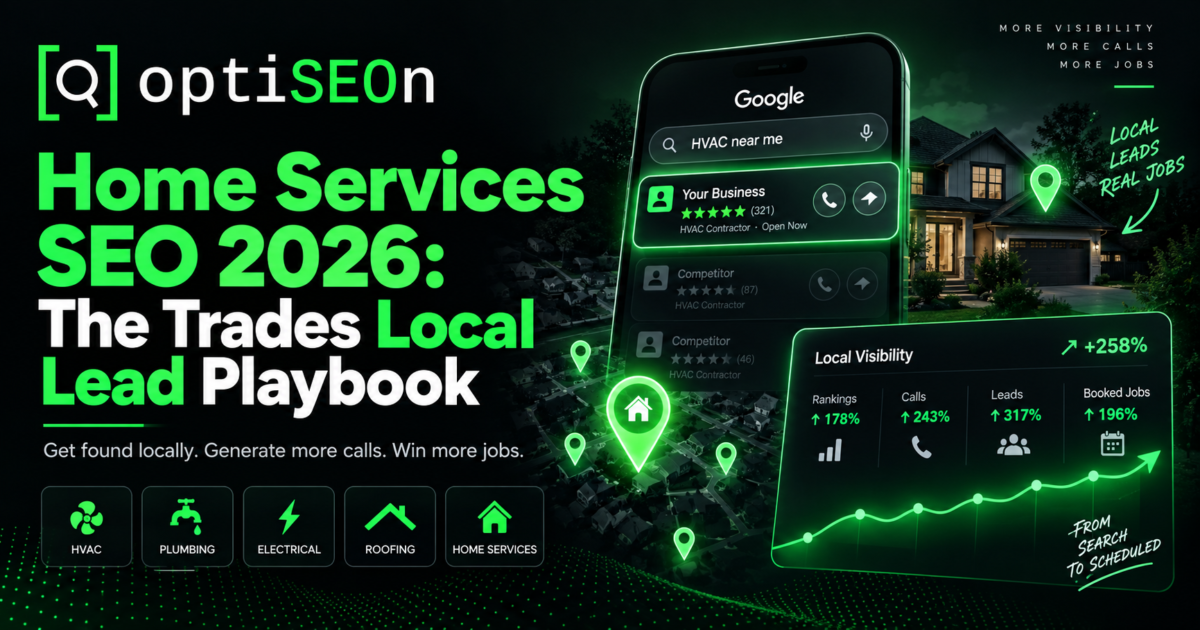
    Home Services & Trades SEO in 2026: The Local Lead Playbook

    Home services is the vertical where local SEO either proves its value or quietly wastes your money. The search intent is immediate, the decision window is minutes, and a single top-three Map Pack position in a decent-sized metro can be worth more annually than most contractors spend on marketing in five years.

    It’s also the vertical where the competitive bar is far higher than most contractors realize before they start. Recent 2026 market analysis puts the median review count needed to crack the top three in Google Maps at roughly 2,084 for HVAC, which is the highest of any trade category. Plumbing sits around 1,343 and pest control is near 803. If you’re a plumber with 40 reviews wondering why you can’t break into the Map Pack in a competitive metro, that’s your answer.

    The good news is that demand has never been stronger. Emergency-intent search volume has surged dramatically. For instance, one 2026 analysis tracked “emergency plumber” rising from roughly 18,100 to 74,000 monthly searches (a 309% jump), with emergency HVAC repair and “24 hour plumber near me” showing even steeper climbs. The homeowners are looking for help. The real question is whether you’re the business they find.

    Here’s the 2026 playbook.

    TL;DR

    Home services SEO rests on three pillars: an actively managed Google Business Profile, sustained review velocity, and genuinely local service-area pages. Emergency intent dominates searches for terms like “near me,” “open now,” and “24 hour,” so speed to answer matters just as much as ranking. In fact, research suggests a large majority of homeowners hire whoever responds first. Review thresholds in competitive metros are high, with the HVAC median around 2,084 for top-three Maps placement. Most contractors should run Google Local Services Ads for immediate leads while building organic visibility over a 6 to 12 month horizon.

    → Book a free local SEO audit

    Why is home services SEO different?

    Because the intent is urgent, the decision is fast, and the searcher is usually in a tough spot. When a pipe bursts at 7:00 AM, nobody sits around carefully comparing five different contractors. That compresses the entire sales funnel into a single search and one or two quick phone calls.

    Three consequences follow:

    • The Map Pack captures the overwhelming majority of the value. Homeowners tap one of the top three listings and call. Organic results below the fold see a fraction of that action.
    • Response speed is part of your conversion rate. Industry research consistently finds that a large majority of homeowners hire the first contractor who actually answers. Ranking first and missing the call is the same as not ranking.
    • Seasonality is extreme. HVAC spikes in Dallas summers, plumbing during freezes, roofing after storms. Your content and budget should anticipate the calendar, not react to it.

    Pillar 1: Google Business Profile as a live channel

    Your Google Business Profile is the single most influential signal in home services SEO, and it rewards active management rather than a one-time setup. One 2026 case study tracked sustained profile management from November 2025 through March 2026. It reported an 86% increase in profile views and a 177% increase in customer interactions from profile activity alone, even without making any website changes.

    Treat it as a channel you work weekly, not a listing you claimed once. The priorities specific to trades:

    • Precise primary category. “HVAC Contractor” versus “Air Conditioning Repair Service” versus “Furnace Repair Service” are different signals. Pick the one matching the work you most want, and add secondary categories for the rest.
    • Service area configured honestly. This is the mistake we see most often. Setting your service area to the entire metro — or the whole state — dilutes your relevance signal for the neighborhoods where you actually win jobs. Set it to where you genuinely want to rank and realistically serve.
    • Photos of real work. Your team, your trucks, actual completed jobs. Stock imagery is detectable and users distrust it. Refresh monthly.
    • Services fully populated with descriptions matching how homeowners phrase problems (“AC not cooling,” “water heater leaking”), not how you’d describe them on an invoice.
    • Weekly Google Posts for seasonal offers, recent jobs, and maintenance reminders. Most local competitors ignore these entirely.
    • Q&A pre-populated with the questions you get on every call: pricing ranges, emergency availability, service areas, financing.

    Our complete Google Business Profile guide covers the full field-by-field process.

    Pillar 2: Review velocity (and the real numbers)

    Reviews are the dominant prominence signal in trades, and the bar in competitive metros is much higher than most contractors expect. In fact, 2026 data puts the median for top-three Maps placement around 2,084 reviews for HVAC, 1,343 for plumbing, and 803 for pest control. What matters isn’t just total volume, but recency, velocity, keyword content, and your response rate.

    Before those numbers discourage you, keep in mind that they are metro-market medians for the most competitive categories. In smaller markets and less saturated trades, far fewer reviews will get you there. The point isn’t that you automatically need 2,000 reviews, but rather that you should know your actual local bar before deciding whether the investment makes sense. Pull up the top three competitors in your city and count their reviews. That’s your target.

    A review system that works for trades:

    • Ask on-site, at completion, while the customer is standing in front of the fixed problem. Text a direct review link from the tech’s phone before leaving.
    • Build it into the job close as a standard step, not an occasional afterthought. Consistency produces velocity.
    • Never gate reviews (asking only satisfied customers violates platform policy) and never incentivize them.
    • Respond to every review, positive and negative. Response rate is a visible signal to both Google and the next homeowner reading.
    • Handle negatives calmly and publicly. Keep in mind that you’re writing for the hundred future customers reading your response, not just the one upset reviewer.

    Pillar 3: Genuinely local service-area pages

    Each city or neighborhood you serve needs its own page with real local content, rather than the exact same page with the city name swapped out. Templated location pages act as doorway pages, which Google demotes and has enforced against more aggressively since the June 2026 spam update.

    What makes a trades service-area page genuinely local:

    • Local job examples and photos from that specific area
    • Area-specific conditions such as older housing stock in one neighborhood, slab foundations in another, hard water, common HVAC unit ages, or typical panel types
    • Local reviews from customers in that city
    • Response time and coverage details specific to that area
    • Directions, service radius, and genuine local references

    A Dallas-area HVAC company’s Plano page should discuss something structurally different from its Oak Cliff page, such as housing age, typical system types, or common failure modes. If you could swap the city names without anyone noticing, the pages aren’t unique enough.

    For contractors serving many cities, the discipline is the same as multi-location SEO: scale without duplication.

    Emergency and “near me” intent

    Emergency-intent searches have grown sharply and convert at the highest rate of any home services query. Optimizing for phrases like “near me,” “open now,” and “24 hour” is where immediate revenue comes from. These searchers are simply not comparison shopping.

    Practical optimization:

    • Accurate hours, including genuine after-hours availability. If you answer calls at 2:00 AM, say so, and then make sure you actually answer.
    • Emergency service pages targeting “emergency [trade] [city]” and “24 hour [trade] near me”
    • Click-to-call prominence on mobile, above the fold, everywhere
    • Fast mobile pages. A distressed homeowner on a phone won’t wait. See our Core Web Vitals guide.
    • Voice-query phrasing in your content, since a large share of emergency searches are spoken

    AI search and the trades

    Homeowners increasingly ask assistants directly: “my AC stopped working in Richardson, who should I call?” Those answers pull from Google Business Profile data, review platforms, directories, and structured data on your site.

    What earns visibility:

    • Consistent NAP everywhere — the foundation of entity recognition. Check yours with our free Entity Signal Checker.
    • LocalBusiness schema with accurate service areas and hours — generate it with our schema markup generator
    • Presence on the directories AI systems cite in home services, such as Angi, Thumbtack, Yelp, BBB, and trade-specific platforms. This is what our citation and authority building handles.
    • Question-format content answering the problems homeowners describe before they know the fix

    The general framework is in how to get cited by ChatGPT, Perplexity & Gemini. You can test whether assistants currently recommend you with our free AI Citation Tester.

    Should contractors run paid ads alongside SEO?

    For most home services businesses, the answer is yes. Google Local Services Ads generate leads immediately while organic SEO compounds over 6 to 12 months, and the two strategies together outperform either one alone. Indeed, 2026 analyses report LSA book rates near 44% and a meaningfully lower cost per acquisition when LSAs run alongside organic SEO rather than instead of it.

    The sequencing that makes sense for most contractors: run LSAs from day one for immediate cash flow, build organic simultaneously on a 6–12 month horizon, then reduce paid dependence as organic matures. The contractors who struggle are the ones who never start the organic work and watch their cost per lead climb every year.

    A quick note on scope: OptiSEOn doesn’t run paid advertising because it falls outside what we do. We’ll happily tell you when LSAs make sense and work alongside whoever manages them, but we won’t pretend paid ads are our lane.

    Realistic timelines

    • Weeks 1–6: GBP optimization and review system launch, which is the fastest-moving lever in trades
    • Weeks 6–12: Map Pack movement in less saturated categories and neighborhoods; service-area pages begin indexing
    • Months 3–6: Review volume compounds; competitive category rankings improve
    • Months 6–12: Organic becomes a primary lead channel and paid dependence can be reduced

    Home services compounds faster than most verticals because GBP and reviews move quickly. It still isn’t instant.

    How OptiSEOn works with trades businesses

    We handle home services as Geographic SEO engagements with citation building. That includes GBP management, review systems, genuinely local service-area pages, schema, and AI visibility. We’re based in Dallas and know the DFW market well: the summer HVAC spike, the freeze events, and the sprawl across Plano, Frisco, Richardson, Irving, and Arlington that makes service-area configuration matter so much.

    Frequently Asked Questions

    How many reviews does a contractor need to rank in the Map Pack?

     It depends heavily on your trade and market. Data from 2026 puts median review counts for top-three Google Maps placement around 2,084 for HVAC, 1,343 for plumbing, and 803 for pest control in competitive metros, though smaller markets require far fewer. The practical approach is to check the top three competitors in your specific city and use their counts as your target.

    What’s the fastest way for a plumber or HVAC company to get more leads from Google?

     Optimizing and actively managing your Google Business Profile, then launching a systematic review request process. These move faster than anything else in home services. In fact, one documented 2026 case study showed an 86% increase in profile views and a 177% increase in customer interactions from sustained GBP management alone without any website changes.

    Should I set my service area to my whole metro?

     No. Overextending your service area weakens your relevance signal for the core neighborhoods where you actually win jobs. Set it to where you genuinely want to rank and can realistically serve quickly. This is especially important for emergency work, where response time determines whether you get the job.

    Do I need separate pages for each city I serve?

     Yes, if you want to rank in those cities. However, each page needs genuinely unique local content rather than the same template with the city name changed. Templated location pages are treated as doorway pages and get demoted. Be sure to include local job examples, area-specific conditions, and local reviews.

    Are Local Services Ads or SEO better for contractors?

     They serve different purposes and work best together. LSAs generate leads immediately and charge per lead rather than per click, making them ideal for cash flow from day one. SEO compounds over 6–12 months and eventually lowers your cost per lead substantially. Most contractors should run both, then reduce paid spend as organic matures.

    How long does home services SEO take to work?

     Google Business Profile and review improvements often show results within 4 to 8 weeks. Map Pack movement in competitive categories typically takes 3 to 6 months. Having organic become a primary lead channel usually takes 6 to 12 months. Home services compounds faster than most verticals because GBP and reviews move quickly.


    Want to know your actual competitive bar, such as review counts, Map Pack gaps, and what it would take to reach the top three in your city? Book a free local SEO audit. OptiSEOn is a Dallas-based SEO, AEO, GEO, and LLM optimization agency, and we’ll give you the honest number rather than just an encouraging one.

  • Content Refresh & Pruning: How to Update Old Content for 2026 (and AI Search)

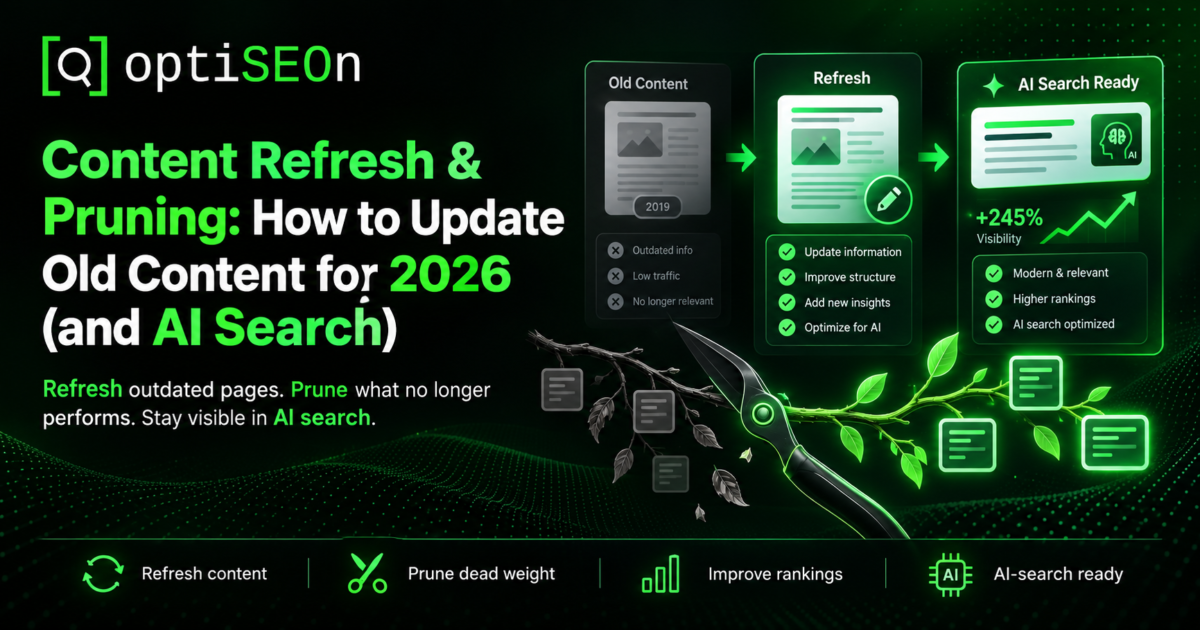
    Content Refresh & Pruning: How to Update Old Content for 2026 (and AI Search)

    Most businesses treat content as a one-way assembly line: write it, publish it, forget it, and move on to the next piece. That approach quietly wastes significant SEO value because content naturally decays over time. Rankings drop as competitors release updates, information goes stale, search intent evolves, and, crucially for 2026, AI engines stop citing pages that appear outdated.

    In our client work, we consistently find that updating existing content offers a higher ROI than producing brand-new pieces. A page that already holds domain authority, backlinks, and search history can often move from position 8 to position 3 faster and more cost-effectively than building a page from scratch. Likewise, an outdated page that hurts performance can be pruned quickly.

    Here is the 2026 step-by-step process for auditing, refreshing, and pruning content for both Google and AI search platforms.

    TL;DR

    Content refreshing updates existing pages to recover and grow rankings, while content pruning removes or consolidates pages that no longer add value. Both practices counter content decay, which is the steady loss of rankings and traffic over time. In 2026, freshness is critical because AI engines like Perplexity favor recently updated sources, and Google continues to reward well-maintained pages. The strategy is straightforward: audit your metrics, bucket each page (keep, refresh, consolidate, prune), update the high-potential content, and retire the rest.

    → Book a free content audit

    What is content refresh and pruning?

    Refreshing content involves updating an existing page with current details, stronger structure, and deeper insights to boost its rankings. Pruning content means removing, consolidating, or redirecting pages that no longer serve your audience or goals. Working together, these tasks maintain a healthy, effective content library.

    These actions address a core reality: content quality changes over time. Some pages need minor updates, while others need to be retired. Managing both on a clear schedule helps build a focused content library rather than an oversized, underperforming one.

    Why do I need to update old content?

    Because content loses traction over time. Competitors publish updated material, facts and pricing change, search habits evolve, and AI engines deprioritize older pages. A page that ranked near the top two years ago can easily slip if left untouched, even if its core content remains accurate.

    Three forces drive decay:

    • Competitive decay, where competitors publish fresher, more thorough content and take your position
    • Informational decay, where statistics, references, and recommendations become outdated
    • Intent decay, where the goal of the search query changes, leaving older content misaligned

    In 2026, there is also AI freshness preference. Platforms like Perplexity prioritize recently updated content when selecting sources, meaning older pages can lose citations even if their search ranking stays steady. We explored this trend further in how to get cited by ChatGPT, Perplexity & Gemini.

    Step 1: Audit performance

    Review performance metrics first by evaluating traffic, keyword rankings, impressions, and user engagement over the past 6 to 12 months. Google Search Console and your primary analytics tools will provide the necessary data.

    What to look at per page:

    • Traffic and ranking trends, noting whether performance is growing, steady, or dropping
    • Impressions vs. clicks in Google Search Console, as high impressions with low clicks point to title or meta description fixes
    • Keyword positions, targeting pages ranking between 5 and 20 for quick wins
    • Engagement metrics, including bounce rates, time on page, and conversion rates
    • Backlink profile, since pages with established inbound links should be updated rather than removed
    • Publication and edit dates to track content age

    Step 2: Categorize every page

    Place each URL into one of four actions: keep as-is, refresh, consolidate, or prune. Organizing your pages this way brings clarity and efficiency to the optimization process.

    The four buckets:

    • Keep: performing well, accurate, and needs ongoing tracking
    • Refresh: ranks in positions 5–20, shows traffic loss, or contains outdated information with solid potential
    • Consolidate: overlapping pages targeting similar terms; combine them into a primary resource and set up 301 redirects
    • Prune: no traffic, links, or strategic value; safely delete or redirect

    Step 3: Refresh the high-opportunity pages

    A proper refresh involves meaningful updates: refreshing facts, expanding thin sections, adapting content structure for search intent, and updating the published date. Changing the date stamp without updating the core content does not yield lasting results and can damage credibility.

    A real refresh includes:

    • Update key facts, figures, and examples to reflect current standards
    • Format for Answer Engine Optimization (AEO) by using clear heading questions and concise answers to capture featured snippets and AI Overviews
    • Expand thin sections to address modern user queries
    • Align with search intent if target search results favor a new format
    • Improve internal linking by pointing to newer posts and receiving links from recent content
    • Update schema markup so structured data reflects recent edits (you can use our schema generator)
    • Revise the visible updated date after completing substantial improvements

    Prioritize by opportunity: pages ranking 5–20 with commercial intent, pages declining from former highs, and pages with existing backlinks. These give the fastest returns.

    Step 4: Consolidate overlapping content

    When multiple pages target the same intent, they compete with one another and dilute search signals. Consolidate them into a single comprehensive page and implement 301 redirects for the remaining URLs. Unifying your content focuses authority onto one page, often driving quick gains in visibility.

    Start by designating the strongest page as your primary URL. Incorporate the best sections from duplicate pages, set up 301 redirects to the main URL, and update internal links across your site accordingly.

    Step 5: Prune the dead weight

    Pruning removes low-performing pages that lack traffic, links, and strategic value, which improves overall site quality and crawl efficiency. Cleaning up weak content strengthens domain-wide quality signals and helps your best pages perform better.

    How to prune safely:

    • Verify the page offers no remaining value, checking for minimal traffic, inbound links, and conversions
    • Use 301 redirects when relevant to transfer remaining authority to a related page
    • Apply a 410 or 404 status if there is no suitable replacement page or external backlink value
    • Avoid deleting pages with valuable backlinks without implementing proper redirects
    • Keep a record of pruned pages in case you need to reference or restore content later

    Pruning is effective, but it should be done carefully. Always verify your metrics first. Pages with valuable links or context should usually be updated or redirected rather than permanently removed.

    Step 6: Establish a refresh cadence

    Maintain a regular schedule for updates, such as quarterly reviews for high-value pages and annual audits for the entire library, to keep your content competitive. Successful sites manage their content as an evolving asset rather than a static archive.

    A practical cadence:

    • Quarterly: Review and update your top 10 to 20 key pages, making adjustments as traffic shifts.
    • Annually: Conduct a full content audit to categorize all site pages.
    • Event-driven: Update content immediately when industry facts change, rankings drop, or search intent shifts.

    We use this exact routine for our own blog, ensuring our articles stay up to date as search trends evolve.

    How OptiSEOn approaches content refresh

    Content auditing, refreshing, and pruning are core components of our SEO services at OptiSEOn. For many businesses, updating existing pages is the fastest way to increase organic traffic. We help pinpoint high-opportunity content, optimize for search engines and AI platforms, resolve overlapping topics, and prune underperforming URLs. You can book a free content audit with us to uncover hidden opportunities across your site.

    Frequently Asked Questions

    How often should I update old blog posts? 

    Update high-value pages every quarter and audit your entire library annually. You should also update content whenever industry details change, rankings decline, or search intent shifts. In 2026, freshness impacts AI citations, as platforms like Perplexity prefer recently updated sources.

    Does updating old content actually help SEO? 

    Yes, and it often yields faster results than publishing new posts. Pages with existing authority, established links, and ranking history can climb search results more efficiently when updated with fresh data, clear formatting, and thorough insights.

    Will changing the date on my content improve rankings? 

    No. Simply changing the date without updating the content does not improve performance and can harm user trust. Search engines measure freshness through actual content improvements, such as added sections, updated statistics, and structural edits.

    What is content pruning and is it safe? 

    Content pruning involves removing, consolidating, or redirecting underperforming pages to strengthen overall site authority and crawl efficiency. It is safe when handled carefully. Always redirect URLs with backlinks and ensure a page lacks traffic and strategic value before removing it.

    How do I know which pages to refresh first? 

    Start with pages ranking between positions 5 and 20, content experiencing traffic loss, commercial pages, and articles with strong backlink profiles. These pages usually offer the quickest returns on effort.

    What is keyword cannibalization and how does refreshing fix it? 

    Keyword cannibalization occurs when multiple pages target the same intent, causing search engines to split ranking authority between them. Consolidating those pages into one comprehensive resource and setting up 301 redirects resolves the issue and concentrates ranking signal strength.


    Is your content library losing traffic and visibility? 

    Book a free content audit with OptiSEOn, a Dallas-based agency specializing in SEO, AEO, GEO, and LLM optimization. We will help you identify quick-refresh targets, fix overlapping content, and prune low-value pages.

  • Law Firm SEO in 2026: The YMYL Playbook for Attorneys

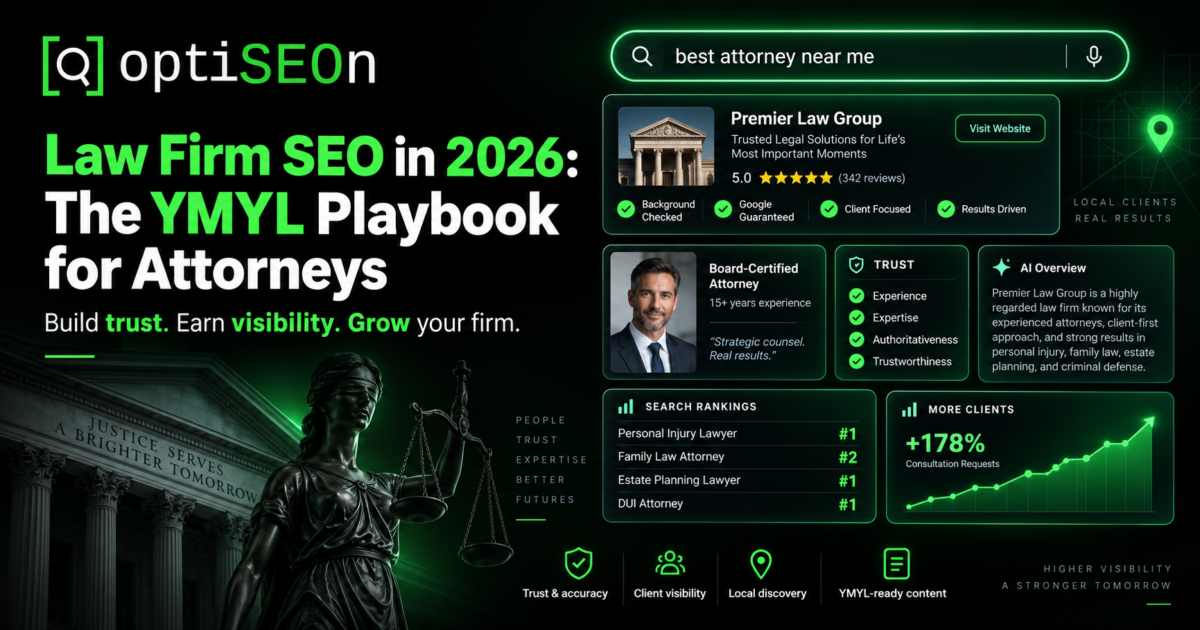
    Law Firm SEO in 2026: The YMYL Playbook for Attorneys

    Legal is one of the most demanding verticals in all of SEO, and in 2026 it’s arguably the most demanding. It combines the strict YMYL scrutiny of healthcare (Google treats legal content as capable of affecting a person’s life, finances, and safety), a brutally competitive local landscape, state bar advertising rules that constrain what you can say, and — the newest pressure — the highest rate of AI Overviews of any major category.

    That last point reshapes everything. According to SE Ranking research, legal queries trigger Google AI Overviews around 78% of the time — the highest of any high-stakes category. A prospective client searching “personal injury lawyer near me” now encounters an AI-generated answer, a local map pack, and traditional organic results, often before clicking anything. A firm that only optimizes for the blue links is competing for a shrinking slice of the page.

    Here’s the realistic 2026 playbook.

    TL;DR

    Law firm SEO in 2026 has four fronts: the local map pack (which captures a large share of legal clicks and where proximity dominates), YMYL-grade E-E-A-T with genuine attorney authorship, AI Overview and AI-answer visibility (legal triggers AI Overviews more than any other category), and bar-compliant content. Practically: fully optimize each attorney’s and office’s Google Business Profile, publish attorney-authored practice-area and location content, build authoritative legal citations and links, and route everything through ethics review. Timelines are slow — legal is a 6–12 month compounding game.

    → Book a free law firm SEO audit

    What makes law firm SEO different from regular SEO?

    Law firm SEO combines YMYL content scrutiny, intense local competition, strict state bar advertising rules, and the highest AI Overview rate of any category — four constraints that stack on top of each other in a way most industries never face. Getting any one wrong undercuts the others.

    The four differences in brief:

    1. YMYL scrutiny — Google applies its strictest quality standards to legal content, because bad legal information can genuinely harm people. Attorney expertise must be demonstrable. This is the same tier as healthcare, covered in our healthcare YMYL playbook.
    2. Local dominance — most legal searches are local and high-intent; the map pack captures a large share of clicks, and proximity to the searcher is the single strongest local ranking factor.
    3. Bar advertising rules — state bars regulate attorney advertising strictly, governing claims, testimonials, disclaimers, and specialization language.
    4. AI Overview intensity — at ~78% of legal queries, AI Overviews are nearly the default, making AI visibility non-optional.

    Front 1: Win the local map pack

    For most firms, the local map pack is the highest-ROI SEO target, because legal searches are overwhelmingly local and high-intent, and the map pack sits above organic results. Proximity is the dominant ranking factor — you can’t outrank distance — so the strategy is to maximize every other local signal.

    The priorities, building on our Google Business Profile guide:

    • Precise primary category — Google has added granular legal categories (e.g., “Probate Attorney,” “Estate Litigation Attorney”); using the exact right one is a ranking signal. “Personal Injury Attorney” beats “Lawyer.”
    • A profile per attorney where appropriate, alongside the firm profile — many legal specialties support individual practitioner listings, multiplying map presence.
    • Real team photos, not stock — firms using genuine team photos see materially more engagement; Google detects stock imagery and users distrust it.
    • Reviews with disciplined, compliant responses — volume, recency, keywords in review text, and your responsiveness all influence local ranking. But responding to legal reviews carries confidentiality constraints (see Front 4).
    • Accurate, consistent NAP across the firm’s website, Google Business Profile, and legal directories — even minor formatting variations suppress rankings.

    Note that Google has been testing smaller local packs in some legal markets — sometimes showing only one or two firms and removing call buttons. That raises the stakes on every other signal (reputation, directory consistency, brand presence beyond Google), because there are fewer slots to win.

    Front 2: YMYL E-E-A-T with genuine attorney authorship

    Legal content must demonstrate real attorney expertise to rank — authored or reviewed by a named, licensed attorney, with credentials, bar admissions, and experience displayed. Anonymous or writer-only legal content consistently underperforms under YMYL scrutiny, and AI engines apply an even higher expertise bar to legal answers.

    The authorship model that works:

    • Attorney-authored or attorney-reviewed practice-area content, with the attorney named and credited
    • Detailed attorney bio pages — bar admissions, jurisdictions, education, case experience, publications, speaking — with Person and, where appropriate, Attorney schema
    • Citations to authoritative legal sources — statutes, case law, court rules, bar associations — not other marketing blogs
    • Content freshness — law changes; visible review dates and updates matter, especially for statute-specific content
    • Firm-level trust signals — office addresses, bar memberships, attorney rosters, clear contact paths

    This is the legal application of our E-E-A-T framework. In legal, E-E-A-T isn’t a nice-to-have; it’s the threshold for being eligible to rank at all.

    Front 3: Site architecture — practice areas and locations

    Law firm sites rank on well-structured practice-area and location pages, not blog volume — one in-depth page per practice area, and unique location pages for each office or market served. This mirrors the service-line architecture that works in healthcare.

    The architecture:

    • Practice-area pages — one substantive page per practice area (personal injury, family law, estate planning, criminal defense), each attorney-authored, deep, and specific. These are your core commercial pages.
    • Practice-area + location pages — for firms serving multiple markets, “Divorce Lawyer in [City]” pages with genuinely unique local content (local courts, local procedures, local considerations), not templated clones — the same duplicate-content discipline as multi-location SEO.
    • Attorney profile pages — one per attorney, which rank for name searches and carry E-E-A-T weight.
    • Educational content — client-focused FAQs and guides that answer real legal questions, structured for featured snippets and AI Overviews.

    Pick your battles on content. You’ll lose “what is personal injury” to national legal publishers and directories; you can win “personal injury statute of limitations in [state]” and “[city] personal injury lawyer.”

    Front 4: Bar compliance (review with your ethics counsel)

    Attorney advertising is heavily regulated, and the rules vary by state bar. This is orientation, not advice — route everything through your ethics counsel.

    Common areas where legal marketing diverges from standard SEO:

    • Advertising disclaimers — many states require specific disclaimers on attorney advertising, sometimes including “Attorney Advertising” labels and disclaimers about results.
    • Testimonials and endorsements — heavily regulated; some states require specific disclaimers, and rules on client testimonials vary significantly.
    • Results and case outcomes — publicizing past results often requires disclaimers that past results don’t guarantee future outcomes, and some claims are restricted.
    • Specialization language — words like “specialist,” “expert,” or “certified” in a practice area are restricted in many states unless you hold a recognized certification.
    • Review responses — responding to a client review can implicate attorney-client confidentiality even when the client posted publicly; the safe pattern is a generic response that doesn’t confirm a representation relationship or reveal any case details.
    • Solicitation rules — some outreach and intake practices are constrained.

    Generalist agencies frequently create bar-compliance problems for firms because the default marketing playbook includes practices that specific state bars restrict. Legal marketing has to be built compliance-first.

    Front 5: AI Overviews and AI answer visibility

    Because legal queries trigger AI Overviews around 78% of the time — the highest of any category — appearing in AI-generated answers is essential, not optional, for law firms in 2026. The work that earns it overlaps heavily with YMYL E-E-A-T and structured content.

    What earns legal AI visibility:

    • Strong attorney E-E-A-T signals — AI engines heavily favor verifiable legal expertise on legal questions and apply elevated caution
    • Question-format, well-structured content — client FAQs and practice-area explainers built with the answer-block structure from our featured snippets guide
    • Complete legal schema — Attorney, LegalService, LocalBusiness, Person
    • Presence on authoritative legal directories — AI engines frequently cite Avvo, Justia, FindLaw, and similar when recommending attorneys
    • Consistent attorney entity data across bar records, directories, and your own site

    The general framework is in how to get cited by ChatGPT, Perplexity & Gemini; legal applies it with a higher expertise bar and near-zero tolerance for inaccuracy. Measuring it matters too — see how to measure AI search traffic.

    Front 6: Authoritative link building

    Legal link building relies on authoritative, relevant sources — legal directories, bar associations, law schools, local community organizations, and genuine press — rather than volume. Given YMYL scrutiny, low-quality legal links are riskier than in other verticals.

    What works:

    • Legal directories — Avvo, Justia, FindLaw, Martindale-Hubbell verify existence and carry authority
    • Bar association and legal organization memberships and profiles
    • Law school and alumni connections where genuine
    • Local sponsorships and community involvement — real local links
    • Attorney commentary — providers quoted in local news and legal journalism
    • Original legal content and data where publishable

    The general framework is in our link building guide. Avoid the paid-guest-post ecosystem entirely — the risk is worse under YMYL scrutiny.

    Technical foundation

    Standard fundamentals apply, with legal emphasis: fast Core Web Vitals (a site slower than ~2 seconds loses high-intent clients who are often in urgent situations), mobile-first (legal searches skew mobile and urgent), HTTPS, clean architecture, and structured data throughout.

    Realistic timelines

    Legal is slow. Anyone promising fast organic results is selling ads or vanity metrics.

    • 30–60 days: local map pack movement from GBP and review work
    • 90–180 days: practice-area and location content begins ranking
    • 9–12 months: organic and AI visibility compound into a primary intake channel

    Legal’s competitiveness means the firms that win are the ones that commit through the slow middle months.

    How OptiSEOn approaches law firms

    We structure legal engagements compliance-first: attorney-authored/reviewed content workflows, legal schema, legal directory and citation building, compliance-aware review management, map-pack-weighted local work, and AI Overview visibility — because legal is where AI answers matter most. We’re not attorneys and we don’t give ethics advice; we work alongside your firm’s ethics counsel. See our services or book a free audit.

    Frequently Asked Questions

    Why is law firm SEO so competitive?

    Legal combines high client value, urgent high-intent searches, and a crowded marketplace where firms compete not just with each other but with directories, aggregators, and AI-generated answers. Add YMYL scrutiny and strict bar advertising rules, and legal becomes one of the most demanding SEO verticals.

    Do AI Overviews really appear on most legal searches?

    Yes. According to SE Ranking research, legal queries trigger Google AI Overviews around 78% of the time — the highest rate of any high-stakes category. This makes AI visibility essential for law firms, not optional, and it’s why AI-answer optimization sits alongside traditional SEO in any serious 2026 legal strategy.

    Can I respond to client reviews as an attorney?

    You can respond, but responding may implicate attorney-client confidentiality even when the client posted publicly. The common safe pattern is a generic response that thanks the reviewer without confirming a representation relationship or revealing any case details. Confirm your approach with your state bar’s rules and your ethics counsel.

    Does my law firm need blog content or a better Google Business Profile first?

    For most firms, Google Business Profile and local optimization deliver faster, higher-ROI results than blog content, because legal searches are overwhelmingly local. Content becomes more valuable for competitive practice-area terms and AI Overview visibility, but the map pack is usually the first priority.

    What schema markup do law firms need?

    Attorney and LegalService schema for the firm and practice areas, LocalBusiness for each office, and Person schema for each attorney’s bio. Together these build the entity profile Google and AI engines use to evaluate and recommend firms. Generate valid JSON-LD with our free schema generator.

    How long does law firm SEO take to work?

    Local map pack improvements typically appear in 30–60 days with focused GBP and review work. Practice-area and location content generally takes 90–180 days to rank. Full compounding, where organic and AI visibility become a primary client-intake channel, usually arrives between 9 and 12 months.


    Want a law firm SEO audit that accounts for YMYL, the map pack, AI Overviews, and bar compliance risk? OptiSEOn is a Dallas-based SEO, AEO, GEO, and LLM optimization agency. Book a free audit — we’ll assess your local visibility, attorney E-E-A-T signals, and AI-answer presence, and flag anything that looks like an advertising-compliance risk for your counsel to review.

  • Free Schema Markup Generator: Build Valid JSON-LD From Any Page

    Free Schema Markup Generator: Build Valid JSON-LD From Any Page

    Schema markup is one of those rare SEO levers that’s both high-value and genuinely underused. Done right, it makes your pages eligible for rich results in Google, and it tells AI engines like ChatGPT, Perplexity, and Gemini exactly what your content is and who you are. Done wrong — or not at all — you’re leaving one of the clearest machine-readable trust signals on the table.

    So why doesn’t every site have it? Because the traditional way of adding schema is tedious and easy to get wrong. You pick a type from a dropdown, hand-type every field into a form, hope you got the syntax right, paste it in, and cross your fingers. Most small teams try it once, find it fiddly, and move on.

    We built a free tool to remove that friction. The OptiSEOn Schema Markup Generator takes a different approach: you paste a page URL, it figures out what kind of page it is, and it generates valid JSON-LD built from what’s actually on the page — no dropdowns, no manual data entry, no invented values. This post explains what it does, how to add the output correctly, and the one step you should never skip before shipping.

    TL;DR

    Schema markup is structured data (in JSON-LD format) that tells Google and AI engines what a page means. The free OptiSEOn Schema Markup Generator fetches any page URL, auto-detects its type (homepage, blog post, product, FAQ, contact page, and more), and generates valid, copy-paste JSON-LD built only from data found on the page — it never fabricates authors, dates, prices, or ratings. No signup, nothing stored. Always validate the output with Google’s Rich Results Test before you ship it.

    → Generate schema for any page · No signup · Nothing stored.

    What is a schema markup generator?

    A schema markup generator is a tool that produces structured data code — usually JSON-LD — that you add to a web page so search engines and AI systems can understand its content in a machine-readable way. Instead of writing the code by hand, you use the generator to produce valid markup for your page type, whether that’s an article, a product, an FAQ, or a local business.

    The OptiSEOn generator differs from most in one important way: rather than making you choose a type and fill in a blank form, it reads your actual page, detects what kind of page it is, and populates the markup from real content.

    What does the OptiSEOn schema generator do?

    It fetches the page URL you paste, identifies the page type, and generates valid JSON-LD structured data built from what’s genuinely on the page — ready to paste into your <head>. It works for homepages, blog posts, products, FAQs, and contact pages, and produces types including Organization, WebPage, Article, Product, FAQPage, and LocalBusiness, among others.

    What that means in practice:

    • Auto-detection. You don’t pick a type from a dropdown. The tool works out whether it’s looking at an article, a product page, an FAQ, and so on, and generates the matching schema.
    • Built from your real page. Titles, descriptions, and other values come from the page’s actual content — not a blank form you fill in and not made-up data.
    • Valid, copy-paste JSON-LD. The output is formatted and ready to drop into your page’s <head>.
    • Private and free. No signup, and nothing you enter is stored.

    The result is a strong, accurate first draft in seconds. The two things you still own — reviewing it and validating it — are covered below, because skipping them is where schema goes wrong.

    What is schema markup and JSON-LD, briefly?

    Schema markup is a shared vocabulary from schema.org that labels the parts of your page — this is the author, this is the price, this is a review — and JSON-LD is the format Google recommends for adding it, a small script placed in your page’s <head>. Together they turn ambiguous text into explicit, machine-readable facts.

    Without markup, a search engine has to guess whether “$199” is a price, a discount, or just a number in your copy. With Product schema, it knows. That clarity is what makes pages eligible for rich results (star ratings, FAQ accordions, breadcrumbs) and what helps AI engines identify and cite your content accurately.

    A simple Article JSON-LD block looks like this:

    json

    {

      “@context”: “https://schema.org”,

      “@type”: “Article”,

      “headline”: “Your Post Title”,

      “author”: { “@type”: “Person”, “name”: “Author Name” },

      “datePublished”: “2026-08-01”,

      “publisher”: {

        “@type”: “Organization”,

        “name”: “Your Company”

      }

    }

    For a full breakdown of which types matter and where to use each one, see our guide to the 10 schema markup types every business needs in 2026. This post is about generating them quickly; that one is about choosing them wisely.

    How do I generate and add schema markup?

    Paste your page URL into the generator, let it detect the page type and build the JSON-LD, copy the output, paste it into your page’s <head>, then validate it with Google’s Rich Results Test before publishing. The generation takes seconds; the validation is the step that protects you from shipping something broken.

    Step by step:

    1. Go to the Schema Markup Generator and paste the URL of the page you want to mark up. No signup.
    2. Let it analyze. The tool fetches the page, detects its type, and generates matching JSON-LD from the page’s real content.
    3. Review the output. Confirm the detected type is right and the values match what’s visibly on the page.
    4. Copy the JSON-LD and paste it inside the <head> of that page (or via your CMS’s structured-data / custom-code field). In WordPress, most SEO plugins have a slot for custom JSON-LD; in Webflow or Wix, use a head-code embed.
    5. Validate before shipping. Run the page or the code through Google’s Rich Results Test and the Schema.org validator. Fix any errors or warnings.
    6. Repeat per page type. Generate one for each distinct template — homepage, article, product, contact — since each needs different schema.

    Which schema types does the generator produce?

    It generates the schema types that match common page templates — Organization and WebPage for homepages, Article for blog posts, Product for product pages, FAQPage for FAQs, and LocalBusiness for contact and location pages, among others. Because it detects the page type first, you get the right schema for each page instead of forcing one type everywhere.

    Here’s how the common types map to pages:

    Page typeSchema generatedWhat it does
    HomepageOrganization, WebPageIdentifies your business as an entity
    Blog post / articleArticleAuthor, date, headline — feeds rich results and E-E-A-T
    Product pageProductName, description, price, availability
    FAQ sectionFAQPageMakes Q&A machine-readable for parsing and AI extraction
    Contact / locationLocalBusinessAddress, hours, geo — critical for local SEO

    Organization schema is worth adding site-wide as your foundational entity signal, and Article plus Person schema on content pages feed the author-authority signals that both Google and AI engines weigh — which we cover in our E-E-A-T guide.

    Why does “nothing invented” matter?

    The generator only uses data found on your page — it never invents authors, dates, prices, or ratings, because fabricated values are exactly what gets schema flagged and penalized by Google. Structured data that doesn’t match your visible page content, or that fakes reviews and ratings, is a policy violation that can trigger manual actions — not a shortcut to rich results.

    This is a guardrail, not a limitation, and it’s the same warning we gave in our schema markup guide: Review and AggregateRating schema must reflect real, displayed reviews; inventing them is one of the fastest ways to earn a penalty. A lot of schema tools and plugins will happily let you type in a 5-star rating for a page with no reviews. That “help” is a liability.

    So if the generator leaves a field empty, that’s usually correct — it means the data isn’t genuinely on your page, and adding it manually would mean fabricating it. The fix is to put the real information on the page first, then regenerate.

    Do I still need to validate the output?

    Yes — always run generated schema through Google’s Rich Results Test before publishing, because broken structured data can do more harm than none at all. Google ignores invalid markup, and markup that conflicts with your visible content can hurt trust signals. Validation takes thirty seconds and catches the errors that would otherwise ship silently.

    A quick validation checklist:

    • Google Rich Results Test — confirms eligibility for specific rich result types and flags errors
    • Schema.org validator — a stricter, vocabulary-level check
    • Eyeball the values — make sure every field matches what a visitor actually sees on the page
    • Check for duplicates — if your CMS or theme already outputs some schema, avoid conflicting or doubled markup

    The generator gives you valid JSON-LD to start from, but your specific CMS, theme, or existing plugins can introduce conflicts only a validation pass will catch. Never skip it.

    Schema is one signal. We optimize all of them.

    Structured data tells Google and AI engines what your pages mean — but it works best alongside content, authority, and technical SEO that all agree with it. Schema on its own doesn’t rank a page or earn a citation; it amplifies the signals already there. Mark up a thin page and you’ve accurately described a thin page.

    Schema sits inside a larger system, and the rest of that system is what turns “understood” into “ranked” and “cited”:

    That end-to-end work — structured data, content, authority, and technical SEO tuned together for both search engines and AI answers — is what we do at OptiSEOn. The generator gets your markup right; the service makes it count.

    Frequently Asked Questions

    What is a schema markup generator used for? A schema markup generator produces structured data code (usually JSON-LD) that you add to a web page so search engines and AI systems can understand its content. It saves you from hand-writing the code and reduces syntax errors. The OptiSEOn generator goes further by auto-detecting your page type and building the markup from the page’s real content.

    How do I add schema markup to my website? Generate the JSON-LD for your page, then paste it inside the page’s <head> — directly in the HTML, or through your CMS’s custom-code or structured-data field (most WordPress SEO plugins have one; Webflow and Wix use head-code embeds). Then validate it with Google’s Rich Results Test before publishing.

    What format should schema markup be in? JSON-LD is the format Google recommends. It’s a self-contained script placed in the page’s <head>, separate from your visible HTML, which makes it easier to add and maintain than older formats like microdata or RDFa. The OptiSEOn generator outputs JSON-LD.

    Does schema markup improve my Google rankings? Not directly. Schema doesn’t boost rankings on its own, but it makes pages eligible for rich results (star ratings, FAQ accordions, breadcrumbs) that improve click-through rate, and it helps AI engines understand and cite your content. The benefit is real but indirect — schema amplifies your other signals rather than replacing them.

    Is it safe to use auto-generated schema? Yes, provided the values are accurate and you validate before shipping. The risk with schema isn’t automation — it’s fabricated data. A generator that pulls only from your real page content (and leaves fields empty rather than inventing values) is safe; one that lets you type in fake reviews or ratings is a liability. Always run the output through Google’s Rich Results Test.

    Why is some schema data missing from my generated file? Usually because that data isn’t genuinely on your page. The OptiSEOn generator won’t invent authors, dates, prices, or ratings, since fabricated values are what get schema penalized. If a field is empty, add the real information to your page first, then regenerate — don’t fill it in with made-up data.

    Is the OptiSEOn schema generator really free? Yes — no signup, and nothing you enter is stored. Paste a URL, get valid JSON-LD auto-built from your page. It’s one of several free tools we build, alongside our robots.txt AI Checker, llms.txt Generator, Entity Signal Checker, and AI Citation Tester.


    Generate valid schema for any page in seconds — then validate and ship it with confidence. Use the free Schema Markup Generator. And if you want your structured data working in concert with content, authority, and technical SEO — for Google rankings and AI citations alike — OptiSEOn is a Dallas-based SEO, AEO, GEO, and LLM optimization agency. Book a free schema & SEO review.

  • The Free llms.txt Generator (and the Honest Take on Whether You Need One)

    The Free llms.txt Generator (and the Honest Take on Whether You Need One)

    A few months ago we published a post with a deliberately unglamorous conclusion: llms.txt is overhyped. The data we pulled showed it appearing in well under 1% of AI-cited URLs, and no major AI vendor had officially committed to honoring the spec. Our recommendation was blunt — don’t treat llms.txt as a primary AI-visibility lever, because it isn’t one.

    So it would be a little strange to now hand you a free llms.txt generator without addressing the obvious question: if you told me not to bother, why build the tool?

    Here’s the honest answer, and it’s the same one that runs through everything we publish. llms.txt is low effort and near-zero downside. It won’t hurt you, it might help later if the major AI platforms formally adopt the standard, and it’s a genuinely useful forcing function for auditing which of your pages actually matter. What made it not worth prioritizing was the manual effort relative to the payoff. Take the manual effort down to twenty seconds, and the math changes — a zero-downside, maybe-helpful task you can finish before your coffee is worth doing.

    That’s what the OptiSEOn llms.txt generator is for. This post explains what it does, how to use it well, and — because we’d rather keep your trust than oversell you a file — where it fits and where it doesn’t.

    TL;DR

    llms.txt is an emerging, community-proposed standard: a Markdown file at your domain root that tells AI systems what your site is and which pages matter. The free OptiSEOn llms.txt generator crawls your real pages, groups them into sections, and produces a valid, downloadable llms.txt in about 20 seconds — with every title and description pulled from your own pages, nothing invented. It’s low-effort and low-risk, but it is not a shortcut to getting cited by AI. Being readable is step one; being citation-worthy is the actual job.

    → Generate your free llms.txt · No signup · ~20 seconds.

    What is an llms.txt file?

    An llms.txt file is a Markdown file placed at your domain root (yoursite.com/llms.txt) that gives AI systems a curated, plain-language map of your site — what it is and which pages matter most. It was proposed in September 2024 as a community standard, and the idea is to hand large language models a clean index instead of making them guess from your raw HTML.

    A basic llms.txt looks like this:

    # Your Company

    > One-line summary of what your company does.

    ## Services

    – [SEO Services](https://yoursite.com/services): What you offer and for whom.

    – [Pricing](https://yoursite.com/pricing): Plans and what’s included.

    ## Guides

    – [How AI Search Works](https://yoursite.com/blog/ai-search): A plain-English overview.

    Clean, structured, human-readable, and machine-readable. The concept is sound. Whether the major AI platforms actually use it is the part worth being honest about — more on that below.

    What does the OptiSEOn llms.txt generator do?

    The OptiSEOn llms.txt generator reads your site’s sitemap and pages, groups them into logical sections, and builds a comprehensive, valid llms.txt file you can download and upload to your site root. Every title and description in the file comes directly from your own pages — the tool doesn’t invent copy or hallucinate descriptions.

    What that means in practice:

    • It uses your real content. Titles and descriptions are pulled from your actual pages, so the file reflects what’s genuinely on your site.
    • It structures automatically. Pages are grouped into sections (services, guides, products, and so on) rather than dumped into one flat list.
    • It outputs a valid file. The result follows the llms.txt format, ready to paste at yourdomain.com/llms.txt.
    • It’s free and needs no signup. Enter a domain, wait about twenty seconds, download.

    The tool gives you a strong first draft built from reality. What it deliberately does not do is pretend the file is finished the moment it’s generated — which brings us to how to use it well.

    How do I create an llms.txt file?

    Enter your domain into the generator, let it crawl your pages (~20 seconds), review and trim the generated file, then upload it to your site root at /llms.txt. The generation is automatic; the curation is the part that makes it actually good.

    Step by step:

    1. Go to the llms.txt generator and enter your domain. No signup.
    2. Let it crawl. It reads your sitemap and pages and groups them into sections.
    3. Review the draft. This is the important step most people skip. The tool gives you everything; you decide what belongs.
    4. Trim what doesn’t matter. Cut thin pages, tag/category archives, utility pages, and anything that doesn’t help an AI understand your site. A focused file of 15–30 meaningful pages beats a sprawling dump of 200.
    5. Upload to your root. Place the final file at yourdomain.com/llms.txt (UTF-8, named exactly llms.txt).
    6. Keep it updated. Revisit it when your site changes materially — new services, new cornerstone content, restructured navigation.

    What makes a good llms.txt file?

    A good llms.txt is curated, not exhaustive: it points AI systems at your genuinely important pages with accurate descriptions, and leaves everything else out. The value is in the editorial judgment — telling an AI which 20 pages define your site is more useful than listing all 200.

    The principles we’d apply:

    • Curate ruthlessly. Include cornerstone content, key service and product pages, and your best explanatory guides. Exclude thin pages, duplicates, archives, and utility URLs.
    • Keep descriptions accurate. Since the generator pulls from your real pages, the honesty is built in — but if you edit, keep descriptions truthful. Misleading descriptions help no one and erode trust signals.
    • Don’t link to gated or noindexed pages. If you don’t want it in Google, you don’t want it in llms.txt.
    • Update it as you go. A file that reflects your site as it was a year ago is worse than a slightly shorter one that’s current. Freshness matters across AI systems generally.

    The generator handles the tedious first pass. The curation is where a human — you — adds the value a crawler can’t.

    Does llms.txt actually work? The honest answer.

    As of 2026, no major AI vendor — OpenAI, Google, Anthropic, or Perplexity — has publicly committed to honoring llms.txt, and citation studies show it appearing in well under 1% of AI-cited URLs. So the honest answer is: implementing llms.txt is unlikely to measurably change your AI citations today. We laid out the full data in our honest guide to llms.txt, and nothing since has changed that conclusion.

    We’re telling you this on the same page where we’re offering you the tool, on purpose. Here’s the case for generating one anyway:

    • Near-zero downside. A well-formed llms.txt won’t hurt your SEO or your AI visibility.
    • Possible future upside. It’s a proposed standard with real momentum in developer circles (Anthropic, Stripe, Cursor, and Cloudflare publish them). If adoption formalizes, you’re already set up.
    • It’s now a 20-second task. The original objection was effort-versus-payoff. The tool removes the effort side of that equation almost entirely.
    • It’s a useful audit. Deciding which pages belong in your llms.txt forces you to identify your genuinely important pages — which is clarifying regardless of whether an AI ever reads the file.

    What we won’t do is tell you it’s a growth lever. It isn’t. It’s a cheap, sensible hygiene task with option value. Treat it as that and you’ll have the right expectations.

    Who should generate an llms.txt?

    Most businesses can generate one because the cost is trivial, but developer-focused and documentation-heavy sites get the clearest current benefit — their users frequently ask AI coding assistants questions that a curated doc index helps answer. For everyone else, it’s a reasonable low-priority hygiene task, not something to agonize over.

    A quick way to think about priority:

    If you are…llms.txt priority
    A developer tool or docs-heavy siteHigher — real current use case with AI coding assistants
    A SaaS or B2B site wanting AI visibilityLow-priority hygiene — generate it, then move on to what matters
    A local or small businessOptional — fine to do, not worth stress
    Short on time entirelySkip it and prioritize content, schema, and crawler access first

    Wherever you land, the sequencing is the same: do the things that actually move AI visibility first, and treat llms.txt as the easy box you tick once, not the project you build a quarter around.

    llms.txt is step one. Getting cited is the job.

    A good llms.txt helps AI systems read your site — but showing up in AI answers takes citation-worthy content, entity-consistent schema, and authority signals that agree with each other. Readability is necessary; it is not sufficient. An AI can parse your site perfectly and still never cite you, because parsing isn’t the same as being worth quoting.

    The work that actually earns citations is the work we’ve mapped across this blog:

    That end-to-end work is OptiSEOn’s LLM optimization service. The llms.txt file is the doormat; the service is the house.

    Frequently Asked Questions

    What is an llms.txt file used for? An llms.txt file gives AI systems a curated, plain-language map of your website — what it is and which pages matter most — as a Markdown file at your domain root. The intent is to help models understand your site without guessing from raw HTML. It’s an emerging community standard proposed in 2024, not an official requirement from any AI vendor.

    How do I create an llms.txt file for free? Use a generator like OptiSEOn’s free tool: enter your domain, let it crawl your pages and group them into sections (~20 seconds), review and trim the draft, then upload the file to your site root at /llms.txt. No signup is required, and every description is pulled from your real pages.

    Where do I put the llms.txt file? At the root of your domain, exactly at yourdomain.com/llms.txt, saved as UTF-8 and named precisely llms.txt. This mirrors how robots.txt lives at the root. Don’t nest it in a subfolder — AI systems that look for it expect it at the root path.

    Does llms.txt help with SEO or AI rankings? Not directly. No major AI vendor has committed to using llms.txt, and it appears in well under 1% of AI-cited URLs as of 2026. It won’t hurt you and may help if adoption grows, but it’s a low-downside hygiene task, not a ranking or citation lever. The things that actually earn citations are content structure, schema, and authority signals.

    What’s the difference between llms.txt and robots.txt? robots.txt controls access — which crawlers may read which pages. llms.txt provides curation — a hand-picked index of your important pages with descriptions. robots.txt is universally respected by crawlers; llms.txt is an emerging standard that isn’t yet formally honored by the major AI platforms. They solve different problems, and you can use both.

    How often should I update my llms.txt? Whenever your site changes materially — new services, new cornerstone content, or restructured navigation. There’s no fixed schedule, but a file that reflects a year-old version of your site is less useful than a current one. Regenerating and re-curating quarterly is a reasonable cadence for most sites.

    Is the OptiSEOn llms.txt generator really free? Yes — no signup, no email. It crawls your real pages, groups them into sections, and produces a valid, downloadable llms.txt in about 20 seconds. It’s one of several free tools we build, alongside our robots.txt AI Checker, Schema Generator, Entity Signal Checker, and AI Citation Tester.


    Generate your llms.txt in twenty seconds — then go do the work that actually matters. Use the free llms.txt generator, tick the box, and move on. If you want help with the part that genuinely moves AI visibility — content, schema, and authority — OptiSEOn is a Dallas-based SEO, AEO, GEO, and LLM optimization agency. Book a free AI visibility review and we’ll show you where the real gaps are.

  • Are You Accidentally Blocking ChatGPT? Check Your robots.txt in 30 Seconds

    Are You Accidentally Blocking ChatGPT? Check Your robots.txt in 30 Seconds

    Here’s a failure mode we run into constantly when we audit businesses at OptiSEOn: a company has spent months on content, schema, and AI visibility work — and a single line in a file most people never open is quietly hiding the entire site from ChatGPT, Perplexity, and Gemini.

    That file is robots.txt. It’s the first thing a crawler reads when it arrives at your domain, and it decides — before any of your content matters — whether that crawler is even allowed to look. If your robots.txt blocks AI crawlers, none of the downstream work can save you. You can’t be cited by an engine that was never allowed through the door.

    The frustrating part is that this usually happens by accident. Nobody decides “let’s block ChatGPT.” A developer copies a robots.txt template, a security plugin adds a blanket rule, a staging config ships to production — and the block is invisible until someone thinks to check.

    So we built a free tool that checks it for you. The OptiSEOn robots.txt AI Crawler Checker reads your live file, works out rule by rule which AI crawlers can actually reach your pages, and hands you a corrected file you can paste straight in. No signup. This post explains what it checks, why the checking is trickier than it looks, and what to do with the result.

    TL;DR

    Your robots.txt file tells crawlers which parts of your site they may access — and a misconfigured one can block AI crawlers like GPTBot, ClaudeBot, and PerplexityBot without you knowing. The free OptiSEOn robots.txt AI Crawler Checker reads your live file, evaluates each major AI crawler the way search engines actually do (named bot groups override the wildcard group; the longest matching path rule wins), and generates a corrected file. Being crawlable is necessary but not sufficient — it makes you eligible to be cited, not guaranteed to be.

    → Run the free robots.txt AI Crawler Checker · Try it on stripe.com, github.com, or your own domain.

    What is a robots.txt AI crawler checker?

    A robots.txt AI crawler checker is a tool that reads your site’s robots.txt file and reports which AI crawlers — the bots behind ChatGPT, Claude, Perplexity, Gemini, and others — are allowed or blocked from accessing your pages. It exists because AI crawlers use different user-agent names than Googlebot, so a file that’s fine for traditional SEO can still block every AI engine.

    The OptiSEOn checker goes one step further than a pass/fail readout: when it finds a crawler you’re blocking (or one you probably want to allow), it generates a corrected robots.txt you can download and deploy.

    Why would my site block AI crawlers by accident?

    Most accidental AI-crawler blocks come from generic robots.txt templates, security or privacy plugins that add blanket disallow rules, or a blanket User-agent: * / Disallow: / left over from a staging environment. Nobody sets out to block ChatGPT — the rule arrives through a default, a plugin, or a copied config, and stays invisible until something checks for it.

    The common culprits we see in audits:

    • A staging Disallow: / that shipped to production and was never removed
    • A security plugin that added AI-bot blocks as a “feature,” often framed as protecting against scraping
    • A CDN or host default that blocks unknown user agents
    • A copied template from a tutorial written before AI crawlers existed, so it neither allows nor accounts for them
    • An intentional block from 2023 — when many publishers blocked GPTBot during the training-data backlash — that nobody has revisited even though the business now wants AI visibility

    That last one matters. A decision that made sense two years ago may be actively working against you now, and it’s sitting in a file you haven’t opened since.

    Which AI crawlers should you check for?

    The AI crawlers that matter most in 2026 are OpenAI’s GPTBot, ChatGPT-User, and OAI-SearchBot; Anthropic’s ClaudeBot and Claude-User; PerplexityBot and Perplexity-User; Google-Extended; plus CCBot (Common Crawl) and Bingbot, which feed multiple AI systems downstream. Each has a distinct job, and blocking the wrong one can cost you citations while blocking the right one protects your content from training use.

    Here’s how the major ones break down:

    Crawler (user agent)Who runs itWhat it does
    GPTBotOpenAICrawls content for model training
    ChatGPT-UserOpenAILive retrieval when ChatGPT fetches a page to answer a user right now
    OAI-SearchBotOpenAIIndexes pages for ChatGPT’s search feature
    ClaudeBotAnthropicCrawls content for model training
    Claude-UserAnthropicLive retrieval when Claude fetches a page for a user
    PerplexityBotPerplexityIndexes pages so they can be cited in answers
    Perplexity-UserPerplexityLive retrieval triggered by a user’s question
    Google-ExtendedGoogleControls whether your content trains/grounds Gemini
    CCBotCommon CrawlOpen dataset that feeds many AI training pipelines
    BingbotMicrosoftPowers Bing and, downstream, Copilot

    The key distinction — and one most site owners miss — is training crawlers versus live-retrieval agents. GPTBot and ClaudeBot gather content to train future models. ChatGPT-User, Claude-User, and Perplexity-User fetch your page in real time because a user asked a question your page might answer. Many businesses want to block training while allowing live retrieval — so they don’t feed the models for free, but they can still get cited (and get referral traffic) when a user’s question surfaces their page. We walked through that trade-off in detail in our honest guide to llms.txt and AI crawler control.

    Why do most robots.txt checkers get this wrong?

    Most simple checkers only read the User-agent: * wildcard group, so when a site names a specific bot to allow it — the single most common pattern — they wrongly report that site as blocking everything. Real crawlers don’t work that way: a bot obeys the most specific group that names it and ignores the wildcard entirely, and within that group the longest matching path rule wins.

    This is the nuance the OptiSEOn checker was built around, and it’s worth understanding because it changes the answer completely. Consider this file:

    User-agent: *

    Disallow: /

    User-agent: GPTBot

    Allow: /

    A naive checker reads the first group, sees Disallow: /, and reports “this site blocks all crawlers.” Wrong. GPTBot has its own named group, so it ignores the wildcard group entirely and follows its own rule — Allow: /. This site allows GPTBot and blocks everything else. Getting that backwards could send you “fixing” a file that was already correct, or reassure you about a file that’s actually blocking you.

    The two rules that decide the real outcome:

    1. Most-specific-group wins. A crawler follows the group that names it. Only if no group names it does it fall back to User-agent: *. So naming a bot to allow it is a real, common, correct pattern — and it defeats any checker that only reads the wildcard.
    2. Longest matching path wins. Within the applicable group, the most specific (longest) path rule takes precedence, and on a tie the least restrictive rule (Allow) wins — which is how Google’s own parser resolves conflicts.

    Our checker evaluates every crawler through both rules, the way the engines themselves do. That’s the difference between a readout you can trust and one that looks authoritative but is quietly wrong.

    How to use the OptiSEOn robots.txt AI Crawler Checker

    Enter your domain, and the tool fetches your live robots.txt, evaluates each major AI crawler against your real rules, and shows you a clear allowed/blocked verdict per bot — then generates a corrected file to download. It reads your actual live file, not a cached copy, so the result reflects what crawlers see right now.

    The flow, start to finish:

    1. Go to the robots.txt AI Crawler Checker.
    2. Enter your domain (or try one of the built-in examples — stripe.com, github.com, nytimes.com — to see how well-known sites handle it). No signup required.
    3. Read the per-crawler verdict. The tool shows, bot by bot, which AI crawlers can reach your pages and which are blocked, applying the precedence rules above so allow-listed bots are reported correctly.
    4. Review the corrected file. If the tool finds crawlers you’re blocking that you likely want to allow, it generates a corrected robots.txt.
    5. Download and deploy. Paste the corrected file at yourdomain.com/robots.txt, replacing the old one. Re-run the checker to confirm.

    The whole thing takes under a minute, and it’s the fastest way we know to rule out the single most catastrophic (and most overlooked) AI-visibility problem.

    An honest caveat: Google-Extended doesn’t control AI Overviews

    One thing we won’t oversell, because getting it wrong is a common mistake: Google-Extended controls whether your content is used to train and ground Gemini — it does not control whether you appear in Google’s AI Overviews. AI Overviews are served through the regular Googlebot crawl, the same one that powers Search. You cannot block AI Overviews via robots.txt without also blocking yourself from Google Search entirely, which almost no one wants.

    So if your goal is “show up in Google’s AI answers,” the lever isn’t Google-Extended — it’s ranking well in ordinary Google Search, plus the content structure that makes your page extractable. We covered that extraction structure in our guide to winning featured snippets and AI Overviews. The checker tells you the truth about Google-Extended; it won’t pretend that toggling it changes your AI Overview presence, because it doesn’t.

    Getting crawled is step one. Getting cited is the goal.

    Allowing AI crawlers only makes you eligible to be cited — it doesn’t make it happen. Actually getting quoted in an AI answer takes content structured to answer real questions, schema that clearly states who you are, and authority signals across the web that corroborate it. The robots.txt check clears the doorway; it doesn’t walk you through it.

    Think of it as a gate, not a growth lever. An open gate is necessary — a blocked crawler can never cite you — but on its own it just puts you in the running. The work that turns eligibility into citations is the same work we’ve written about across this blog:

    The strategic frame for all of it is in how LLMs are replacing traditional search. The robots.txt check is just the first box you have to tick before any of that can pay off.

    Should you allow or block AI crawlers?

    Most businesses that want AI visibility should allow live-retrieval agents (ChatGPT-User, Claude-User, Perplexity-User) and search indexers (OAI-SearchBot, PerplexityBot), and can choose separately whether to allow training crawlers (GPTBot, ClaudeBot, CCBot) based on how they feel about their content training future models. There’s no universally correct answer — it depends on your goals.

    A reasonable default for a business that wants to be found in AI answers:

    • Allow live-retrieval and search-indexing bots — this is how you earn citations and referral traffic
    • Decide deliberately on training crawlers — blocking them protects your content from training use but has no measurable effect on whether you get cited today; allowing them may help long-term model familiarity
    • Never block Googlebot or Bingbot unless you intend to leave Search entirely

    Publishers with premium or licensable content often block training crawlers while allowing retrieval. Most SMBs and B2B companies competing for AI visibility allow both. The checker generates a corrected file for whichever posture you choose — it doesn’t force a policy on you.

    Frequently Asked Questions

    How do I know if my robots.txt is blocking ChatGPT? Run your domain through a robots.txt AI crawler checker like OptiSEOn’s free tool. It reads your live file and reports, bot by bot, whether OpenAI’s crawlers (GPTBot, ChatGPT-User, OAI-SearchBot) and other AI crawlers can reach your pages. Reading the file manually works too, but it’s easy to misjudge how precedence rules resolve.

    What’s the difference between GPTBot and ChatGPT-User? GPTBot is OpenAI’s crawler for gathering content to train future models. ChatGPT-User is OpenAI’s live-retrieval agent that fetches a specific page in real time because a user asked a question it might answer. Many businesses block GPTBot (to avoid training use) while allowing ChatGPT-User (to stay citable). They’re separate user agents with separate rules.

    Will blocking GPTBot stop me from appearing in ChatGPT? Not necessarily. GPTBot is the training crawler; ChatGPT’s live answers to user questions are fetched by ChatGPT-User, and its search feature uses OAI-SearchBot. If you block GPTBot but allow those two, you can still be retrieved and cited in real-time answers. Blocking all three, however, does remove you from ChatGPT’s reach.

    Can I block AI Overviews with robots.txt? No. Google AI Overviews are served through the standard Googlebot crawl, the same one that powers Google Search. The Google-Extended token controls Gemini training and grounding, not AI Overviews. You can’t opt out of AI Overviews via robots.txt without blocking Googlebot and disappearing from Search entirely.

    Is it safe to let AI crawlers access my whole site? For most businesses seeking AI visibility, yes — allowing AI crawlers is what makes you eligible to be cited and to earn referral traffic. The main reason to restrict them is if you have premium or licensable content you don’t want used for model training, in which case you can block training crawlers while still allowing live-retrieval agents.

    Does allowing AI crawlers guarantee I’ll get cited? No. Allowing crawlers only makes you eligible. Actual citations require content structured to answer questions, schema that identifies who you are, and authority signals that corroborate it. The robots.txt check removes a blocker; it doesn’t create visibility on its own.

    Is the OptiSEOn robots.txt checker really free? Yes — no signup, no email required. It reads your live robots.txt, evaluates each major AI crawler against your real rules, and generates a corrected file you can download. It’s one of several free tools we build for the SEO and AI-visibility community, alongside our Schema Generator, llms.txt Generator, Entity Signal Checker, and AI Citation Tester.


    Check your site now — it takes 30 seconds. Run the free robots.txt AI Crawler Checker and see exactly which AI crawlers can reach your pages. If it turns up a block (or you want help turning eligibility into actual citations), OptiSEOn is a Dallas-based SEO, AEO, GEO, and LLM optimization agency — book a free AI visibility review and we’ll walk through your results together.