
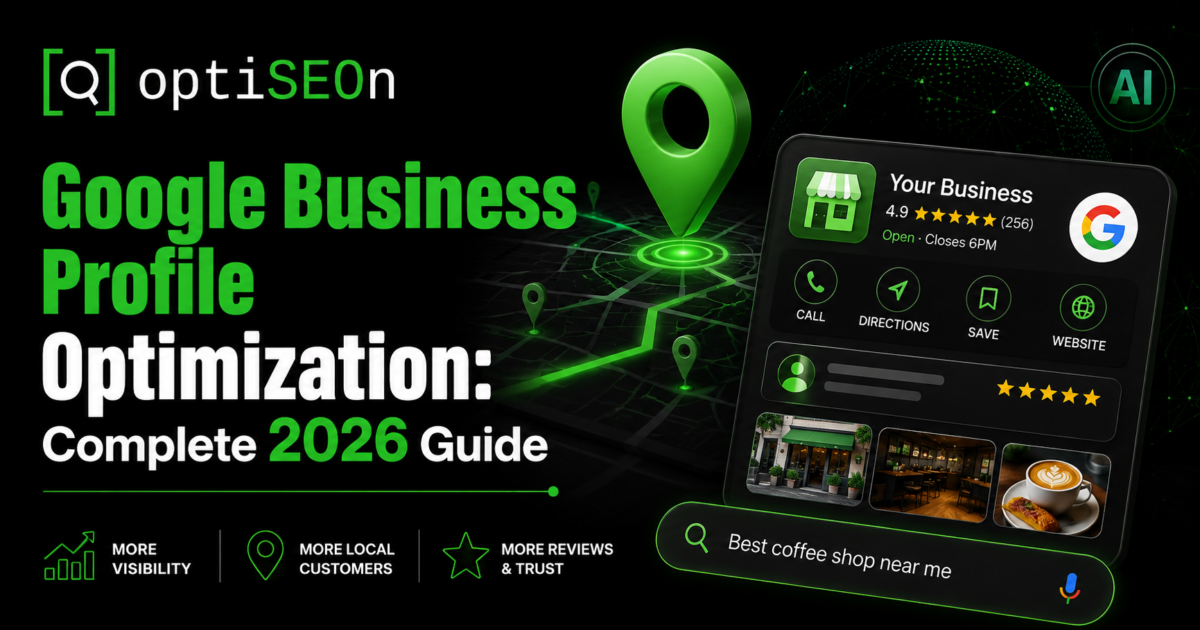
If you run a business with a physical location or a defined service area, your Google Business Profile is almost certainly your single highest-leverage marketing asset. It’s free. It’s entirely under your control. And it drives the largest share of ranking signal for the Google Map Pack — the three-listing block that captures the bulk of clicks on local searches.
It’s also, in our experience auditing local businesses across Dallas–Fort Worth and nationally, the asset most likely to be half-finished. Claimed in 2019, never updated. Wrong primary category. Four photos. No posts. Reviews unanswered since the pandemic.
This is the complete 2026 optimization guide — everything from category selection to what to do if you get suspended.
TL;DR — GBP optimization in one paragraph
Google Business Profile (formerly Google My Business) is the free listing that determines your visibility in Google Maps and the local Map Pack. Optimization means: correct and specific primary category, complete business information with consistent NAP, defined service areas, 20+ current photos, weekly Google Posts, filled-out services and products, actively managed Q&A, and a consistent review acquisition and response process. Google ranks local results on three factors — relevance, distance, and prominence — and your GBP is the primary input to relevance and prominence.
What is a Google Business Profile and why does it matter?
A Google Business Profile is the free business listing that appears in Google Maps and in local search results. It shows your name, category, hours, photos, reviews, and contact details, and it’s what makes your business eligible to appear in the Map Pack.
Why it dominates local SEO: for location-based queries, Google shows the Map Pack above the organic blue links. A business ranking #1 organically but absent from the Map Pack is visually below three competitors who may have far weaker websites. The listing outranks the site.
Google determines local rankings on three stated factors:
- Relevance — how well your profile matches what was searched. Driven almost entirely by your GBP categories, services, and description.
- Distance — how close you are to the searcher (or the searched location). You can’t change this.
- Prominence — how well-known and well-regarded your business is. Driven by reviews, citations, links, and overall web presence.
Two of the three are things you directly control through your profile. That’s why this asset matters so much.
We covered the broader local strategy in our Dallas local SEO playbook — this post is the deep dive on the profile itself.
Is Google Business Profile the same as Google My Business?
Yes — Google renamed Google My Business to Google Business Profile in late 2021. The standalone GMB app was retired and management moved into Google Search and Maps directly. You now manage your profile by searching your own business name while logged into the owning Google account, or through the Business Profile Manager for multi-location businesses.
If you read older guides referencing “GMB,” the tactics largely still apply — the name changed, the fundamentals didn’t.
Step 1: Claim and verify
If you haven’t claimed your profile, that’s step zero. Search your business name in Google, look for “Own this business?” or “Claim this business,” and follow the verification process.
Verification methods vary by business type and history: postcard to your address, phone, email, video verification, or instant verification for some businesses with verified Search Console properties. Video verification has become the most common method for new listings and can be finicky — record continuously, show your signage, your premises, and evidence you have access (keys, equipment, back-of-house).
If a listing for your business already exists and someone else controls it, you can request ownership through Google’s process. This takes time and sometimes requires documentation.
Step 2: Choose your categories correctly (the highest-impact decision)
Your primary category is the single most influential field on your entire profile. It’s the strongest relevance signal Google has, and choosing a broad category when a specific one exists is one of the most common and most costly mistakes we see.
The rules:
- Pick the most specific category that accurately describes your core business. “Dental Clinic” beats “Dentist” if you’re a clinic. “Personal Injury Attorney” beats “Lawyer.” “SEO Agency” beats “Marketing Agency” if SEO is your primary service.
- Your primary category should match what you most want to rank for. If you’re a general contractor who makes most of your money on kitchen remodels, “Kitchen Remodeler” may serve you better than “General Contractor.”
- Add secondary categories for your other genuine service lines — you can add up to nine additional. But don’t stuff irrelevant ones; irrelevant categories dilute relevance and can trigger quality reviews.
- Check what competitors ranking above you use. Their categories are visible in the profile source. This is legitimate competitive research.
Changing your primary category can move rankings within days. It can also tank them if you choose badly, so change deliberately and monitor.
Step 3: Complete every field
Google rewards complete profiles. Work through all of it:
- Business name — your real-world business name exactly. Do not keyword-stuff. “Joe’s Plumbing | Emergency 24/7 Dallas Plumber” violates Google’s guidelines and is one of the most common causes of suspension. It’s also easily reported by competitors.
- Address — exact, formatted consistently with how it appears everywhere else on the web.
- Service area — for businesses that travel to customers. Define by cities, zip codes, or radius. Service-area businesses can hide their street address.
- Phone — a local number outperforms a toll-free number for local ranking signal.
- Website — link to the most relevant page, not always the homepage. Multi-location businesses should link to that location’s specific page.
- Hours — accurate, including special and holiday hours. Wrong hours generate negative reviews.
- Business description — 750 characters. Write for humans, include your services naturally, don’t stuff keywords.
- Opening date — a small trust signal.
- Attributes — wheelchair accessible, women-owned, LGBTQ+ friendly, free wifi, appointment required, etc. These appear as filters in Maps searches, so relevant attributes can win you visibility.
Step 4: Photos and video
Photos are a genuine ranking and engagement factor, and they’re the thing most profiles neglect after the first month.
Guidance that works:
- Minimum 20 photos, refreshed monthly. Businesses that add photos consistently outperform those that uploaded once.
- Cover real subjects: exterior (helps customers find you), interior, team, products/services in action, and your signage.
- Real photos, not stock. Stock imagery is detectable and does nothing for trust. This is also an E-E-A-T signal — see our E-E-A-T guide.
- Geotagging is not required. This is a persistent myth; Google strips EXIF data.
- Short videos (up to 30 seconds) get strong engagement and very few competitors use them.
Step 5: Use Google Posts weekly
Google Posts (updates, offers, events) appear on your profile and signal an active, maintained business. Most local competitors don’t use them at all, which makes this cheap differentiation.
Practical cadence: one post per week. Content can be simple — a recent project, a seasonal offer, a service highlight, an FAQ answer, a team introduction. Include a photo and a call-to-action button.
Posts expire (most after seven days), so consistency matters more than perfection.
Step 6: Fill out services, products, and Q&A
Services — list every service with a name, description, and price where appropriate. These feed relevance signals and appear directly in your profile.
Products — even service businesses can often use the products section to showcase packages.
Q&A — this section is public and anyone can answer, including competitors and confused strangers. Take control:
- Pre-populate it yourself with the questions customers actually ask (you’re permitted to ask and answer your own questions)
- Monitor for new questions and answer them promptly
- Upvote correct answers so they surface first
Unmonitored Q&A sections routinely contain wrong information. We’ve audited profiles where the top-voted answer to “do you take walk-ins?” was a stranger guessing incorrectly.
Step 7: Build and manage reviews
Reviews are the strongest prominence signal and a major conversion factor. Four things matter:
- Volume — relative to competitors in your category and market
- Recency and velocity — steady flow beats a burst two years ago
- Rating — though a perfect 5.0 with few reviews can read as less credible than a 4.7 with many
- Response rate — respond to every review, positive and negative. Google surfaces this and customers read it.
A review acquisition process that works: after every completed job or transaction, send a direct review link (Google provides a short link in your profile dashboard). Ask once, follow up once, stop.
What not to do: never gate reviews (asking only happy customers violates Google’s policy), never offer incentives for reviews, never buy reviews. Detection is good and the penalties — review removal, profile suspension — are severe.
Responding to negative reviews: respond promptly, professionally, without defensiveness. Acknowledge, apologize where warranted, offer to resolve offline. You’re writing for the hundred future customers reading it, not the one reviewer.
Note for healthcare, legal, and other regulated practices: review responses carry compliance constraints — in healthcare, acknowledging that someone is a patient can itself be a privacy problem. We cover this in our healthcare SEO playbook publishing August 25.
Step 8: Supporting signals off the profile
Your GBP doesn’t work in isolation:
- NAP consistency — name, address, phone identical across your website, directories, and social profiles. Inconsistency confuses Google’s entity matching.
- LocalBusiness schema on your website’s contact page, with matching data. See our schema markup guide.
- Local citations — consistent listings across Apple Business Connect, Bing Places, Yelp, BBB, and industry-specific directories.
- Embedded Google Map on your contact page.
- Location pages on your website for each service area, with genuinely unique content (not templated duplicates — Google’s June 2026 spam update specifically hit templated location-page networks).
What to do if your profile gets suspended
Suspensions happen, sometimes without obvious cause. Common triggers: keyword-stuffed business name, address that doesn’t meet Google’s physical-presence requirements, sudden major edits to core information, virtual office addresses, or competitor reports.
The process:
- Don’t panic-edit. Further changes during suspension complicate reinstatement.
- Identify the likely cause. Compare your profile against Google’s guidelines honestly.
- Fix the violation if you can identify it.
- File a reinstatement request through Google’s Business Profile support, with documentation — business license, utility bill at the address, signage photos, incorporation documents.
- Be patient and persistent. Initial responses are often templated. Reinstatements commonly take one to several weeks.
The best defense is prevention: accurate name, legitimate address, no guideline violations.
Realistic timelines
From the local audits we run:
- Days 1–14: Category and completeness fixes. Ranking movement often visible within two weeks for under-optimized profiles.
- Days 15–60: Photo cadence, weekly posts, review acquisition begins compounding. Map Pack movement typical in this window.
- Months 3–6: Review volume and citation consistency mature. Sustained top-3 Map Pack positions for realistic categories.
Competitive urban categories (dentists, personal injury attorneys, restaurants in dense markets) take longer than the above. Less competitive categories can move faster.
How OptiSEOn handles GBP
Google Business Profile management is part of OptiSEOn’s Geographic SEO service — category strategy, full profile buildout, weekly posts, photo management, review acquisition systems, Q&A monitoring, and citation building across 260+ platforms. We’re based in Dallas, we work with local businesses across DFW and nationally, and we treat GBP as ongoing maintenance rather than a one-time setup.
Frequently Asked Questions
How long does it take to rank in the Google Map Pack? Under-optimized profiles often see movement within 14–30 days of category and completeness fixes. Sustained top-3 rankings in competitive categories typically take 3–6 months of consistent review acquisition, posting, and citation work.
Can I have more than one Google Business Profile? Only if you have genuinely separate locations or genuinely distinct legal entities operating from separate addresses. Creating multiple profiles for the same business at the same address violates Google’s guidelines and typically results in suspension of all of them.
Does posting on Google Business Profile actually help rankings? Posts are best understood as an engagement and conversion feature with indirect ranking benefit — they signal an actively maintained profile and drive user interaction. They’re not a strong direct ranking factor, but they’re cheap, most competitors ignore them, and the engagement lift is real.
How many reviews do I need to rank in the Map Pack? There’s no universal threshold — it’s relative to your category and market. In competitive urban categories, top-3 businesses commonly have 100+ reviews with recent activity. In less competitive categories, 20–50 quality reviews can be sufficient. Recency and response rate matter alongside raw volume.
Why did my Google Business Profile get suspended? The most common causes are keyword-stuffed business names, addresses that don’t meet physical-presence requirements (including virtual offices and PO boxes), sudden significant edits to core business information, and competitor reports. Review Google’s guidelines, fix any violation, and file a reinstatement request with supporting documentation.
Should service-area businesses hide their address? Yes, if you don’t serve customers at your location. Google explicitly requires service-area businesses to hide the street address and define service areas instead. Displaying a residential address you don’t serve customers from is a guideline violation.
Want a free Google Business Profile audit? OptiSEOn is based in Dallas and audits local profiles across DFW and nationwide. Book a free audit — we’ll check your categories against competitors ranking above you, identify completeness gaps, and show you exactly what’s holding back your Map Pack position.
Leave a Reply