
Title tags and meta descriptions are the highest-leverage fifty words on any web page. They’re what someone actually reads in the search results before deciding whether to click your link or the result below it, and improving them can lift click-through rate on pages whose rankings never move at all.
They’re also the element most commonly left to whatever a CMS auto-generates, or written to a character count that doesn’t reflect how Google actually truncates.
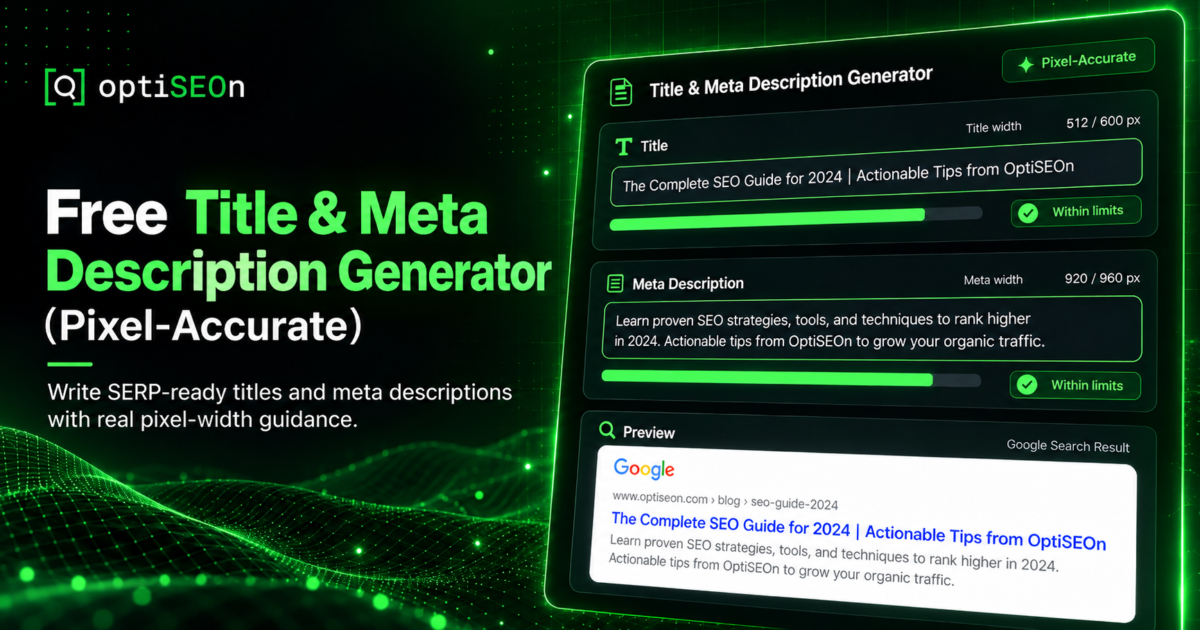
Our free Title & Meta Description Generator addresses both problems: it builds candidates from your page’s real content and measures them in pixels rather than characters, because pixel width is what determines truncation.
TL;DR
Title tags and meta descriptions determine whether people click your result, and Google truncates them by pixel width rather than character count, which is why character-based guidance is unreliable. The free OptiSEOn generator reads your page’s H1, headings, schema, location, and opening paragraph to assemble candidates, measures against a 580px title and 920px description budget using Arial advance-width metrics, and includes a live SERP preview with an editor that re-measures as you type. Nothing is invented.
→ Generate titles and meta descriptions
Why does pixel width matter more than character count?
Google truncates titles and descriptions based on how wide they render, not how many characters they contain, and characters have wildly different widths. A title of sixty W’s is vastly wider than sixty i’s, so any “keep it under 60 characters” rule is an approximation that fails on real titles.
This is why two titles of identical character length can behave differently in the SERP: one displays in full, the other gets cut mid-word with an ellipsis. Capital letters, wide characters like W and M, and narrow ones like i, l, and t all shift the real width substantially.
The generator measures against a 580px title budget and 920px description budget using Arial advance-width metrics, matching the way Google actually renders and truncates. You see whether your title fits, not whether it satisfies a rule of thumb.
What does the generator do?
It reads the page at the URL you enter and assembles title and description candidates from that page’s own H1, headings, schema, location data, and opening paragraph, then measures each in pixels and shows them in a live SERP preview. Nothing is invented, and you can edit in place with the measurement updating as you type.
What that means practically:
- Built from your real content. Candidates come from what’s genuinely on the page, not from a model guessing what your business does.
- Pixel-measured. Both title and description measured against Google’s rendering budget.
- Live SERP preview. See how the result will actually look.
- Editable with live re-measurement. Adjust wording and watch the pixel width update.
- Free, no signup.
The “nothing invented” constraint is deliberate, and it’s the same principle behind our schema markup generator and entity signal checker. A tool that fabricates a plausible-sounding description for a page it didn’t really read produces meta descriptions that misrepresent the page — which raises click-through briefly and bounce rate permanently.
What makes a good title tag?
A good title tag includes the primary keyword near the front, describes the page accurately, fits within the pixel budget, and gives someone a reason to click rather than just naming the topic. It’s a ranking element and an advertisement simultaneously.
The rules that hold up:
- Primary keyword early. Front-loading matters for both relevance and scannability.
- Fit the pixel budget so it doesn’t truncate mid-phrase.
- Be specific. “Local SEO Guide” loses to “Local SEO for Dallas Businesses: 2026 Map Pack Playbook.”
- Unique per page. Duplicate titles across pages are a cannibalization signal (see our internal linking guide).
- Brand at the end, if at all, on content pages. Front-loading your brand wastes the most valuable pixels unless the brand is the draw.
- Match search intent. If the SERP is full of guides, “Guide” belongs in your title.
What makes a good meta description?
A good meta description summarises what the page delivers, includes the keyword naturally, fits the pixel budget, and gives a concrete reason to click. While it doesn’t directly affect rankings, it strongly affects click-through rate. Treat it as ad copy that happens to sit in search results.
Worth knowing: Google rewrites meta descriptions frequently (often more than half the time) when it judges that a different snippet better matches the query. That’s not a reason to skip writing them. A well-written description is used more often than a poor one, and when Google does rewrite, it pulls from your page content, so well-structured content improves the substitute too.
What works:
- Deliver on the title’s promise with specifics
- Include the keyword naturally (it gets bolded when it matches the query)
- Give a concrete reason to click by highlighting what readers will learn or be able to do.
- Active voice, no filler. “Learn about our services” wastes the whole budget.
- Unique per page
Why do my meta descriptions matter if Google rewrites them?
Click-through rate is a real competitive lever, and a description Google keeps is better than one it replaces. Plus, the pages Google rewrites most are usually the ones whose descriptions were weakest to begin with. Writing them well raises the floor either way.
There’s also a compounding angle. Improving CTR on pages that already rank is one of the fastest wins in SEO, because you’re not waiting for ranking movement at all. A page sitting at position 4 with a weak description is leaving clicks on the table today, and the fix takes ten minutes.
To find those pages: in Search Console, sort by impressions and look for pages with high impressions and low CTR relative to their average position. Those are your rewrite candidates.
Does this affect AI search too?
Indirectly. AI systems read your page content rather than your meta description, but clear titles and well-structured pages help them identify what a page is about, and the same discipline that produces a good title produces a clear H1 and heading structure. The description itself isn’t the lever; the clarity behind it is.
The thing that genuinely drives AI citation is the structure covered in how to get cited by ChatGPT, Perplexity & Gemini: question-format headings with direct answers underneath. Titles and descriptions are for humans in the SERP. Both matter, for different reasons.
Frequently Asked Questions
How long should a title tag be?
Google truncates by pixel width rather than character count, with a title budget of roughly 580px. That works out to somewhere around 50–60 characters for typical text, but wide characters consume the budget faster. Measuring in pixels, as our generator does, is more reliable than counting characters.
How long should a meta description be?
Around 920px of rendered width, which is roughly 150–160 characters of typical text but varies with the actual characters used. Measure rather than count, and front-load the important information so that truncation doesn’t remove your reason to click.
Do meta descriptions affect rankings?
Not directly, as Google has stated meta descriptions aren’t a ranking factor. They affect click-through rate, which affects how much traffic a given ranking produces. Improving descriptions on pages that already rank well is one of the fastest available traffic wins.
Why does Google rewrite my meta description?
Google substitutes its own snippet when it judges that text from your page better matches the specific query. This happens frequently. Writing good descriptions still helps, because strong ones are kept more often, and Google’s substitutes are drawn from your page content, so clear content improves both outcomes.
Should every page have a unique title and meta description?
Yes. Duplicate titles and descriptions across pages make it harder for search engines to distinguish them and can contribute to cannibalization. Every indexable page should have its own, written for that page’s specific intent.
Is the OptiSEOn title and meta generator free?
Yes, with no sign-up. Enter a URL, and it assembles candidates from that page’s own H1, headings, schema, location, and opening paragraph, measures them in pixels against Google’s truncation budgets, and shows a live SERP preview you can edit. It’s one of eleven free tools we build.
Fix the fifty words that decide whether people click. Use the free Title & Meta Description Generator, starting with your highest-impression, lowest-CTR pages. Want the full list of which pages those are? Book a free audit.
Leave a Reply