
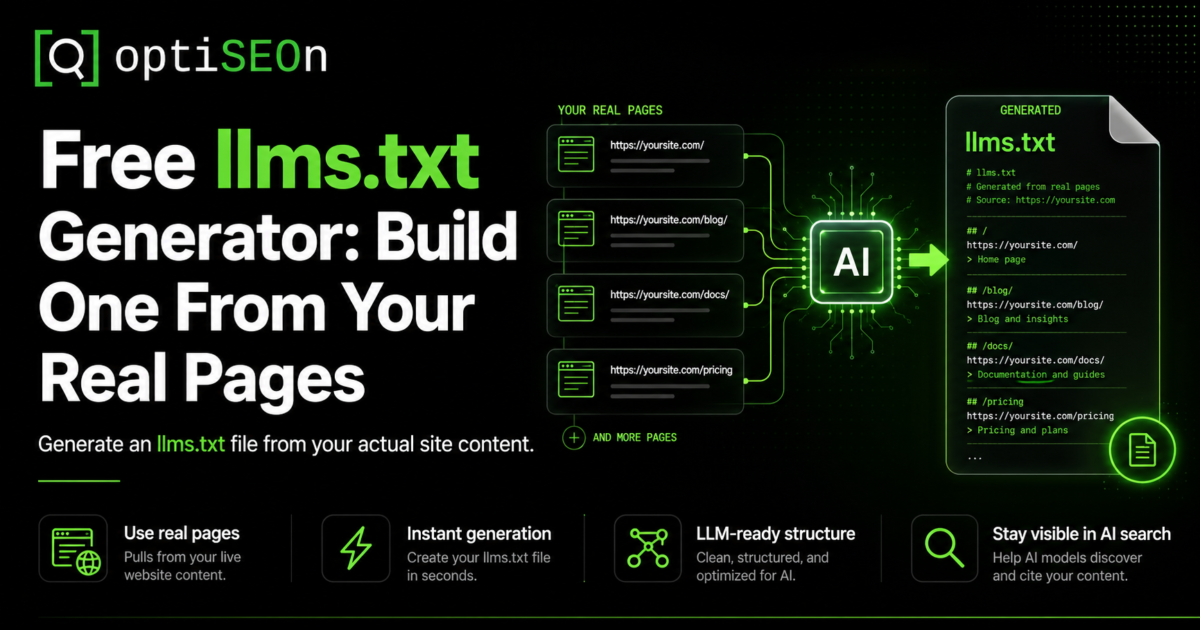
A few months ago we published a post with a deliberately unglamorous conclusion: llms.txt is overhyped. The data we pulled showed it appearing in well under 1% of AI-cited URLs, and no major AI vendor had officially committed to honoring the spec. Our recommendation was blunt — don’t treat llms.txt as a primary AI-visibility lever, because it isn’t one.
So it would be a little strange to now hand you a free llms.txt generator without addressing the obvious question: if you told me not to bother, why build the tool?
Here’s the honest answer, and it’s the same one that runs through everything we publish. llms.txt is low effort and near-zero downside. It won’t hurt you, it might help later if the major AI platforms formally adopt the standard, and it’s a genuinely useful forcing function for auditing which of your pages actually matter. What made it not worth prioritizing was the manual effort relative to the payoff. Take the manual effort down to twenty seconds, and the math changes — a zero-downside, maybe-helpful task you can finish before your coffee is worth doing.
That’s what the OptiSEOn llms.txt generator is for. This post explains what it does, how to use it well, and — because we’d rather keep your trust than oversell you a file — where it fits and where it doesn’t.
TL;DR
llms.txt is an emerging, community-proposed standard: a Markdown file at your domain root that tells AI systems what your site is and which pages matter. The free OptiSEOn llms.txt generator crawls your real pages, groups them into sections, and produces a valid, downloadable llms.txt in about 20 seconds — with every title and description pulled from your own pages, nothing invented. It’s low-effort and low-risk, but it is not a shortcut to getting cited by AI. Being readable is step one; being citation-worthy is the actual job.
→ Generate your free llms.txt · No signup · ~20 seconds.
What is an llms.txt file?
An llms.txt file is a Markdown file placed at your domain root (yoursite.com/llms.txt) that gives AI systems a curated, plain-language map of your site — what it is and which pages matter most. It was proposed in September 2024 as a community standard, and the idea is to hand large language models a clean index instead of making them guess from your raw HTML.
A basic llms.txt looks like this:
# Your Company
> One-line summary of what your company does.
## Services
– [SEO Services](https://yoursite.com/services): What you offer and for whom.
– [Pricing](https://yoursite.com/pricing): Plans and what’s included.
## Guides
– [How AI Search Works](https://yoursite.com/blog/ai-search): A plain-English overview.
Clean, structured, human-readable, and machine-readable. The concept is sound. Whether the major AI platforms actually use it is the part worth being honest about — more on that below.
What does the OptiSEOn llms.txt generator do?
The OptiSEOn llms.txt generator reads your site’s sitemap and pages, groups them into logical sections, and builds a comprehensive, valid llms.txt file you can download and upload to your site root. Every title and description in the file comes directly from your own pages — the tool doesn’t invent copy or hallucinate descriptions.
What that means in practice:
- It uses your real content. Titles and descriptions are pulled from your actual pages, so the file reflects what’s genuinely on your site.
- It structures automatically. Pages are grouped into sections (services, guides, products, and so on) rather than dumped into one flat list.
- It outputs a valid file. The result follows the llms.txt format, ready to paste at yourdomain.com/llms.txt.
- It’s free and needs no signup. Enter a domain, wait about twenty seconds, download.
The tool gives you a strong first draft built from reality. What it deliberately does not do is pretend the file is finished the moment it’s generated — which brings us to how to use it well.
How do I create an llms.txt file?
Enter your domain into the generator, let it crawl your pages (~20 seconds), review and trim the generated file, then upload it to your site root at /llms.txt. The generation is automatic; the curation is the part that makes it actually good.
Step by step:
- Go to the llms.txt generator and enter your domain. No signup.
- Let it crawl. It reads your sitemap and pages and groups them into sections.
- Review the draft. This is the important step most people skip. The tool gives you everything; you decide what belongs.
- Trim what doesn’t matter. Cut thin pages, tag/category archives, utility pages, and anything that doesn’t help an AI understand your site. A focused file of 15–30 meaningful pages beats a sprawling dump of 200.
- Upload to your root. Place the final file at yourdomain.com/llms.txt (UTF-8, named exactly llms.txt).
- Keep it updated. Revisit it when your site changes materially — new services, new cornerstone content, restructured navigation.
What makes a good llms.txt file?
A good llms.txt is curated, not exhaustive: it points AI systems at your genuinely important pages with accurate descriptions, and leaves everything else out. The value is in the editorial judgment — telling an AI which 20 pages define your site is more useful than listing all 200.
The principles we’d apply:
- Curate ruthlessly. Include cornerstone content, key service and product pages, and your best explanatory guides. Exclude thin pages, duplicates, archives, and utility URLs.
- Keep descriptions accurate. Since the generator pulls from your real pages, the honesty is built in — but if you edit, keep descriptions truthful. Misleading descriptions help no one and erode trust signals.
- Don’t link to gated or noindexed pages. If you don’t want it in Google, you don’t want it in llms.txt.
- Update it as you go. A file that reflects your site as it was a year ago is worse than a slightly shorter one that’s current. Freshness matters across AI systems generally.
The generator handles the tedious first pass. The curation is where a human — you — adds the value a crawler can’t.
Does llms.txt actually work? The honest answer.
As of 2026, no major AI vendor — OpenAI, Google, Anthropic, or Perplexity — has publicly committed to honoring llms.txt, and citation studies show it appearing in well under 1% of AI-cited URLs. So the honest answer is: implementing llms.txt is unlikely to measurably change your AI citations today. We laid out the full data in our honest guide to llms.txt, and nothing since has changed that conclusion.
We’re telling you this on the same page where we’re offering you the tool, on purpose. Here’s the case for generating one anyway:
- Near-zero downside. A well-formed llms.txt won’t hurt your SEO or your AI visibility.
- Possible future upside. It’s a proposed standard with real momentum in developer circles (Anthropic, Stripe, Cursor, and Cloudflare publish them). If adoption formalizes, you’re already set up.
- It’s now a 20-second task. The original objection was effort-versus-payoff. The tool removes the effort side of that equation almost entirely.
- It’s a useful audit. Deciding which pages belong in your llms.txt forces you to identify your genuinely important pages — which is clarifying regardless of whether an AI ever reads the file.
What we won’t do is tell you it’s a growth lever. It isn’t. It’s a cheap, sensible hygiene task with option value. Treat it as that and you’ll have the right expectations.
Who should generate an llms.txt?
Most businesses can generate one because the cost is trivial, but developer-focused and documentation-heavy sites get the clearest current benefit — their users frequently ask AI coding assistants questions that a curated doc index helps answer. For everyone else, it’s a reasonable low-priority hygiene task, not something to agonize over.
A quick way to think about priority:
| If you are… | llms.txt priority |
| A developer tool or docs-heavy site | Higher — real current use case with AI coding assistants |
| A SaaS or B2B site wanting AI visibility | Low-priority hygiene — generate it, then move on to what matters |
| A local or small business | Optional — fine to do, not worth stress |
| Short on time entirely | Skip it and prioritize content, schema, and crawler access first |
Wherever you land, the sequencing is the same: do the things that actually move AI visibility first, and treat llms.txt as the easy box you tick once, not the project you build a quarter around.
llms.txt is step one. Getting cited is the job.
A good llms.txt helps AI systems read your site — but showing up in AI answers takes citation-worthy content, entity-consistent schema, and authority signals that agree with each other. Readability is necessary; it is not sufficient. An AI can parse your site perfectly and still never cite you, because parsing isn’t the same as being worth quoting.
The work that actually earns citations is the work we’ve mapped across this blog:
- Make sure AI crawlers can even reach you first. A perfect llms.txt is pointless if your robots.txt blocks the bots. Check with our free robots.txt AI Crawler Checker, and read the post on why that matters.
- Structure content to be extracted and quoted. Question-format headings, direct answers, comparison tables. See how to get cited by ChatGPT, Perplexity & Gemini.
- State who you are in machine-readable terms. Organization, Article, and Person schema. Our Schema Generator and schema markup guide cover it.
- Build corroborating authority. Third-party mentions and entity consistency. Our Entity Signal Checker and AI Citation Tester show where you stand.
- Measure whether it’s working. See how to measure AI search traffic.
That end-to-end work is OptiSEOn’s LLM optimization service. The llms.txt file is the doormat; the service is the house.
Frequently Asked Questions
What is an llms.txt file used for? An llms.txt file gives AI systems a curated, plain-language map of your website — what it is and which pages matter most — as a Markdown file at your domain root. The intent is to help models understand your site without guessing from raw HTML. It’s an emerging community standard proposed in 2024, not an official requirement from any AI vendor.
How do I create an llms.txt file for free? Use a generator like OptiSEOn’s free tool: enter your domain, let it crawl your pages and group them into sections (~20 seconds), review and trim the draft, then upload the file to your site root at /llms.txt. No signup is required, and every description is pulled from your real pages.
Where do I put the llms.txt file? At the root of your domain, exactly at yourdomain.com/llms.txt, saved as UTF-8 and named precisely llms.txt. This mirrors how robots.txt lives at the root. Don’t nest it in a subfolder — AI systems that look for it expect it at the root path.
Does llms.txt help with SEO or AI rankings? Not directly. No major AI vendor has committed to using llms.txt, and it appears in well under 1% of AI-cited URLs as of 2026. It won’t hurt you and may help if adoption grows, but it’s a low-downside hygiene task, not a ranking or citation lever. The things that actually earn citations are content structure, schema, and authority signals.
What’s the difference between llms.txt and robots.txt? robots.txt controls access — which crawlers may read which pages. llms.txt provides curation — a hand-picked index of your important pages with descriptions. robots.txt is universally respected by crawlers; llms.txt is an emerging standard that isn’t yet formally honored by the major AI platforms. They solve different problems, and you can use both.
How often should I update my llms.txt? Whenever your site changes materially — new services, new cornerstone content, or restructured navigation. There’s no fixed schedule, but a file that reflects a year-old version of your site is less useful than a current one. Regenerating and re-curating quarterly is a reasonable cadence for most sites.
Is the OptiSEOn llms.txt generator really free? Yes — no signup, no email. It crawls your real pages, groups them into sections, and produces a valid, downloadable llms.txt in about 20 seconds. It’s one of several free tools we build, alongside our robots.txt AI Checker, Schema Generator, Entity Signal Checker, and AI Citation Tester.
Generate your llms.txt in twenty seconds — then go do the work that actually matters. Use the free llms.txt generator, tick the box, and move on. If you want help with the part that genuinely moves AI visibility — content, schema, and authority — OptiSEOn is a Dallas-based SEO, AEO, GEO, and LLM optimization agency. Book a free AI visibility review and we’ll show you where the real gaps are.
Leave a Reply