
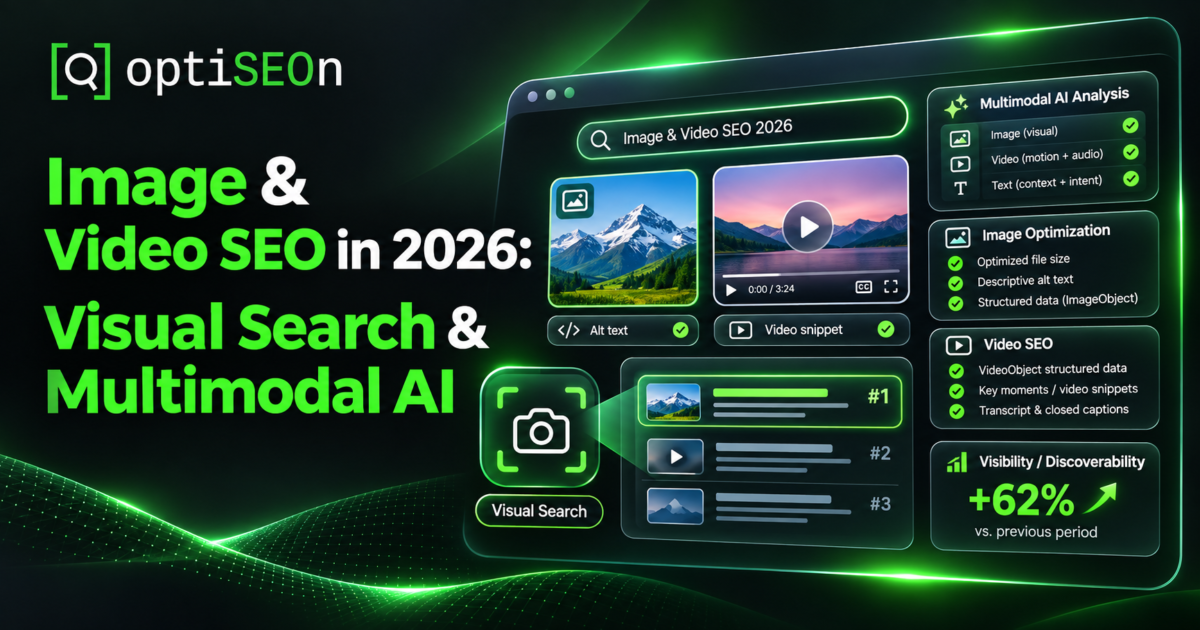
Visual content is the part of most websites that nobody optimizes. Images get uploaded straight from a camera at full resolution with a filename like IMG_4471.jpg, no alt text, no compression, and no thought about whether anyone could ever find them. Video gets embedded and forgotten.
Two major shifts changed that. First, page speed became a key ranking factor, and unoptimized images remain the primary reason pages load slowly. Second, AI tools expanded into multimodal search. They can process images directly while relying heavily on nearby text and descriptive tags to understand what visual content actually represents.
So visual optimization now serves three audiences at once: humans, search engines, and AI systems. Here’s what actually matters.
TL;DR
Effective image SEO comes down to clear filenames, accurate alt text, modern image formats like WebP or AVIF, proper sizing, lazy loading, and schema markup. For video SEO, focus on transcripts, VideoObject schema, and your hosting choice. Getting these details right improves accessibility, page load times, search visibility, and AI content recognition all at once, giving you strong returns for the effort.
→ Check your pages’ alt text coverage free
Does image SEO actually matter?
Yes, for three separate reasons: images are a direct traffic source through image search, they’re the most common cause of poor page performance, and AI systems use image context to understand pages. Even if you never get a visit from image search, the speed and comprehension benefits stand alone.
Where it matters most: ecommerce (product images are a genuine discovery channel), recipes and food, travel and property, design and creative work, and local businesses where real photos influence decisions.
Where it matters least: text-heavy B2B content where images are decorative. Even there, compression still matters for speed.
How should I write alt text?
Write a concise, plain-English sentence describing what the image displays, as if explaining it to someone who cannot see it. That is the core purpose of alt text, and it aligns with what search engines and AI models need. Alt text exists primarily for web accessibility, while any SEO advantage naturally follows good implementation.
The rules:
- Describe the content, not the keyword you’d like to rank for
- Be specific. “Grilled salmon with asparagus on a white plate” beats “food.”
- Keep it to a sentence. Screen readers read it aloud.
- Don’t start with “image of” because screen readers announce images automatically.
- Leave it empty (alt=””) for purely decorative images so screen readers skip them. This is correct, not lazy.
- Never keyword-stuff. It’s detectable, it’s hostile to the people alt text exists for, and it can be treated as spam.
Check your coverage with the free On-Page SEO Checker, which reports how many images on a page have alt text and how many don’t.
What about filenames and captions?
Descriptive filenames provide search engines with context before rendering an image, while captions get read far more consistently than standard paragraph text. Most sites overlook both of these quick wins.
- Filenames: grilled-salmon-asparagus.jpg, not IMG_4471.jpg. Hyphens, lowercase, no stuffing.
- Captions: genuinely read by users, so write them for people. Not every image needs one.
- Surrounding text: search engines and AI systems infer image meaning partly from the content around it. An image placed next to relevant text is better understood than one floating in isolation.
- Image sitemaps or images included in your main sitemap help discovery on image-heavy sites.
Which image format should I use?
Use WebP for standard web graphics, AVIF where supported for lighter file sizes, SVG for icons and vector logos, and keep JPEG or PNG purely as fallbacks. Choosing the right format offers the fastest path to reducing overall page weight.
| Format | Use for | Notes |
|---|---|---|
| AVIF | Photos, best compression | Smallest files; support is broad but check your stack |
| WebP | General default | Strong compression, universal support |
| SVG | Logos, icons, line art | Scales infinitely, tiny |
| JPEG | Fallback for photos | Universally supported |
| PNG | Transparency fallback | Large; avoid for photos |
Beyond format:
- Size for display. Serving a 4000px image into a 600px container wastes bandwidth and hurts LCP.
- Responsive images via srcset so mobile gets mobile-sized files.
- Lazy load below-the-fold images, but keep standard loading on your main hero image so you do not hurt your LCP performance.
- Always set width and height attributes to prevent layout shift. This is the most common CLS cause.
Images often drive Largest Contentful Paint metric scores, making image optimization a performance requirement as much as a search strategy. For details on page performance, check out our guide on Core Web Vitals in 2026.
How does video SEO work?
Video SEO relies on hosting choices, written transcripts, and VideoObject schema markup. Because search crawlers process text rather than watching video frames, written context drives video indexation.
The decisions:
Hosting. YouTube gives you reach and search presence on YouTube itself, but the engagement accrues there. Self-hosting or using a video platform keeps visitors on your site and lets your page rank for the video. Many businesses do both: YouTube for reach, embedded on-site for conversion.
Transcripts. Adding full text transcripts provides high-value SEO benefits. Transcripts convert audio content into searchable text that AI systems can read, extract, and reference. Place the full text on the page alongside the embedded video player.
VideoObject schema with title, description, thumbnail, upload date and duration makes video eligible for video rich results. Our Schema Markup Generator handles the markup.
Thumbnails drive click-through more than anything else about a video listing.
Performance. Embedded video players are heavy. Lazy-load them, use a facade (a thumbnail that loads the real player on click), and never autoplay video above the fold.
How do AI systems handle images and video?
While multimodal AI models can read visual assets directly, they rely heavily on alt text, captions, file names, supporting page copy, and video transcripts to interpret context accurately and select sources to cite. Text content remains the most reliable signal.
The practical consequences:
- Alt text and transcripts are AI-readable in a way raw pixels largely aren’t. A video with no transcript is close to invisible as a source.
- Images illustrating a specific claim are better understood when the surrounding text makes the claim explicit.
- Charts and data visualizations should have their key finding stated in text nearby, not only inside the image. If your headline number only exists as pixels in a graphic, it can’t be quoted.
Keep this in mind if you publish original research or data points. If key statistics exist only inside an image file, search crawlers and AI models cannot extract or cite them easily.
Common mistakes
- Uploading camera-resolution images straight to the CMS. The most common and most damaging.
- Keyword-stuffed alt text. Hostile to accessibility, flagged as spam.
- Embedding core text into graphics, which hides content from search crawlers, AI assistants, and screen readers. Restaurant menus, pricing charts, and infographic titles commonly make this mistake.
- Lazy-loading the hero image. Directly harms LCP.
- Missing width/height attributes, causing layout shift.
- Video with no transcript. Invisible content.
- Autoplaying video above the fold.
Where to start
- Audit alt text coverage on your key pages with the On-Page SEO Checker.
- Identify oversized visual assets using PageSpeed Insights, which highlights slow-loading hero elements and unscaled graphics.
- Convert and compress to WebP or AVIF, sized for display.
- Fix width/height attributes across templates.
- Write real alt text on content images; empty alt on decorative ones.
- Transcribe your videos and publish the text.
- Add VideoObject schema to video pages.
The first three usually produce a visible speed improvement within a day, which makes this one of the more immediately satisfying pieces of technical SEO.
Frequently Asked Questions
Does alt text help SEO?
Yes, though accessibility remains its primary goal. Alt text helps search crawlers index image content, improves visual search performance, and gives AI engines clear context. Focus on straightforward descriptions of the image rather than inserting keywords, as keyword stuffing can trigger spam filters and hurts usability.
What’s the best image format for websites in 2026?
WebP as a general default, AVIF where your stack supports it for the smallest files, and SVG for logos and icons. JPEG and PNG remain useful fallbacks. Format choice combined with correct sizing is the largest lever on image weight and therefore on Largest Contentful Paint.
Should I host videos on YouTube or my own site?
It depends on your goals. YouTube offers vast organic audience reach, but user engagement stays on their platform. Self-hosting or using a dedicated business video provider keeps users on your site and builds your page authority. Many brands publish videos to YouTube for initial discovery while embedding those same assets on-site to drive conversions.
Do I need transcripts for my videos?
Yes, if you want search engines and AI tools to index your video content. Text transcripts convert audio into readable, searchable data that crawlers can index and cite easily. This simple addition improves search performance and user accessibility simultaneously.
Should I lazy load all my images?
No. Apply lazy loading to images appearing below the fold to reduce initial bandwidth requirements. Avoid lazy loading main hero images or prominent above-the-fold assets, as delaying those images hurts your Largest Contentful Paint metrics.
Does putting text inside images hurt SEO?
Yes. Search engines, AI systems and screen readers can’t reliably read text rendered inside an image. Menus, pricing tables and infographic headlines are common offenders. Always provide the same information as real HTML text, using the image as illustration rather than as the only source.
Start with the fastest check: how many of your images have alt text? Run the free On-Page SEO Checker. For assistance with image compression, modern web formats, Core Web Vitals optimization, or custom schema setup, book a free technical audit.
Leave a Reply